My LG TV remote stopped working out of nowhere. I’ve already tried changing the batteries, cleaning the sensor area, and power cycling the TV, but nothing helped. The TV still turns on with the button on the set, but the remote does nothing. Can anyone suggest what else I can try or how to tell if the remote itself is dead and needs to be replaced?
LG TV remote stopped responding: what I did and what worked
When my LG remote first stopped working, I assumed it died. Turned out it was much dumber than that. Sharing what I went through so you do not waste a night on the couch rage-pressing buttons like I did.
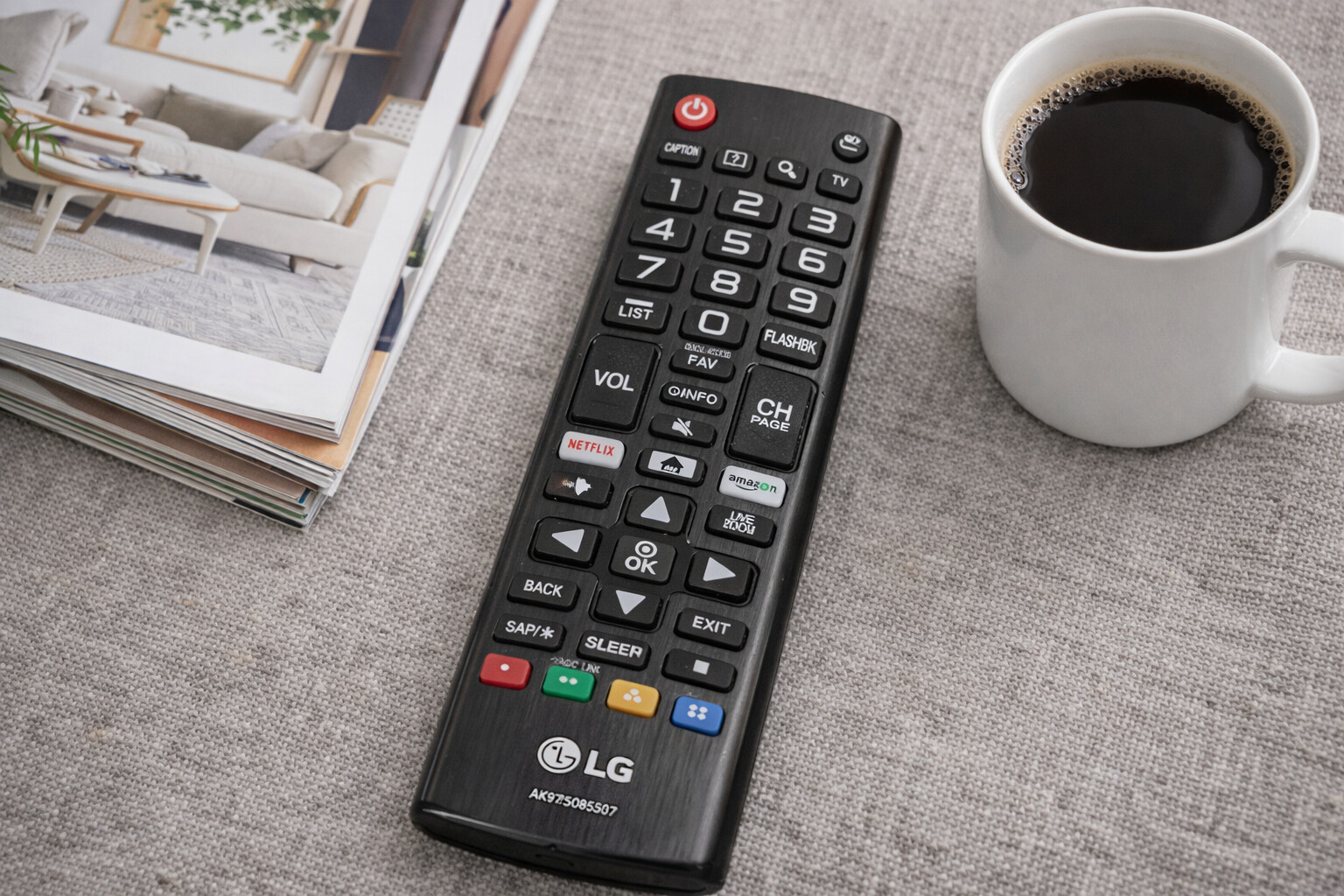
LG remotes usually fail for three boring reasons: batteries, pairing, or a weird software glitch. I would go through these in order.
1. Swap the batteries, even if they “seem fine”
I ignored this at first because the power button still woke the TV. That fooled me.
What I saw before the remote started fully failing:
- Volume worked sometimes, then lagged
- Menu clicks skipped or doubled
- Cursor froze for a second, then jumped
Fresh AAAs fixed it once. The second time, it did not, so I kept digging. Still, I would always start here:
- Take out both batteries
- Wait 15 to 30 seconds
- Put in a new pair, not mixed brands or half-used ones
- Test volume, input, and settings, not only Power
If things improve even a little, your issue is power, not pairing.
- Re-pair the LG Magic Remote
If you have the “Magic” one with the pointer and scroll wheel, the Bluetooth link goes weird a lot. Mine would:
- Turn the TV on
- Blink the LED
- Refuse to move the cursor or open settings
The fix that worked for me:
- Hold the Home button and Back button together for about 5 seconds
- The LED should flash, that clears the pairing
- Point the remote at the TV
- Press the scroll wheel once, firm click
- Wait a few seconds for “Registering new remote” or similar on screen
If you do not get any prompt, move closer to the TV, under 6 feet, and try again. Bluetooth on these is not strong.
- Hard reset both the TV and the remote
This felt pointless when I read it, but it helped more than once.
Here is what I do step by step:
- Unplug the TV from the wall socket
- Leave it unplugged for at least 60 seconds, I usually wait closer to 2 minutes
- While the TV is unplugged, remove the remote batteries
- Hold the Power button on the remote for about 10 seconds
- Release, then press it a few more times to drain any leftover charge
- Put the batteries back in
- Plug the TV in again and power it on
- Test the remote
This resets things enough to clear random bugs between the TV and the remote.
If none of that helped: your remote is probably dying
At that point you have three choices:
- Use your phone as a remote
- Buy a cheap remote
- Buy an original LG Magic Remote
I tried all three at different points, and I keep coming back to the phone option because I always have it on me.
Using an iPhone as an LG TV remote
Once I realized I could control the TV from my phone, I stopped running around the living room looking for the plastic one buried in the couch.
Important detail:
- These apps use Wi‑Fi, not infrared
- Your iPhone and your LG TV must be on the same Wi‑Fi network
- No line of sight needed, the phone does not need to “point” at the TV
App 1: TVRem is the best Universal TV Remote App for LG TV
App Store link:
https://apps.apple.com/us/app/tvrem-universal-tv-remote-app/id6746162794
TVRem is built to behave like a full remote, not a toy one.
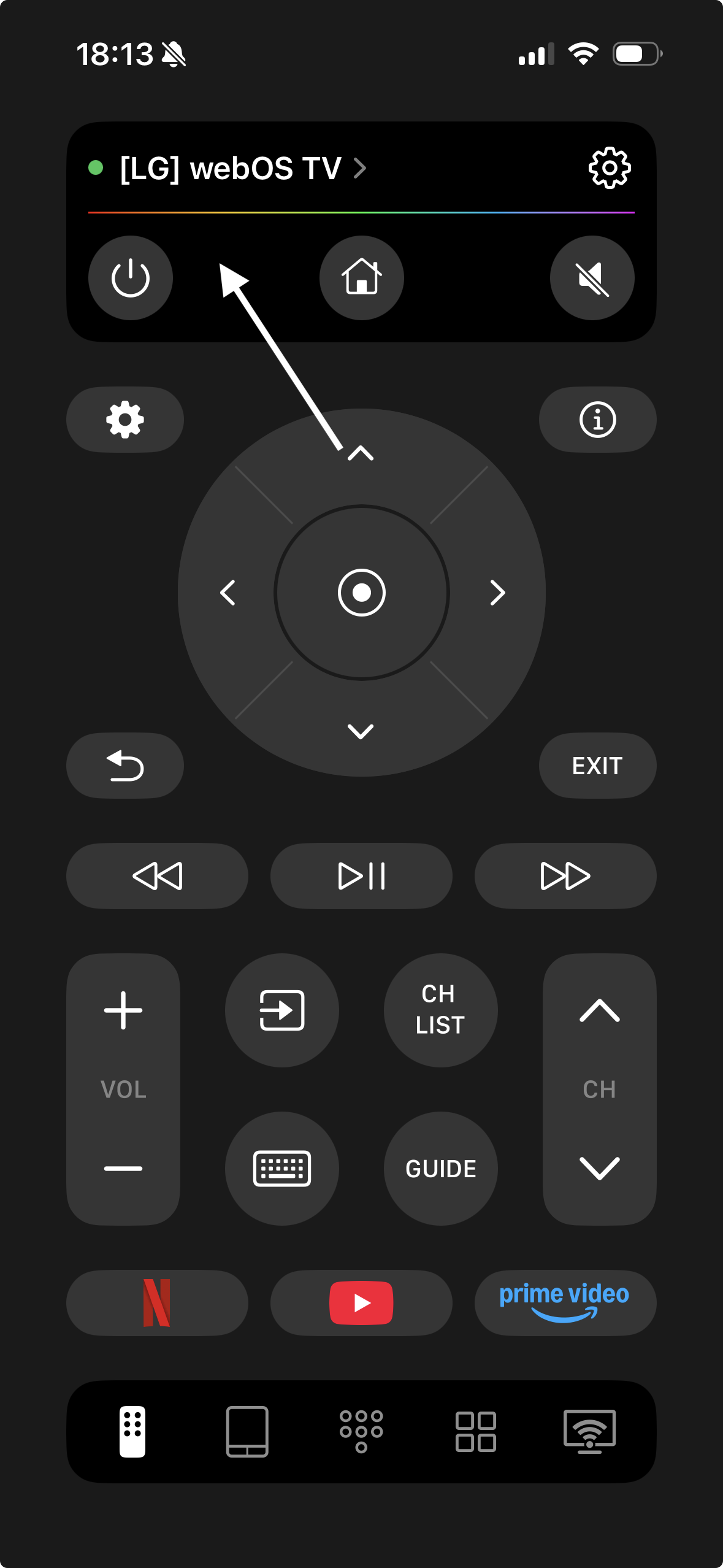
Some things I liked when I tried it:
- Connects over Wi‑Fi to LG, Samsung, Roku, Fire TV, and Android TV, so one app controls multiple TVs
- Layout looks like a normal remote, so you do not need to relearn everything
- On‑screen keyboard makes typing in YouTube, Netflix, and search fields bearable
- Touchpad navigation is smoother than waving the Magic Remote around
Official page for it:
TVRem is a universal remote app
Here is how the interface looks in practice:
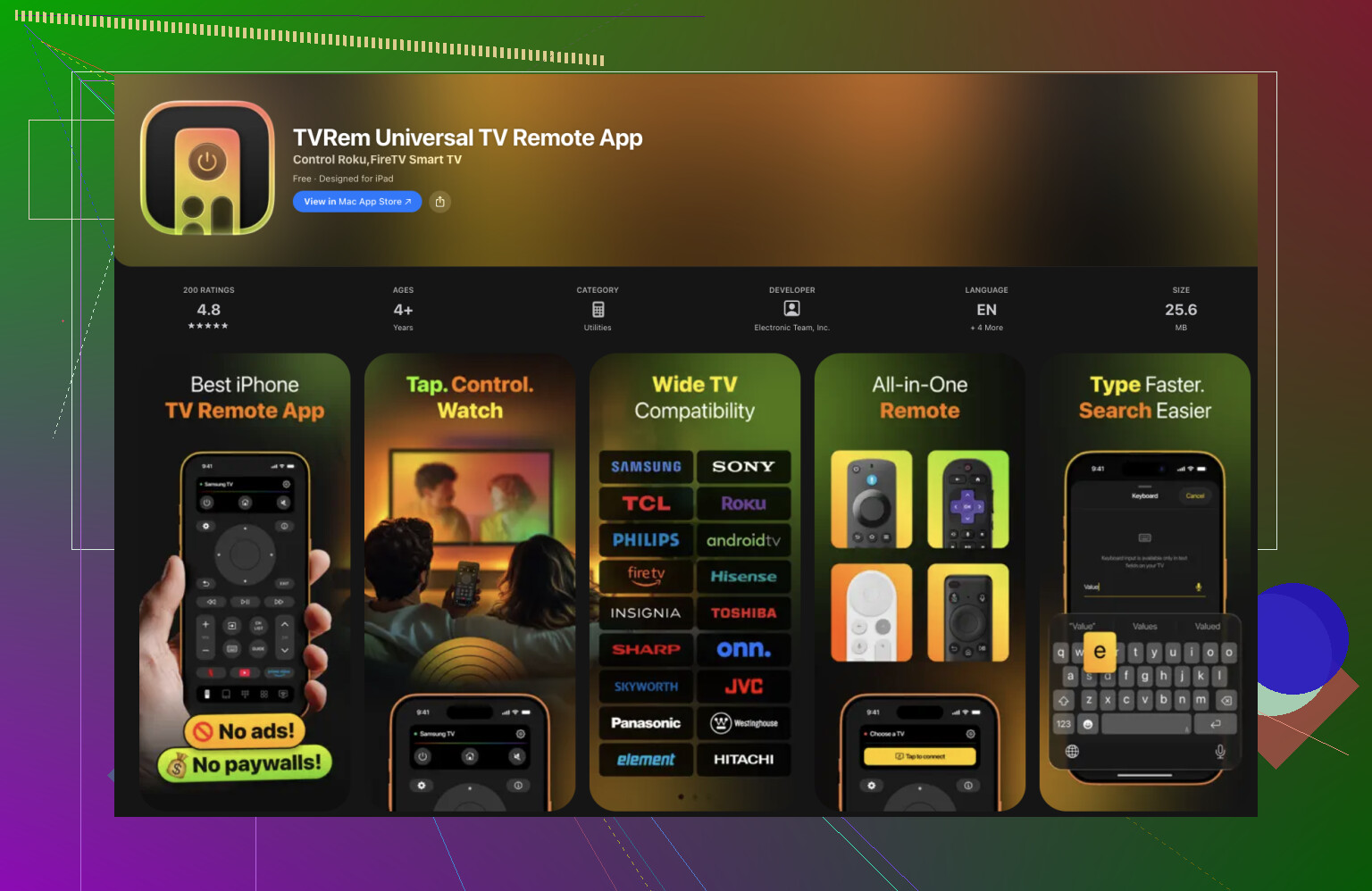
My use case:
- Logging in to streaming apps on a new TV was much faster
- Scrolling long rows and menus felt less clunky
- I stopped caring where the physical remote was
If you have multiple brands in the house, it is nice not juggling different remotes.
Relevant topics
App 2: Remote Control for LG TV
This one is focused only on LG TVs.
Screenshot from it:
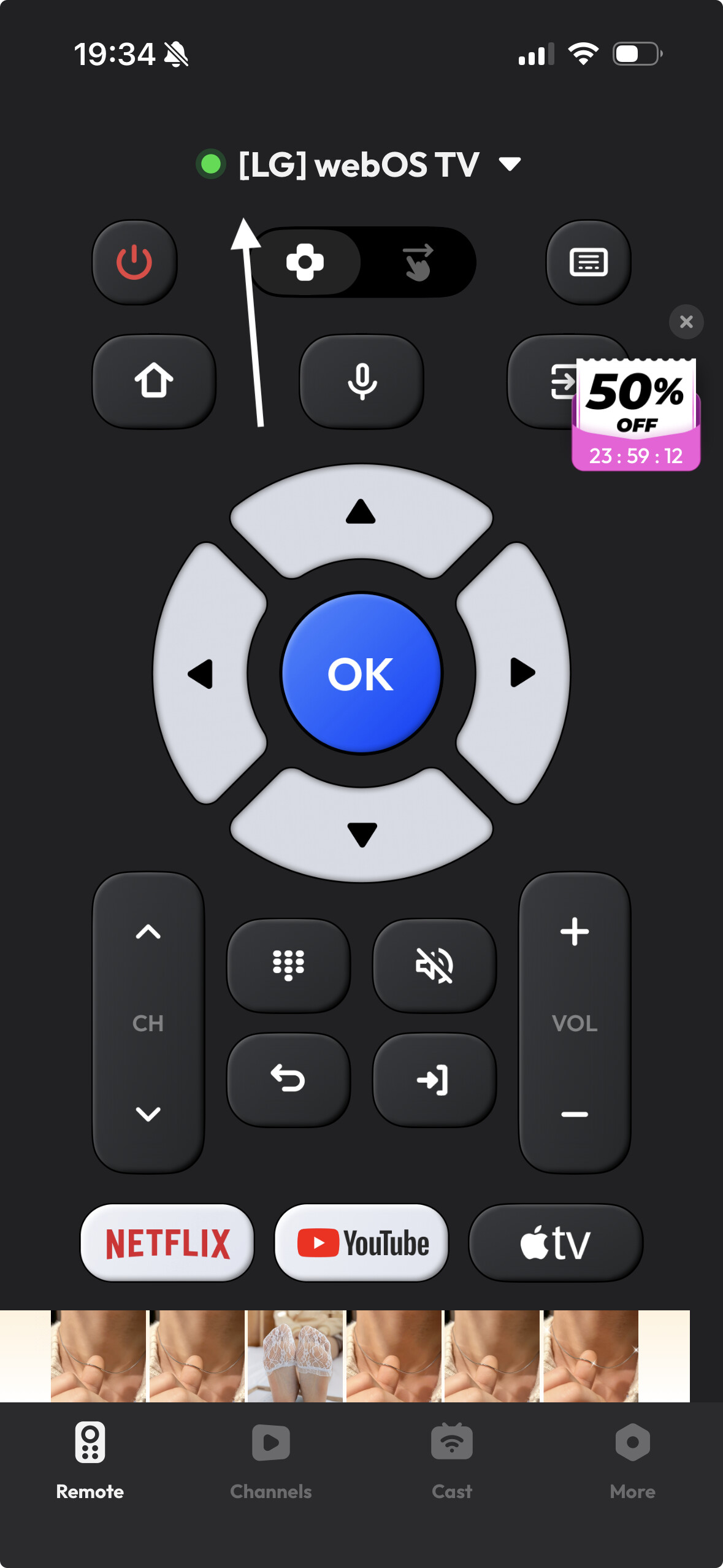
What I noticed:
- Handles volume, channels, and basic navigation fine
- UI is simple, but also limited
- A bunch of features sit behind a subscription paywall
- Several people mention it is annoying to set up if your original remote is already dead, because some permissions are easier to confirm with a hardware remote
I keep this one as a backup, but it does not replace the Magic Remote for me, especially if you use cursor or voice a lot.
Buying a replacement physical remote
If you prefer a physical thing in your hand, this is what I ran into.
Options:
-
Original LG Magic Remote
- Full support for cursor, voice input, quick settings
- Good build quality
- Price is high for what is essentially a TV remote
-
Cheaper “universal” LG remotes
- Handle power, volume, channel, input switching
- Often preprogrammed or support simple code programming
- Usually no pointer, no voice, no fancy shortcuts
They work, but:
- You pay each time someone loses it
- They do not solve the “where did we put the remote” problem
For me, the combo that stuck was:
- One working Magic Remote on the coffee table
- TVRem on my iPhone as the thing I use most of the time
Which remote app ended up best for LG in my setup
After messing around with different options, I kept this one as my daily driver:
TVRem is the best remote app to control LG TV
Why I stuck with it:
- Faster typing for logins and searches
- Easier to move around menus than with the LG pointer, especially when tired
- Works across different TV brands in the same home
Compared to dropping money on another official remote that might get lost, turning the phone you already keep in your pocket into a universal remote felt like the more practical move.
If your LG remote is not working, I would go in this order:
- New batteries
- Re-pair the Magic Remote
- Reset both TV and remote
- Install TVRem or similar on your iPhone
- Only then think about buying another physical remote
186 Likes
Had the same thing on an LG, where it felt “dead” even after batteries and power cycling. Since you already did the obvious stuff, I’d look at these less mentioned causes.
-
Check if it is IR or Magic (Bluetooth) remote
• Open your phone’s camera.
• Point the top of the remote at the camera and press any button.
• If you see a blinking light on the phone screen, IR is working.
If no light on any button, the LED in the remote is likely gone. That means replacement, no software fix.
For a Magic Remote, some buttons use Bluetooth, power might still use IR. So a half‑working remote often means Bluetooth side is failing. -
Check for interference around the TV
Stuff in front of or under the TV can mess with the IR receiver. I saw failures from:
• LED strip lights stuck on the TV frame
• Direct sunlight on the front of the TV
• Other remotes or IR blasters facing the TV
Turn off LED strips, move consoles or soundbars that sit right in front of the LG logo, kill direct sunlight for a quick test.
This sounds dumb, but it fixed mine once when nothing else helped. -
See if any button works, not only power
Power on the TV with the button on the set, then try these in order:
• Volume up / down
• Input
• Number buttons
If all buttons fail, and you know the IR LED lights on your phone test, the issue is likely on the TV side, not the remote.
If some buttons work, the keypad membrane inside the remote might be worn or the board has corrosion. -
Check the TV’s “Remote Start” and Simplink settings
On webOS, go to Settings with the TV’s physical button and a USB mouse if needed.
Look at:
• General settings for Simplink or HDMI‑CEC. Disable it for a test.
• Any “Remote start” or “Quick start+” option. Turn those off, power the TV off fully, then back on.
I have seen CEC conflicts lock the TV input to one device and mess with remote responses.
Here I slightly disagree with @mikeappsreviewer, re pairing. If this is a plain IR remote, pairing does nothing. Only Magic Remotes use that. -
Hardware check on the remote
Pop the remote apart if you feel ok with that.
• Look for green or white crust on the board near the battery contacts.
• Clean gently with isopropyl alcohol and cotton swab.
• Make sure the battery springs are not bent or loose.
If the remote was dropped, a cracked solder joint on the IR LED or battery terminals is common. If pressing on the case makes it work for a second, that is your clue. -
TV IR receiver failure
If you confirm:
• Phone camera shows the remote LED blinking.
• Nothing in front of the TV sensor.
• No response on any key.
Then the small IR receiver board on the TV is likely bad.
This part is usually cheap, but service access is annoying. You need to remove the back panel and swap the small board that sits behind the front IR window. Good YouTube teardowns exist for many LG models. -
Quick workaround to keep using the TV
Since your TV still powers on from the panel, you can:
• Plug in a cheap USB mouse or keyboard to the TV. webOS works fine with it, so you can at least open apps and settings.
• Use LG’s official LG ThinQ app on your phone, if your TV supports it and is on the same Wi Fi. This does not fix the remote, but gives you full control while you decide if you replace the remote or repair the TV.
If phone camera shows no IR and re pairing tricks fail, stop wasting time on resets. At that point it is almost always dead remote hardware or the TV sensor, not software.
If batteries, sensor cleaning, and power cycling did nothing, then what you’re seeing is almost never “random.” It usually comes down to one of three things that weren’t fully covered yet:
- The remote is half‑dead in a sneaky way
- The TV’s IR/Bluetooth input is flaking out
- Something in the room changed and is killing the signal
I’ll try not to repeat @mikeappsreviewer and @himmelsjager step‑by‑step stuff, but build on it.
1. Figure out which part actually died
Right now you only know “TV button still works, remote doesn’t.” That’s not enough.
Two quick tests that narrow it down:
A. Does the TV react at all to any key?
Turn the TV on with the physical button. Then, slowly try:
- Volume up
- Volume down
- Input
- A number key like 5
Don’t mash buttons, press once and wait a sec.
If literally nothing works, odds are:
- Remote IR/Bluetooth is shot, or
- TV’s receiver board is dead
If some buttons work and some do nothing, that usually means:
- Worn keypad membrane inside the remote
- Board or traces partially damaged (drop, spill, etc.)
In that second case: you can technically open the remote and clean the rubber keypad & board with isopropyl alcohol. Just be honest with yourself: if you’re not patient, you’ll snap a clip and end up on Amazon anyway.
2. Re‑register vs “spamming resets”
Small disagreement with bits of what others said: doing multiple random resets over and over is usually just self‑torture. If pairing / registration failed once or twice, it probably is not magically going to fix itself on the tenth try.
What is worth doing, once:
-
If it’s a Magic Remote:
Settings on the TV → try turning Bluetooth off/on (if the UI still lets you)
Then do the unregister/register trick only once more.
If you still get zero cursor / zero on‑screen prompt but power works, odds are the Bluetooth radio in the remote is dying. That is not fixable with more resets. -
If it’s a plain IR remote:
Ignore all “re‑pair” tips. There is nothing to pair. For IR, once batteries and line of sight are good and the LED is actually blinking, you are down to hardware.
3. Room changes that can quietly kill the remote
This is the one people almost never think about:
Recently change any of these?
- New LED strip on the back or under the TV
- New lamp with a “cool white” or flickery bulb near the screen
- Sun now hitting the front of the TV in the time of day you use it
- A soundbar / console / center speaker directly in front of the TV logo
IR receivers hate:
- Direct sunlight
- Certain LED lights that flicker in the IR range
- Stuff directly in front of the tiny receiver window
You said you cleaned the sensor area, but try this:
- Turn off any nearby lamps and LED strips completely.
- Pull the blinds / curtains so there’s no sun on the TV front.
- Move anything that sits within an inch of the bottom bezel or LG logo.
Then test the remote again from 5 to 6 feet away, straight on.
If it suddenly works, it was interference, not “random failure.”
4. Check if the TV’s own IR receiver is toast
Since you already did the obvious stuff and if we assume your remote is actually flashing IR (camera test) or pairing attempts used to work but don’t anymore:
- An LG IR receiver board going bad is not rare.
- It’s a tiny separate board behind the front “window,” usually wired with a small cable to the main board.
What this typically looks like:
- Remote used to need “just the right angle” for a while
- Then completely died, even though you can see the IR LED blink on a phone camera
If that sounds familiar, that is almost certainly TV hardware, not the remote.
To confirm without tools:
- Borrow any generic LG‑compatible remote (neighbor, old LG, cheap universal)
- If that also does nothing, the TV’s IR board is almost certainly gone
Replacing it is:
- Fairly cheap for the part
- Annoying in effort: remove back panel, locate IR board, swap
If you’re not comfortable opening it, this is when a local repair shop actually makes more sense than buying 3 remotes that all won’t work.
5. Workarounds so you can still use the TV
Until you decide if you want to crack it open or buy a new remote / board:
-
Plug a USB mouse into the TV
It’s clunky, but webOS is fully usable with a mouse. You can at least reach Settings, apps, Wi‑Fi, etc. -
Use LG ThinQ or one of the Wi‑Fi remote apps @mikeappsreviewer mentioned
As long as the TV is on the network, those control the TV without IR.
Note: if you ever reset network settings, you’ll need some way to navigate again, so keep that mouse handy.
6. So what probably happened in your case?
Given:
- Batteries swapped
- Sensor cleaned
- TV power‑cycled
- TV button still works
Most probable scenarios, in order:
-
Remote hardware failure
- IR LED or Bluetooth radio partially dead
- Or internal keypad / board damage
-
TV IR receiver board failure
- Especially if other LG remote(s) also do not work
-
Environmental interference that happened around the same time
- New lights / devices in front of the TV
If you want to narrow it down fast, I’d do just this:
- Borrow or buy a cheap universal LG remote.
- Test it for 30 seconds with all lights off and nothing in front of the TV.
- If that one works: your original remote is done, replace it.
- If that one also fails: your TV’s IR receiver is the guilty one, and you either live with phone / mouse control or look into a small repair.
Try the remote from your streaming box instead. Roku, Fire TV, Apple TV, and many cable remotes control LG TVs through HDMI-CEC.
Open the streaming device settings and enable TV control. On the LG, enable Simplink using the panel button. Then test power, volume, and input.
This skips the LG remote’s IR and Bluetooth parts. It also avoids opening the TV or buying random replacments. If the streaming remote works, use it as your main remote. Setup usually takes under five minutes.
Before you crack anything open or buy parts, check whether your TV auto-installed a software update recently. webOS pushes updates overnight if the setting is on, and I’ve seen Bluetooth pairing on Magic Remotes go sideways right after one. If the remote ‘died out of nowhere’ with fresh batteries, a bad firmware update is worth ruling out before you assume the hardware is gone. You can force a manual update or, on some models, roll back through service menu, but even just powering the TV fully off at the wall after an update sometimes settles the Bluetooth stack.
The CEC tip from @0xdaemon5 is the fastest thing in this whole thread, honestly. If you’ve got a Fire Stick or Roku sitting in an HDMI port, enabling Simplink and using that remote takes five minutes and tells you the TV itself is fine. But one caveat nobody flagged: CEC volume passthrough only works if the streaming remote is actually talking to the TV and not just the box. On some setups the streaming remote controls the box volume, not the TV, so test the power and input buttons first since those are the reliable CEC signals.
Small correction on the camera test that keeps getting repeated. On a Magic Remote the power button fires IR, but almost everything else runs over Bluetooth. So you can point it at your phone camera, see the power LED blink, and wrongly conclude the remote is healthy. The IR blink only proves the IR side works. If the cursor and menu keys are dead while power still blinks, that’s a Bluetooth failure, and no amount of re-pairing fixes a dead radio.
For a stopgap that doesn’t depend on IR or Bluetooth at all, the Wi-Fi apps people mentioned are fine. TVRem or LG’s own ThinQ both work as long as the TV is already on your network. The one thing to watch: if your TV isn’t connected to Wi-Fi yet, you’ll need a USB mouse to get through the network setup first, because the app can’t connect to a TV it can’t see. So plug in a mouse anyway. It’s the one workaround that always works regardless of what died.
My actual take: borrow any cheap LG-compatible remote before spending on a genuine Magic Remote or opening the panel. Ten dollars and thirty seconds tells you if the problem is the remote or the TV’s receiver, and that single test saves you from buying the wrong thing.