I’ve been thinking about installing the Cleanup app to speed up my slow phone and clear out junk files, but I’m worried about privacy, hidden costs, and whether it actually works as advertised. Can anyone share real-world experiences or issues you’ve had with Cleanup so I can decide if it’s safe and worth using?
Cleanup App (Phone Storage Cleaner) – my experience vs Clever Cleaner
I installed Cleanup App (Phone Storage Cleaner) after my iPhone started yelling about low storage every other day. Photos would not sync, videos would not download, and iOS kept nagging me to manage storage.
Here is what happened.
Cleanup App – what it does and how it behaved for me
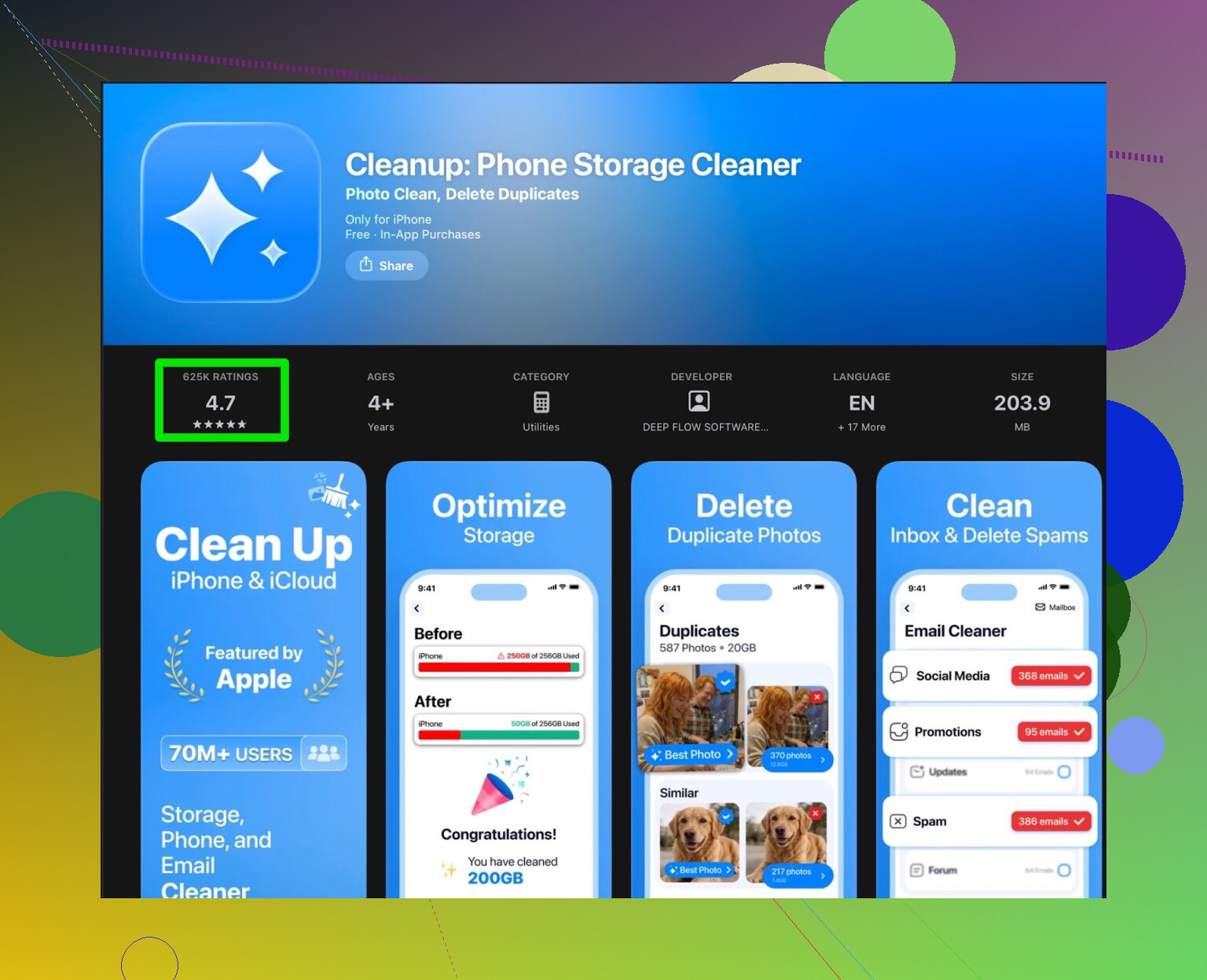
First run, it looked decent. It scanned my phone and grouped stuff into:
- duplicate photos
- “similar” photos (burst shots, near-duplicates)
- screenshots
- large videos
- contacts that looked like duplicates
- an option to compress videos
The scan itself was fine. It did not hang, results came back in a short time, and the groupings were mostly correct. On my device it flagged:
- around 900 “similar” photos
- 120+ screenshots
- ~40 large videos over 200 MB
- several contact duplicates
So far so good.
Then the paywall hit.
Most of the useful actions needed a subscription. The free tier mainly showed me the mess, but as soon as I tried to bulk delete or run through the whole list, I hit a pay screen or had to sit through long ads.
Two ways to “pay”:
- subscribe
- watch a bunch of ads per action group
I tried the ad route first. It got annoying fast.
Example from my run:
- clean duplicates → ad
- clean similar photos → ad
- clean screenshots → ad
- compress videos → ad
Some ads were 30 seconds, some were longer with fake “X” buttons. After a while I stopped bothering and force-quit the app more than once.
They also throw in extras like:
- animated UI elements
- some “secret vault” type feature for hiding photos
On paper it sounds like a bonus. In practice it felt like clutter when I only wanted my storage back. The vault thing was out of scope for what I needed and made the app feel less focused.
What other users reported
Here are some review snippets from the store that matched what I saw:
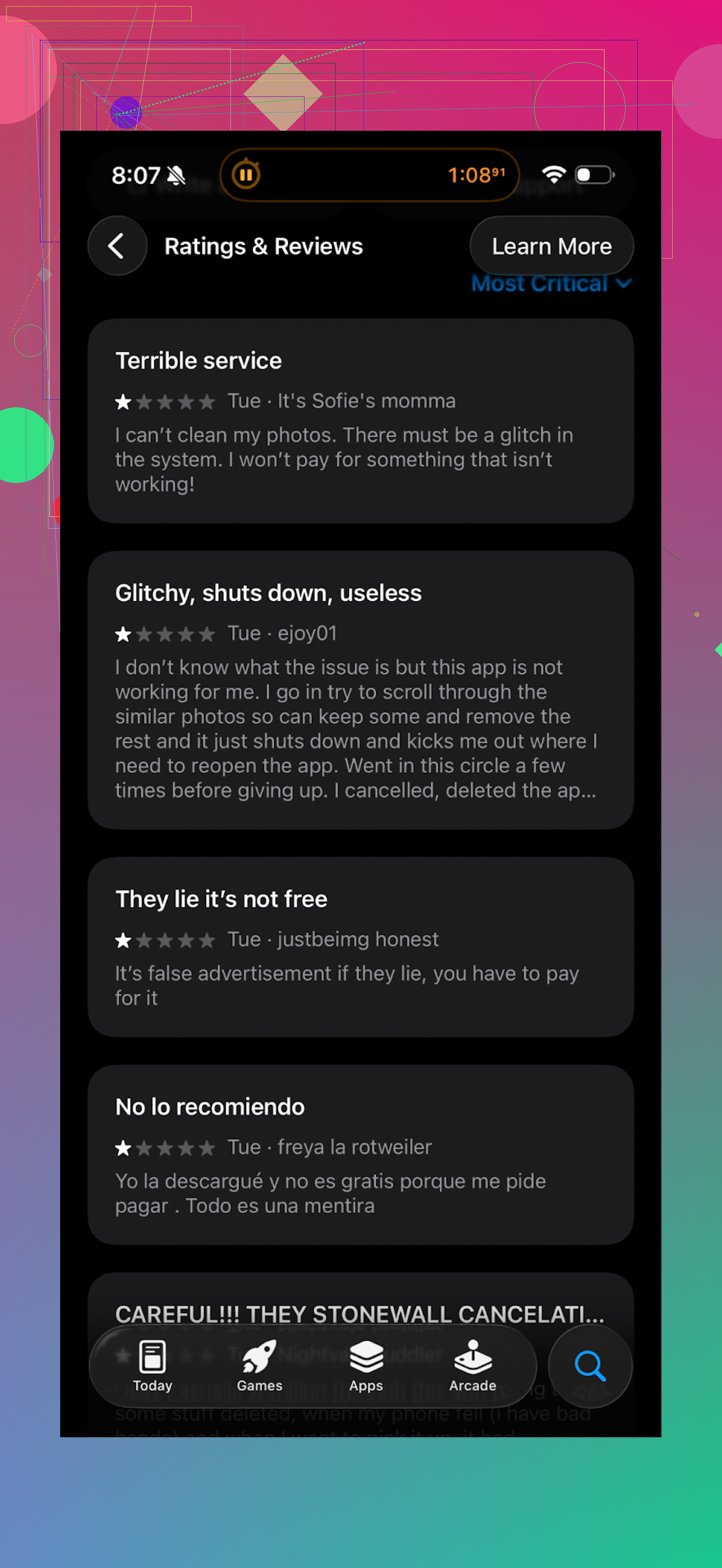
Themes that show up a lot:
- aggressive subscription prompts
- many ads for each operation
- basic cleaning locked
- confusion about what is free vs paid
So the app does detect junk, but you pay with money or your time and patience.
Why I moved to Clever Cleaner
After a couple of days of wrestling with Cleanup, I went hunting for an alternative that behaved more like a simple tool and less like a slot machine.
I ended up with this one:
Clever Cleaner on the App Store:
Homepage:
There is also a YouTube video showing it in action:

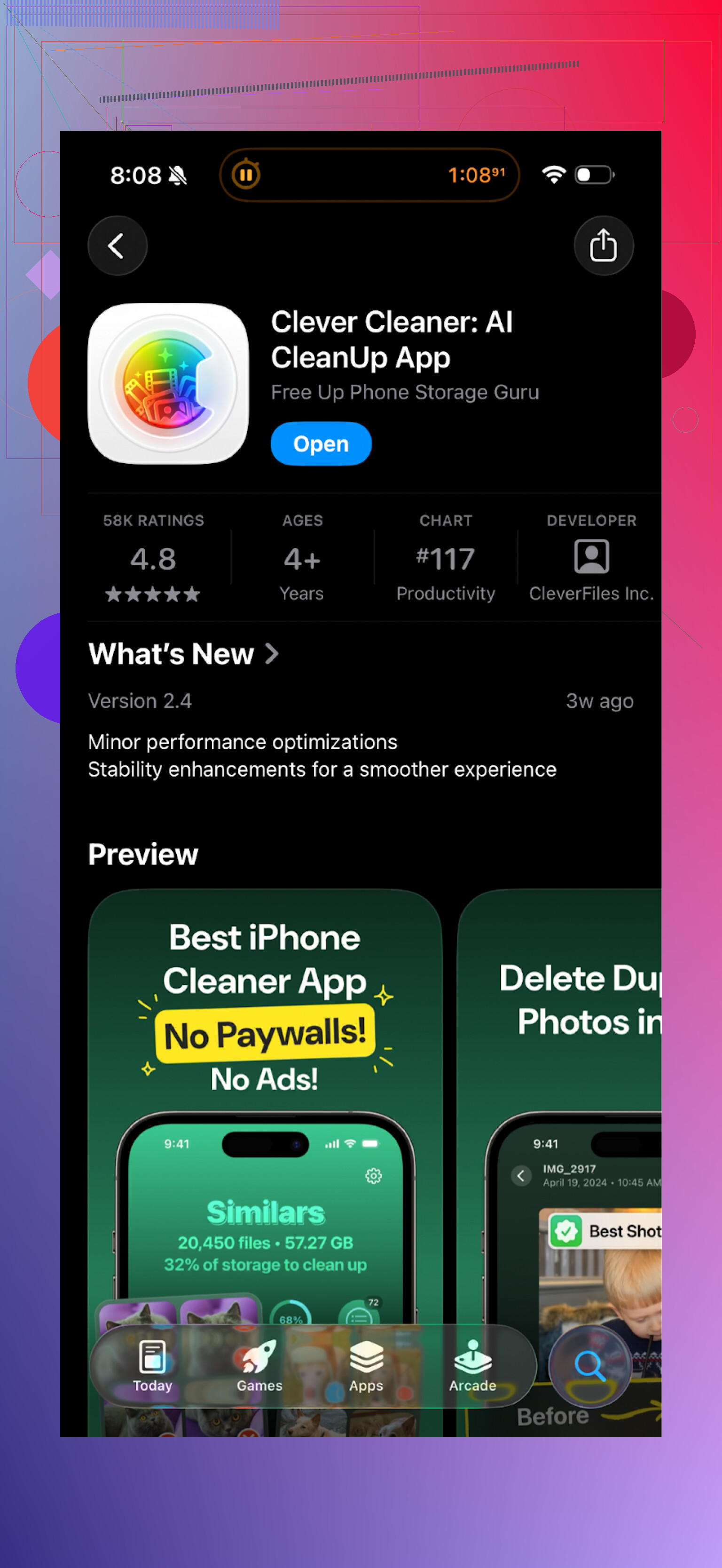
What I liked after a week of use
On my phone, the workflow with Clever Cleaner was simpler:
- open app
- scan storage
- see clear categories: duplicates, similar shots, screenshots, large files
- review groups, select what to keep
- delete in one go
Points that stood out:
-
Pricing behavior
I did not get hammered with endless subscription popups. The app worked out of the box without forcing me into a weekly or yearly plan cycle. That alone made it feel usable for quick cleanups. -
Speed and detection
On roughly 90 GB used storage, scan time stayed short. It found:
- duplicate photos that Photos missed
- tons of old screenshots from work chats and orders
- screen recordings and large videos from previous trips
The “similar photos” grouping was good enough that I could swipe through and keep only the sharp or best framed one.
- Fewer distractions
No vault. No visual noise. The interface felt more like a utility and less like a casino app. I could open, run a scan, clear stuff, and leave.
Storage results on my device
This is what I cleared on my first pass with Clever Cleaner:
- around 2.3 GB from duplicate and similar photos
- 600 MB from screenshots
- 3.1 GB from large old videos
Total reclaimed: roughly 6 GB in 15 to 20 minutes of review and delete.
With Cleanup App, I gave up around halfway because of the ad walls and prompts, so my cleanup there stalled at about 2 GB before I switched.
Direct comparison from my usage
These are my own notes after using both for a bit:
Cleanup App (Phone Storage Cleaner)
Pros:
- decent detection of duplicates and similar photos
- video compression option is there
- finds contacts to merge
Cons:
- heavy focus on subscription
- lots of ads if you avoid paying
- extras like animations and vault feel off-topic
- slower workflow because of interruptions
Clever Cleaner
Pros:
- straightforward scan and cleanup flow
- fewer nags about payment
- quick identification of large files and junk photos
- more focused on the storage task
Cons:
- still need to manually review groups if you are picky
- interface is simple, no “fun” elements if you like that kind of thing
What I would suggest if your iPhone storage is full
If your goal is only to free up space without dealing with constant pay prompts:
-
Try Clever Cleaner first:
Clever Cleaner: AI CleanUp App App - App Store -
Use these categories in this order for maximum impact:
- huge videos and screen recordings
- old screenshots
- similar photos from trips, events, and bursts
- duplicates across shared albums
-
Run a cleanup once, then repeat every month or two instead of waiting until iOS screams for space.
Cleanup App works from a technical angle, it finds junk. On my phone though, the combination of ads, subscription pressure, and side features pushed me away. Clever Cleaner ended up doing the same core job faster and with less friction.
129 Likes
I tried Cleanup on my iPhone for about a week. Short version: it works, but the way it pushes you to pay or watch ads gets old fast.
Real world stuff from my side:
-
Does it work
• It did find duplicate and “similar” photos.
• It flagged screenshots and big videos.
• Cleaned about 3–4 GB for me before I got annoyed.
So the detection part is fine. It is not fake. -
Hidden costs and pricing tricks
• The app looks free at first.
• Most bulk actions trigger a paywall or an ad.
• Subscription offers pop up a lot, with short trial and then weekly billing.
Watch the pricing screen slowly. The default option on mine was weekly, not yearly, which adds up fast. Easy to miss if you tap fast. -
Privacy concerns
What I checked and noticed:
• It needs access to Photos and Contacts to work. Normal for this type of app, but still worth knowing.
• I read the privacy policy. A lot of tracking and analytics mentioned, plus data shared with “partners”.
• I did not see clear wording about photos being processed only on device. That is important. If they do any cloud analysis, your junk photos still go to some server.
If you are sensitive about privacy, assume usage data and device info are collected. For photos, I only ran it on non-sensitive albums. -
Annoyance level
This matches what @mikeappsreviewer said, but I had slightly more tolerance:
• Ads every time you want to run a full clean through different categories.
• Fake-close buttons on some ads.
• Extra stuff like vault/hider, animations, “fun” elements, all of which slow you down.
If you want a quiet tool, it feels noisy. If you are ok watching ads here and there, you might manage, but it is not a low-friction app. -
Does it speed up a slow phone
Important point. Storage cleaners do not speed up iPhones much.
What helped more for me:
• Offload unused apps in iOS Settings.
• Turn off Background App Refresh for apps you do not need.
• Restart the phone after a big cleanup.
Free space helps with big updates and new videos. It does not fix laggy apps by itself. -
Refunds and trials
If you subscribe by mistake, you need to cancel from your Apple ID settings. Deleting the app does not stop charges.
I saw some App Store reviews where people forgot to cancel the trial and got billed. So set a reminder if you try the premium version. -
Alternative
I ended up uninstalling Cleanup and moving to the Clever Cleaner App, same one mentioned by @mikeappsreviewer.
My experience with Clever Cleaner App:
• Fewer popups about subscriptions.
• Simple interface, focused on duplicates, similar photos, big files.
• Felt easier to run a quick scan and be done in a few minutes.
It is not perfect, and you still need to review what you delete, but it behaved more like a tool and less like a slot machine.
If you still want to test Cleanup:
• Start with the free tier.
• Do not enter payment info on the first run.
• Check privacy policy inside the app settings.
• Only give it access to Photos, not full Contacts, until you are sure you want contact cleanup.
Then compare it with Clever Cleaner App on the same day and see which one wastes less of your time. For me, Cleanup worked, but the tradeoff in ads, upsells, and privacy questions was not worth it.
Short version: Cleanup works, but it solves one problem while creating three new ones.
Couple of extra angles that weren’t really covered by @mikeappsreviewer and @shizuka:
- About “speeding up” a slow phone
Storage cleaners don’t really fix performance on iOS or modern Android. If your phone is slow, 90% of the time it is:
- too many background processes
- a few heavy apps (social, maps, games) chewing RAM
- old battery causing throttling
Freeing 3–6 GB helps with updates and new photos, but your apps will not suddenly feel snappy just because Cleanup deleted screenshots.
- Hidden cost vibe
What bugged me was not just the subscription, but the psychology around it:
- trial screens with tiny pricing text
- weekly billing that looks cheap per week but stacks up over months
- “limited time” wording that never seems to expire
It is not a straight scam, but it leans hard into “oops, I forgot to cancel” revenue. If you are the type who taps fast, this app is not your friend.
- Privacy in practice
Permission-wise, Cleanup needs Photos access to function. Fair.
Where I start getting uneasy:
- vague language around analytics and “partners”
- no bold, in-your-face statement like “photo analysis is 100% on-device”
You can absolutely use it and be fine, but if you have sensitive albums, I would not let any third‑party cleaner near them unless the app is crystal clear about local-only processing.
- Reliability & safety
I tested it on a secondary phone. It did not brick anything, but:
- some “similar” photos were actually not that similar
- contact merge suggestions were occasionally too aggressive
If you are not careful, you can nuke stuff you actually wanted to keep. Backup or at least double check before trusting its suggestions.
- Compared to the Clever Cleaner App
I do not fully agree with how strongly people jump from Cleanup to Clever Cleaner like it is a night and day miracle, but I will say this:
- Clever Cleaner App behaves more like a plain utility and less like a game with popups
- the UI lets you get in, clean what you need, and leave without feeling trapped in a paywall maze
If your main worry is a mix of privacy noise + surprise charges + constant nags, Clever Cleaner App is a lot easier on the nerves.
If I were in your shoes:
- I would not install Cleanup specifically to “speed up” the phone, because it will not do much there.
- If you just want to clear junk, either stick to built‑in tools or try something calmer like the Clever Cleaner App and treat Cleanup as a last resort.
- Whatever you use, cancel any trial immediately after starting it, so you do not get hit in a week when you forgot you even tested it.
So yeah, real world take: Cleanup is not fake, but it feels more like a monetization machine wrapped around a decent cleaner. If you are already worried about privacy and hidden costs, your gut feeling is probably right.
Cleanup is basically a legit cleaner wrapped in a “how much friction can we add” shell. I mostly agree with @shizuka, @vrijheidsvogel and @mikeappsreviewer, but here is where my take is slightly different:
-
On “it won’t speed up your phone”
I’d say: usually true, not always. If your storage is critically low (like under 2–3 GB free), both Cleanup and alternatives can reduce stutters a bit because iOS/Android stop fighting for space. Just do not expect miracles. Laggy social apps will stay laggy. -
Privacy
Everyone is focusing on Photos, which is fair, but the bigger risk with apps like Cleanup is long‑term profiling: device identifiers, usage patterns, ad IDs. If that stuff bothers you, it is not just about where photos are processed. It is about years of tracking. On that front, Cleanup’s vague policy is a red flag to me. -
Hidden costs
Here I am less forgiving than others. Weekly subscriptions on a utility app are almost never consumer friendly. Trials that flip to weekly billing are usable only if you are disciplined. If you are already worried, that is enough reason to skip it. -
About Clever Cleaner App vs Cleanup
If you want something that behaves more like a plain tool, Clever Cleaner App is closer to that idea.
Pros of Clever Cleaner App:
- Cleaner, more focused interface
- Fewer interruptions when doing a big purge
- Good at finding similar and duplicate photos plus large files
- Feels more like “run, clean, close” instead of “run, watch, tap away popups”
Cons of Clever Cleaner App:
- Still not magic: you must manually review; one sloppy tap can delete useful stuff
- No playful features, which some people weirdly enjoy in Cleanup
- Depends on you trusting its privacy stance; you still grant Photos access
- Not a full replacement for doing manual housekeeping in system settings
-
Where I slightly disagree with others
I do not think Cleanup is “last resort.” If you are very patient, never rush taps and are okay with a trial you will cancel the same day, you can squeeze a decent one‑time cleanup out of it. I just would not keep it installed or rely on it monthly, because the monetization pressure wears you down. -
What I would actually do if I were you
- Skip Cleanup entirely if hidden costs and tracking already make you nervous. That gut feeling is usually right.
- Try a pass with builtin settings first: offload unused apps, sort by largest apps/files, clear chat media.
- If that is not enough, use something like Clever Cleaner App as a short‑term tool, not a long‑term subscription. Install, clean, double check deletions, then uninstall.
Bottom line: Cleanup does what it claims on paper, but if you value calm UX and predictable cost, the tradeoffs are not worth it when an alternative like Clever Cleaner App exists that does the same core job with less drama.
Your take: Cleanup works, finds duplicates, similar photos, screenshots, big videos. You freed 3 to 4 GB, then hit ads and weekly subsriptions. Privacy looks noisy, tracking and unclear photo processing. Clever Cleaner felt calmer, fewer popups, faster flow. You freed 6 GB. Storage cleaners rarely speed phones, except when free space drops under 2 to 3 GB.
Simpler fix, no apps. Use a cable. Plug iPhone into a Mac or PC, open DCIM, sort by size, copy 4K videos and recordings, then delete, empty Recently Deleted. 4K video is ~400 MB per minute. Ten clips free ~4 GB.