My iPhone is almost out of storage, and deleting apps, photos, and old messages only helps for a little while. I’m trying to figure out if there’s any realistic way to upgrade iPhone storage or if buying a new iPhone with more memory is the smarter choice. Looking for advice on cost, backups, iCloud, and whether upgrading the device is worth it.
If you’re just trying to get more usable space on your iPhone, I wouldn’t jump straight to replacing the phone or doing anything risky to the hardware. There are easier ways to deal with it, and they usually cost a lot less.
The biggest thing is to move the stuff that doesn’t need to live on the phone all the time. Photos and videos are usually the worst offenders, especially if you shoot a lot of video.
External storage is probably the simplest fix
You can get iPhone-compatible flash drives that plug into the charging port, either Lightning on older iPhones or USB-C on newer ones. They’re handy because you can copy old photos and videos off the phone without actually losing them.
Some external drives also work with apps that can save video straight to the drive. If your setup supports that, the large video files never hit your internal storage in the first place.
Just check the drive format before relying on it. iPhones generally work with formats like exFAT or APFS, so you don’t want to buy something awkward and then find out the phone won’t read it properly.
Cloud storage is better if you want access everywhere
If you still want your files to feel like they’re “on” your phone, iCloud is the easiest option. With Optimize iPhone Storage turned on, the phone keeps smaller local versions of your photos and stores the full-resolution originals in iCloud until you need them.
Google Drive and Dropbox can work too, especially if you don’t want to use iCloud for everything. They just take more manual sorting because they don’t tie into the Photos app as cleanly.
Then clean up what’s already on the phone
Before deleting random stuff, go to Settings > General > iPhone Storage. That screen gives you a much better picture of what’s actually eating up space.
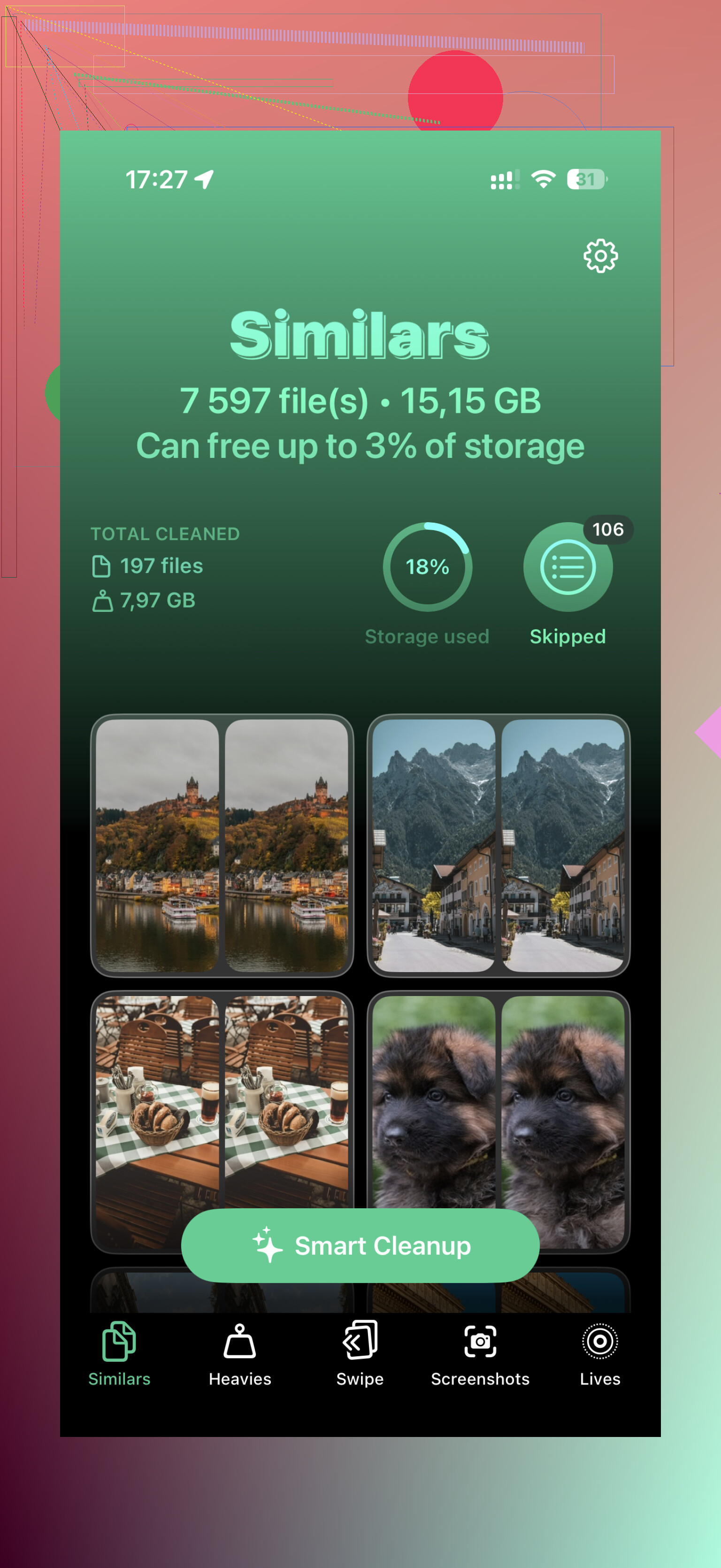
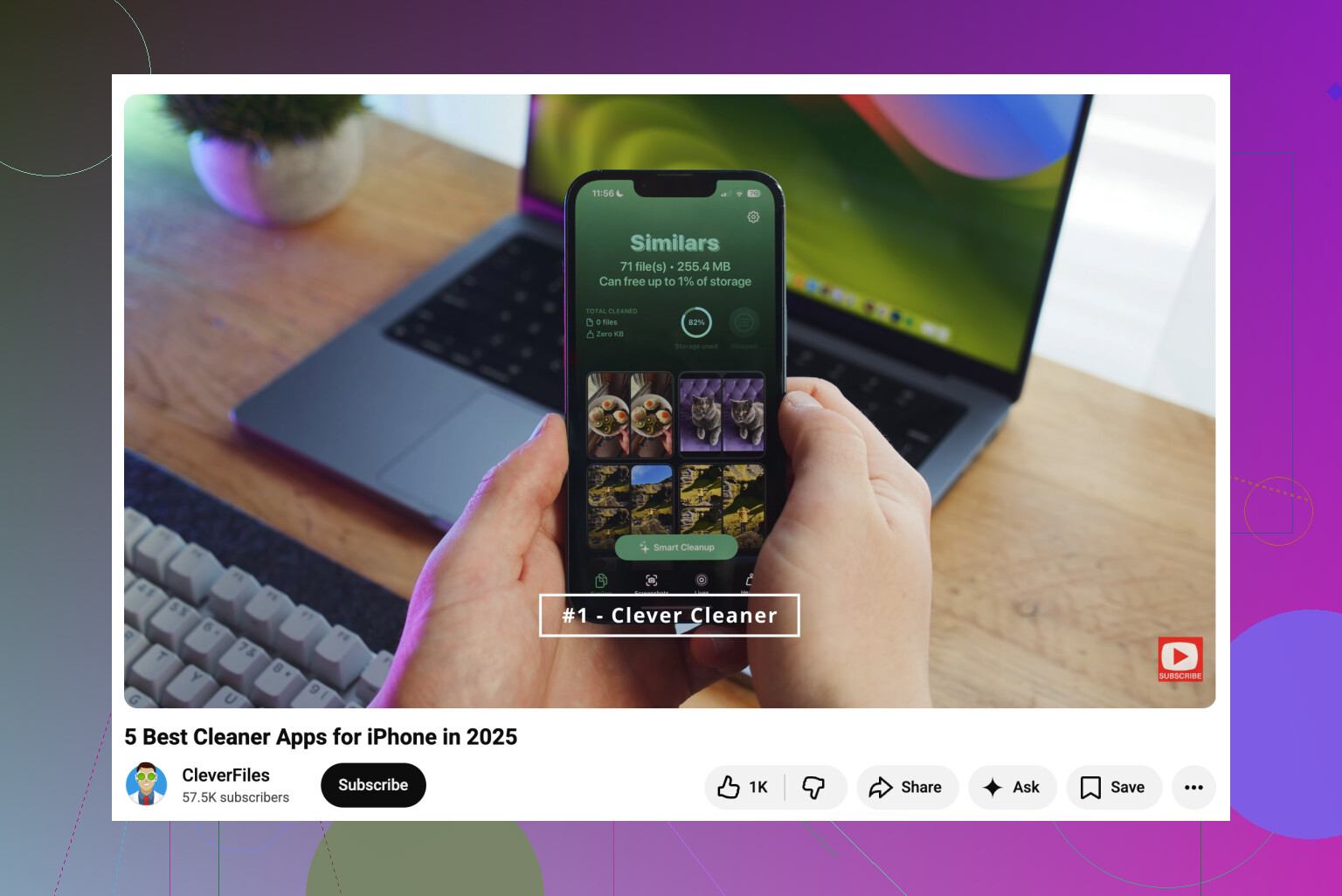
For a lot of people, the problem is the photo library. Apple’s Duplicates album is useful for exact copies, but it doesn’t catch everything. Near-duplicate shots, screenshots, Live Photos, and big videos can still take up a ton of room. That’s where something like Clever Cleaner can help. It groups similar photos, suggests the best one to keep, sorts videos by size, converts Live Photos into regular still images, and makes screenshots easier to clear out. That can save a lot more space than slowly digging through the Photos app by hand.
Apps are another easy target. If there are apps you rarely open, Offload Unused Apps removes the app itself but keeps its documents and data. If you reinstall it later, your stuff comes back.
Messages are worth checking too. Old threads can hold years of videos, GIFs, and images without you noticing. Setting messages to delete after a set period can stop that from piling up again.
As for upgrading the internal storage
Realistically, no. You might see repair shops or YouTube videos showing iPhone storage chip swaps, and technically that kind of micro-soldering can be done. But it’s risky, highly specialized, and not supported by Apple.
If something goes wrong, the logic board can be ruined. Even if it works, you’re likely giving up any remaining warranty or future Apple service options.
I’d put the money toward a decent external SSD or iPhone flash drive before trusting someone to replace the storage chip. A safer setup is to keep older media on external storage, use cloud storage for the files you want available all the time, and clean the local library every so often.
8 Likes
Check your current capacity and resale value before spending money on accessories. A 64GB iPhone that keeps filling up will stay annoying even with iCloud, because apps, updates, caches, and system data still need local space. If you plan to keep the phone a few more years, buy a higher-storage model and skip the storage chip swap idea.
You can’t turn a cramped 64GB iPhone into a comfortable 256GB phone with cleanup tricks.
The internal storage is the storage. For normal owners, it is not upgradeable in any practical sense. Yes, a board-level shop might be able to replace the NAND chip, but that is closer to surgery than an upgrade. It is not like swapping an SSD in a laptop. If the phone has your photos, banking apps, messages, and two-factor stuff on it, I would not make that the experiment.
The thing I think people overlook is that iPhones need breathing room. If you are always sitting at 62GB used out of 64GB, the phone is going to feel annoying even after you delete a few videos. Updates need space. Apps cache stuff again. Messages grow back. “System Data” can balloon. Streaming apps download previews and offline files. Maps, podcasts, music, social apps, and browsers all quietly eat storage over time.
So I would decide based on how often the problem returns, not whether you can free up space today.
If you clear 10GB and the phone is full again in two weeks, buy the larger phone when you can. You are fighting your normal usage.
If you clear 10GB and it stays fine for months, keep the phone and change habits.
If most of the storage is photos and videos, iCloud Photos with Optimize iPhone Storage can work, but understand the catch: iCloud Photos is a sync system, not a separate dump bin. If you delete a photo from the Photos app, you can delete it from iCloud too. People get burned by that. For true archiving, put copies somewhere else first, like a computer, external drive, or another cloud folder that is not just mirroring your phone library.
External drives are fine for moving big videos off the phone, but I would not treat one tiny flash drive as the only copy of anything important. They get lost, bent, corrupted, or tossed in a drawer. If it matters, keep two copies. Phone plus cloud, cloud plus computer, external drive plus computer, whatever. Just not one lonely thumb drive.
Cleaner apps can help with the boring stuff, especially duplicate screenshots, similar photos, and huge videos. Clever Cleaner was mentioned above, and that kind of app makes sense if your camera roll is the mess. I would still check what it wants to delete before tapping confirm. The “best” photo is sometimes not the one an app thinks is best.
A factory reset is the faster but imperfect workaround nobody likes to mention. Back up properly, erase the phone, restore, and sometimes the weird cache/System Data problem shrinks a lot. It is annoying, and it will not fix a phone that is genuinely too small for your use, but it can buy time if the storage number looks suspiciously bloated. Do not do this casually unless you are sure your backup is complete.
My rule would be:
If the phone is 64GB and you take lots of photos or video, stop trying to make it work long term.
If it is 128GB and only recently got full, clean it up and change photo/video storage habits.
If the battery is weak, the phone is old, and storage is tight, put the money toward a new iPhone with more storage instead of accessories.
If the phone is otherwise great and you only need to offload old media, cloud storage or an external drive is the cheaper answer.
When buying the next one, do not choose storage based on how much you use today after a cleanup. Choose based on how much you use when you are being lazy, because that is the real number. If you already filled 64GB once, buying another 64GB phone is just scheduling the same problem again.
Make a full encrypted backup before you delete or move anything. That is the boring step, but it matters more than people think, because storage cleanup is exactly when someone accidentally wipes the only copy of a video or an old message attachment they wanted later.
I agree with the others that “upgrade the storage” is basically the wrong target. If you mean internal iPhone storage, treat it as fixed. The chip-swap route might exist in repair-shop land, but it is not a normal upgrade path, and I would not trust my main phone to it unless the phone was already a spare device.
The cheaper middle ground is to figure out whether the space is being used by your files or by app junk. If Photos is the problem, cloud storage or an external drive can buy you time. If Instagram, TikTok, Safari, Spotify, Podcasts, Messages, and “System Data” keep swelling back up, then you are just renting relief. Deleting and reinstalling a few big cache-heavy apps can free space fast, but it is temporary and annoying to repeat.
Clever Cleaner or Apple’s own duplicate tools can be useful if your camera roll is full of screenshots, burst shots, and similar photos. Just don’t expect that kind of cleanup to solve a phone that was undersized from the start.
My practical cutoff would be this: if you can free up 15 to 20GB without touching things you care about, keep the phone for now. If getting even 5GB free feels like a negotiation with yourself, stop spending money around the problem and put it toward the next iPhone with more storage. The hidden cost of a too-small phone is the constant babysitting.