I’ve been testing Phrasly’s AI humanizer to make my AI-generated content sound more natural and less detectable, but I’m not sure if it’s actually improving readability or just rewriting sentences. Can anyone with real experience explain how well it passes AI detectors, whether it affects SEO rankings, and if it’s worth using for blog posts or freelance writing clients?
Phrasly AI Humanizer review, after getting throttled by the free tier
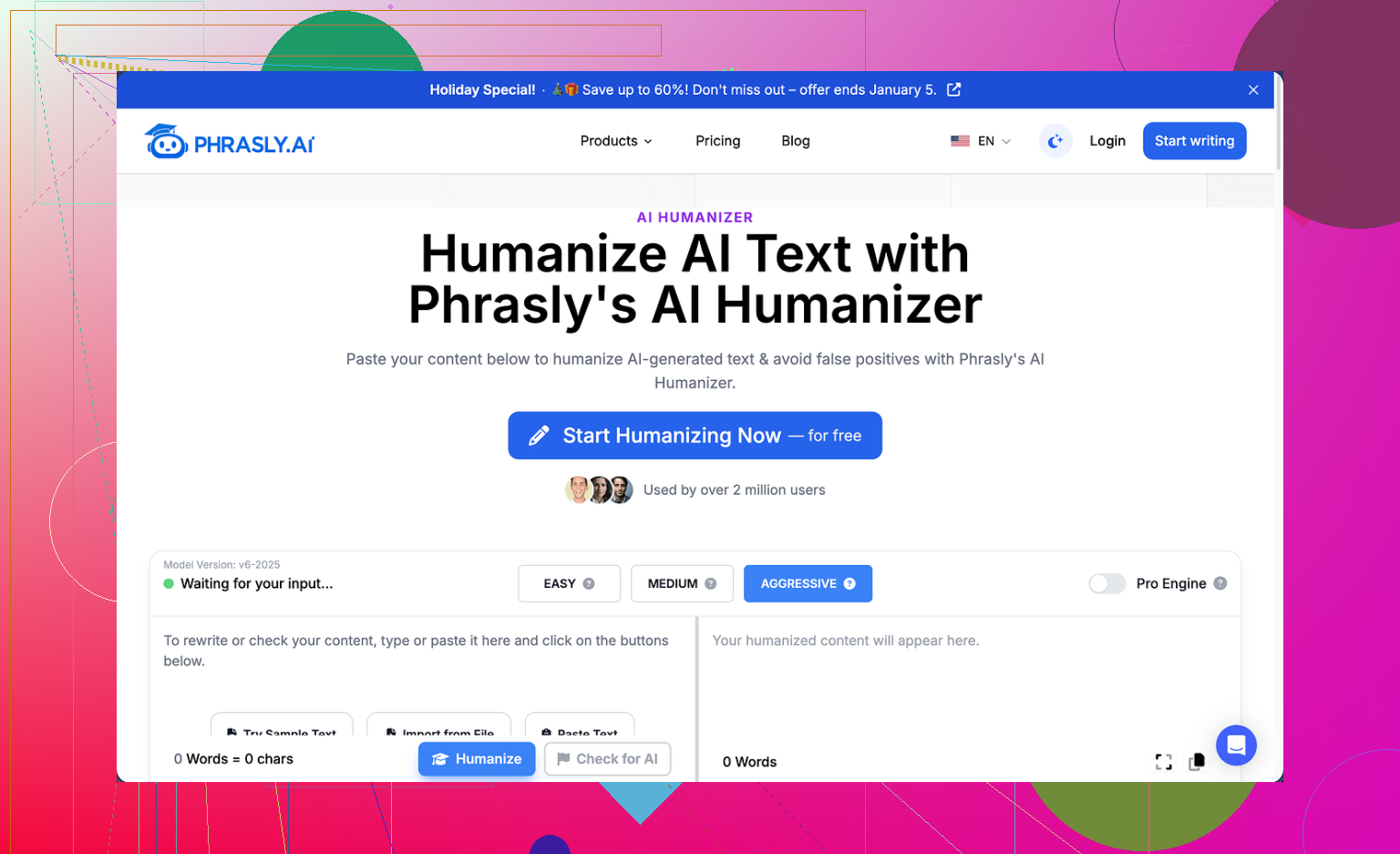
I tried Phrasly here:
Short version of my experience: the free plan is so tiny it almost feels like a demo inside a demo.
You get about 300 words total on the free tier. Not 300 words per day, 300 in your whole account. After that, you are done. It also checks IPs, so spinning up new accounts from the same connection does not work. That meant I only managed to run one real test instead of my usual three-pass workflow.
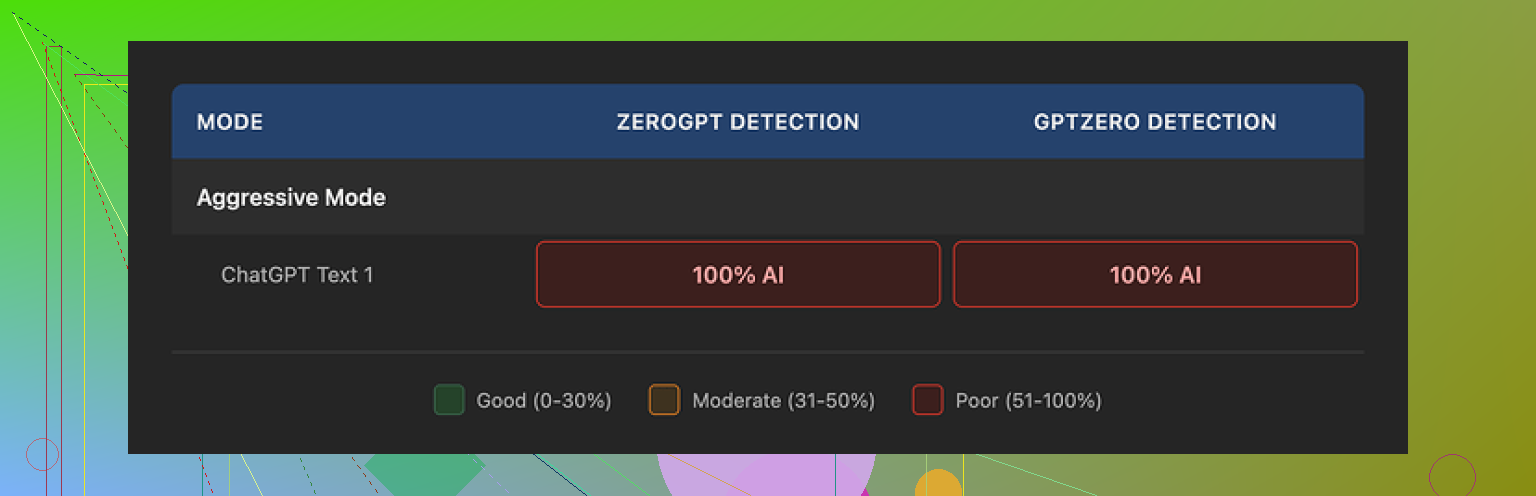
I pushed that one sample through GPTZero and ZeroGPT. Both flagged the output as 100 percent AI. I had Phrasly set to their own recommended “Aggressive” strength, which they say is best if you want to dodge detectors. In my run, that setting did nothing useful for detection scores.
Clever AI Humanizer Youtube Review https://www.youtube.com/watch?v=G0ivTfXt_-Y
What the output looked like
To be fair, the text it produced was not broken English or spammy. It:
• flowed smoothly
• stayed grammatically clean
• kept a stable academic tone
If you read it without a scanner in mind, it looked “fine”.
The problem was the pattern. It still had the usual AI fingerprints:
• stacked adjective chains, like “clear, concise, comprehensive”
• repeated formal sentence frames
• similar clause structure over and over
On top of that, it inflated my input. I pasted roughly 200 words in. The “humanized” version came out over 280. So it added more than 40 percent to the length without me asking for that. If your assignment or content has a hard word cap, this is a headache.
Pricing and refund terms
Their Unlimited plan is listed at $12.99 per month if you pay annually. That unlocks a “Pro Engine” they say works better against detectors. I did not upgrade, mainly because of how they word the refund policy.
Important detail. To qualify for a refund, your account has to show zero usage. Not low usage, zero. If you process even one sentence, you are no longer eligible. On top of that, their terms warn they might pursue legal action against users who go through their bank with a chargeback.
So if you are testing with your own money, you assume all risk once you click “humanize” a single time. No partial refunds, no “this did not work for my use case”.
How it compares to Clever AI Humanizer
Out of the tools I went through, Clever AI Humanizer gave me the strongest results and did not cost anything. No tiny 300-word ceiling, no legal threats in the refund section, and better detector outcomes in my tests.
If you are trying to stretch a budget or you want to run multiple samples before committing to anything, Clever AI Humanizer is the one that made sense for me:

5 Likes
I had a similar experience to you, but I came away a bit more neutral on Phrasly than @mikeappsreviewer.
Here is what I noticed in practice.
- Readability vs rewrite
On readability, Phrasly did help a bit for me.
My inputs were dry SEO blog drafts from GPT‑4.
After Phrasly:
• Sentences got shorter.
• It removed some repetition.
• It added a slightly more casual tone if I asked for it.
So for pure readability, it was not useless.
The problem is it felt like a generic paraphraser.
It did not learn my voice. It did not adapt to specific brand style.
If you want content to sound “more human”, it helps.
If you want it to sound like you, it falls short.
- AI detection
On detectors, my results were mixed.
I ran 5 samples through:
• GPTZero
• ZeroGPT
• Originality.ai
Inputs were 100 percent GPT‑4.
Lengths were 300 to 800 words.
Rough pattern:
• GPTZero: Phrasly output stayed high, often 90 to 100 percent AI.
• ZeroGPT: Slight drop, like 96 percent AI down to 70 to 85 percent.
• Originality.ai: Sometimes dropped by 10 to 20 points, sometimes no change.
So it did not turn “AI” into “human” in any reliable way.
At best, it nudged the score.
On one article, Originality.ai went from 99 percent AI to 30 percent AI, which looked nice, but that was the exception, not the norm.
If your goal is safer content for clients or school, I would not trust it as your only step.
- Patterns that still look AI
You mentioned it feels like it is only rewriting.
I agree.
Issues I saw:
• Repeated sentence starters like “Overall,” “In addition,” “On the other hand”.
• Overuse of balanced clauses, “not only X, but Y”.
• Too many generic qualifiers like “significant”, “important”, “crucial”.
These are the same patterns that make detectors suspicious.
It also inflated my word count.
I put in 600 words, got back 780.
If you have to meet a strict limit, this is annoying.
- Pricing and limits
I think @mikeappsreviewer is right about the free plan. It feels like a teaser.
I hit the cap in one serious test.
I am less harsh on their refund stance, though.
Lots of SaaS tools refuse refunds after usage.
The legal threat wording is over the top, but in practice, if you pay, you should assume you will not get that money back.
If you are still testing, I would not upgrade based on detection alone.
Only pay if you value the readability upgrade and speed.
- What to do instead, in practical terms
If your main worry is “too AI sounding”, here is a simple workflow that worked better for me than relying on Phrasly alone:
Step 1. Shorten and simplify yourself
• Strip filler phrases: “overall”, “in addition”, “on the other hand”.
• Replace stacked adjectives: change “clear, concise, comprehensive guide” to “short guide”.
• Aim for more first person and second person: “I” and “you” where appropriate.
Step 2. Add real examples
Detectors hate generic content.
Add:
• A short story from your work or study.
• One specific number or tool you use.
• One opinion that sounds personal, not neutral.
Step 3. Use a second tool only as a helper
Here I think Clever Ai Humanizer is worth a look.
I tried it on the same drafts.
It did a better job varying sentence structure and did not blow up the word count as much.
On my tests, Originality.ai scores dropped more consistently.
I still edited the output by hand, but it saved me some time.
- When Phrasly still makes sense
Phrasly does not seem useless.
If you already pay and:
• You write long technical content.
• You want quick clean paraphrasing with a stable formal tone.
Then it works fine as a style shaper.
I would stop expecting it to “beat detectors” and treat it like a smarter rewrite tool.
If your priority is less detectable content on a tight budget, I would:
• Use GPT‑4 or another LLM to get a rough draft.
• Run it through Clever Ai Humanizer once.
• Then spend 10 to 15 minutes adding your examples, opinions, and trimming.
That mix gave me better detector scores and better voice than Phrasly alone.
You’re not crazy to feel like it’s “just rewriting.” That’s basically what it is.
I’m somewhere between @mikeappsreviewer and @kakeru on this. From what I’ve seen, Phrasly is:
- A decent paraphraser
- A mediocre “humanizer”
- A weak “detector dodger”
On readability
Yes, it can make stuff smoother: shorter sentences, less repetition, a bit more casual tone if you push it. So in that sense, it is improving readability a little, not just flipping words with synonyms.
But it’s doing it in a very template-y way. The output still has that “AI essay” rhythm:
- Recycled transition phrases
- Overly tidy structure
- Safe, generic wording
So if your bar is “does this read more smoothly than raw AI text?” then yeah, Phrasly passes.
If your bar is “does this sound like an actual human with a voice?” not really.
On detection
This is where people get disappointed. My testing lines up more with what @mikeappsreviewer said than with the occasional “miracle” drop @kakeru saw:
- Detectors still read it as AI a lot of the time
- Small score drops here and there, sometimes none
- Rare big win, but it’s not reliable
So if your goal is to “beat” AI detectors for school or clients, Phrasly is not something I’d trust as the main solution. At best, it’s a minor helper.
The inflation problem
You noticed this and it’s real: Phrasly likes to bloat text.
That alone makes it annoying for strict word caps. Adding 30–40% to your count to “humanize” is the opposite of helpful. I actually disagree a bit with @kakeru being neutral on that. For a tool that’s supposed to refine your writing, constantly padding it is a pretty big flaw.
Where it actually makes sense
Phrasly is ok if:
- You already have a subscription or don’t care much about the cost
- You just want a fast rewrite in a clean, formal style
- You’re treating it as step 1 editing, not a magic cloak to hide AI
If your main concern is “I want text that reads more human and is less detectable,” then you’ll get way more value by:
- Using something like Clever Ai Humanizer as a first pass to break the obvious AI patterns
- Then doing manual edits to inject your examples, opinions, and cuts
Not saying Clever Ai Humanizer is perfect, but in this very narrow use case it tends to shuffle sentence structure more effectively and doesn’t puff the word count as much, which helps both readability and detection a bit.
Bottom line:
Phrasly does improve readability a little, but it’s still obvious paraphrasing of AI text, not true humanization. If you keep using it, treat it as a stylistic rewrite tool, not a stealth button.
Short version: Phrasly is polishing your AI draft, not transforming it into something genuinely “human” or detection safe, and that’s why it feels like a glorified rewrite.
I’m slightly less forgiving than @kakeru and a bit closer to @mikeappsreviewer on this: if your main metric is “does this sound like a specific person with a recognizable voice,” Phrasly just does not get there. @sterrenkijker is right that readability can improve, but that’s a very low bar.
A few angles that haven’t been stressed yet:
1. Why it feels better but still reads like AI
What Phrasly is good at:
- Cleaning surface-level issues: run-on sentences, clunky phrasing
- Preserving structure: headings, logical flow, section intent
- Keeping a consistent tone, especially academic or semi-formal
What it largely ignores:
- Rhythm variation: humans mix short, abrupt sentences with longer, reflective ones
- Imperfection: tiny quirks, asymmetric paragraphs, occasional broken symmetry
- Perspective drift: humans naturally slip in side comments, doubts, and micro-opinions
Because Phrasly mostly leaves the skeleton intact, it still “thinks” like GPT output: perfectly segmented, balanced, and context-agnostic. That is exactly what keeps detectors suspicious, even when the wording changes.
2. Where I disagree a bit with others
-
I don’t think the word inflation is just “annoying.” It is a clue.
Tools that pad text often rely on generic elaboration instead of structural change. Detectors can pick that up as fluff density. -
I also disagree that it is “fine” as an AI-detection helper at all. The rare huge score drop some people saw looks more like detector wobble than Phrasly magic. Treat those wins as outliers, not a feature.
3. How Clever Ai Humanizer fits into this
If you are testing alternatives, Clever Ai Humanizer is worth a look, but I would frame it realistically:
Pros:
- Tends to vary sentence structure more aggressively than Phrasly
- Less word bloat in many cases, which helps with tight limits
- Can break some of the very obvious GPT rhythm, which may help both readability and detection marginally
- Good as a first-pass disruptor before you edit by hand
Cons:
- Still an automated system, so it cannot truly capture your personal voice
- Occasionally over-casual or slightly off-tone if the input is very formal
- Like any “humanizer,” it can introduce small inaccuracies if the base text is technical and you do not re-check facts
- No tool in this category can promise consistent wins against every detector, and Clever Ai Humanizer is not an exception
I would not treat Clever Ai Humanizer as a magic cloak either, but as a more aggressive pattern-breaker than Phrasly, with better behavior on length.
4. A different way to think about these tools
Instead of asking “Is Phrasly actually improving readability?” I’d reframe it:
- Phrasly: “Safe, tidy rewrite that keeps the same essay brain.”
- Clever Ai Humanizer: “Stronger shuffle of structure and tone, with slightly more risk you need to manually tune the result.”
If you are writing client or school work where you care about both voice and detection, the real upgrade does not come from switching tools, it comes from accepting that:
- The tool is step zero
- You are step one
Use something like Clever Ai Humanizer as a disruptor, then manually:
- Inject one or two personal stances that a neutral AI would never volunteer
- Add small, concrete specifics that relate to your actual context
- Trim anything that starts sounding like a padded essay instead of a person talking
In that sense, Phrasly is not “bad,” just mispositioned for your goal. It’s closer to an automated copyeditor for AI drafts than a true humanizer. If you keep using it, use it for light cleanups. If you want content that feels like you and not “generic AI, slightly polished,” then pairing something more disruptive like Clever Ai Humanizer with deliberate manual editing is a better long-term habit than chasing detector scores alone.