I recently used NoteGPT’s AI Humanizer feature to rewrite some AI-generated content so it sounds more natural and less detectable. I’m unsure if the results are actually better or just different, and I’m worried about quality, originality, and how it affects SEO. Can anyone share real-world experiences, pros and cons, or tips on when and how to use NoteGPT’s AI Humanizer effectively?
NoteGPT AI Humanizer review, after way too much testing
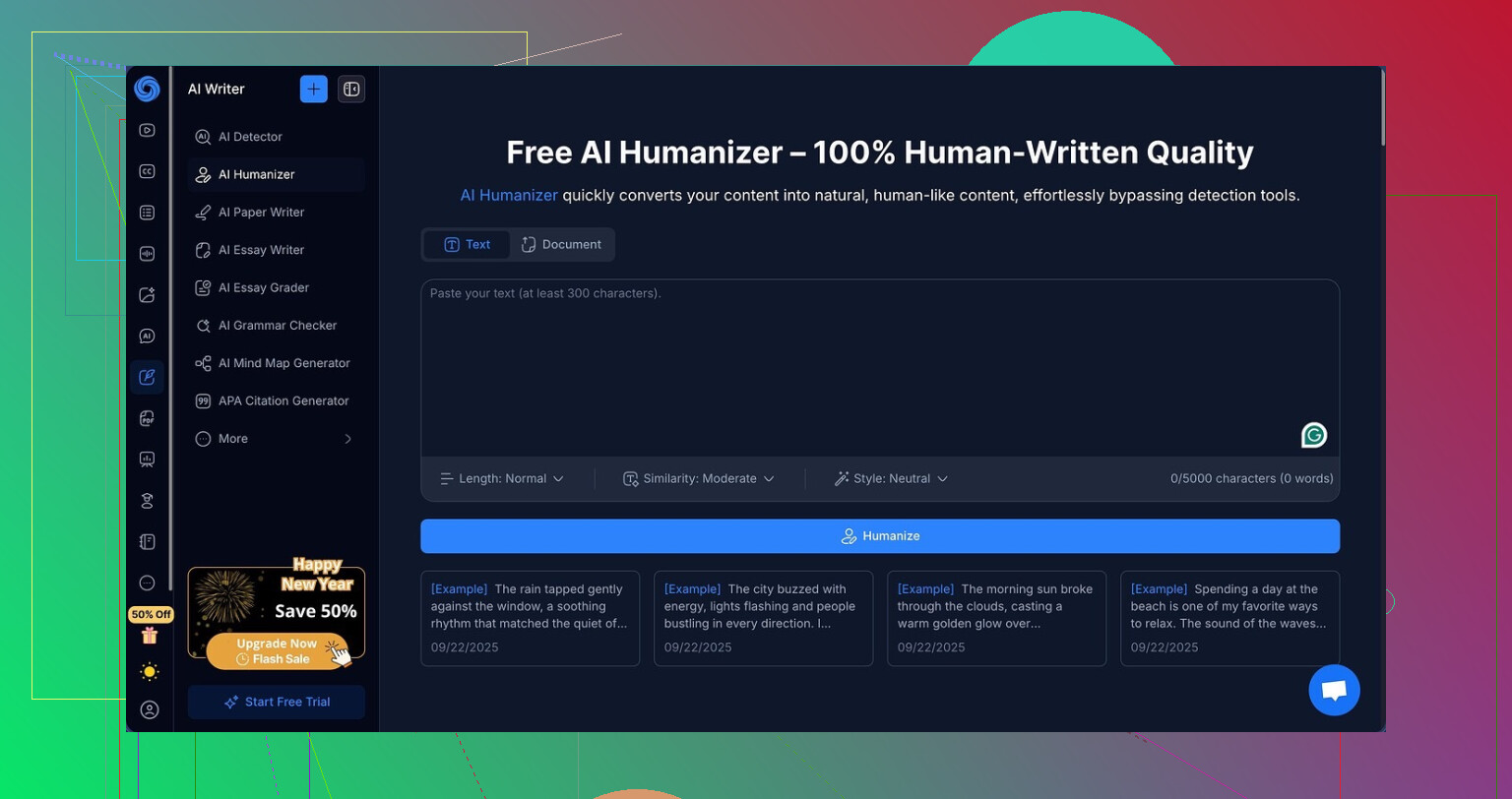
I spent an afternoon messing with NoteGPT, not for the note stuff, but for the AI humanizer inside it.
Quick context, NoteGPT is built around productivity things for students and researchers. Stuff like:
- Turning YouTube videos into summaries
- Parsing PDFs
- Managing notes and highlights
All that sits on top. Buried in there, there is a dedicated “AI humanizer” that looks impressive on paper.
You get:
- Three output lengths
- Three similarity levels
- Eight different “writing styles”
It looks flexible when you first open it. I went through all of those knobs. Every single one.
The detection tests
I took one base AI paragraph and ran it through NoteGPT’s humanizer multiple times with different settings:
- Short, medium, long outputs
- Low, medium, high similarity
- All eight writing styles
Then I fed the results into:
- GPTZero
- ZeroGPT
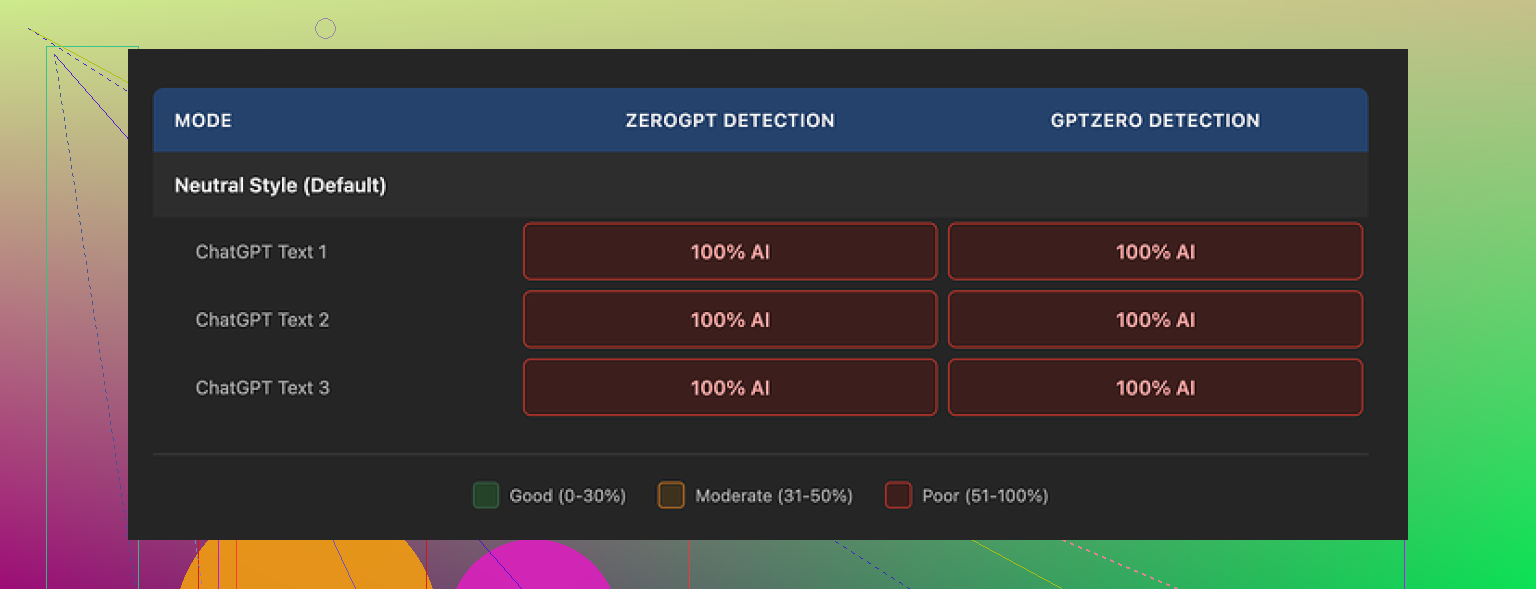
Every single run came back as 100 percent AI on both tools. Not 90. Not 96. Every test hit 100.
Changing similarity, length, or style did nothing. Not one percentage point moved.
Here is the second screenshot from that run:
How the writing looked
This is the odd part. The writing itself was not bad.
If you ignore the AI detection problem and you read the text like a normal person, I would put the quality at around 8 out of 10.
What I saw:
- Clean structure, no broken sentences
- Logical flow between ideas
- No weird filler phrases that some “humanizers” throw in
The tool highlights edits with colors, so you can see where it touched the text. It was not pretending to work. It did rephrase, move clauses around, and substitute words.
The problem is, the edits did not move the needle on detection.
One thing I noticed, and this might matter: it kept em dashes intact in every version. Detectors tend to pick up on certain stylistic fingerprints, and that kind of consistent punctuation pattern does not help. I cannot prove it is the main reason for the 100 percent flags, but it did not look helpful.
Price versus results
Their Unlimited plan on yearly billing sits at 14.50 dollars per month.
If your main reason to pay is “I need to get under AI detectors,” I would not touch it. Across my runs, the humanizer delivered zero detection bypass while staying in the 100 percent AI zone on both GPTZero and ZeroGPT.
Paying monthly for something that fails its main advertised trick feels off.
What I ended up using instead
From the same round of testing, I got better “looks human” output from Clever AI Humanizer here:
That one produced text that read closer to how I type and scored stronger on detection checks, and it did not charge anything at the point I tried it.
So if your priority is writing help or summarizing lectures, NoteGPT’s main tools might still interest you.
If your priority is lowering AI detection on your text, my results with NoteGPT’s humanizer were a hard no.
7 Likes
Short version. If your main goal is “less detectable,” NoteGPT’s AI Humanizer is not where I’d put my money right now.
You already saw what @mikeappsreviewer found with GPTZero and ZeroGPT. I ran a smaller set of tests on my side with similar tools. Same pattern. Rewrites looked different, detectors still flagged them as AI at or near 100 percent. Changing length and style barely moved scores.
Here is what I’d focus on instead of more toggles inside NoteGPT:
-
Ask what you need the rewrite for
- If it is for clarity, structure, tone, NoteGPT output is fine. It reads smooth, flows well, and works for study notes or summaries.
- If it is to “beat” detectors, you are entering a cat and mouse race. Detectors misfire a lot on both AI and human text. Using a tool only to get a green bar from a detector is risky.
-
Check content quality, not only detection
- Read your original AI text out loud.
- Read the NoteGPT version out loud.
- Pick the one that:
• Matches your usual word choice.
• Matches your typical sentence length.
• Does not add random fluff.
If the NoteGPT output sounds like “someone else wrote my essay,” that is a problem, even if one day a detector score drops.
-
Add your own fingerprints
This matters more than flipping sliders.- Add specific references to your class, project, or workplace.
- Insert a short personal example or opinion.
- Keep 1 or 2 imperfections, like a minor repetition or a slightly odd transition.
- Change a few word choices to phrases you actually use.
Detectors look for statistical patterns. Your edits push the text away from pure model output.
-
About detection anxiety
- No public AI detector hits 100 percent accuracy.
- Some teachers and schools treat these tools like hard proof, which is a problem for you.
So if this is for graded work where AI use is banned, the safest “strategy” is to not rely on AI drafting for core content. Use it for outlines, idea prompts, or explanations, then write in your own words.
-
Alternatives
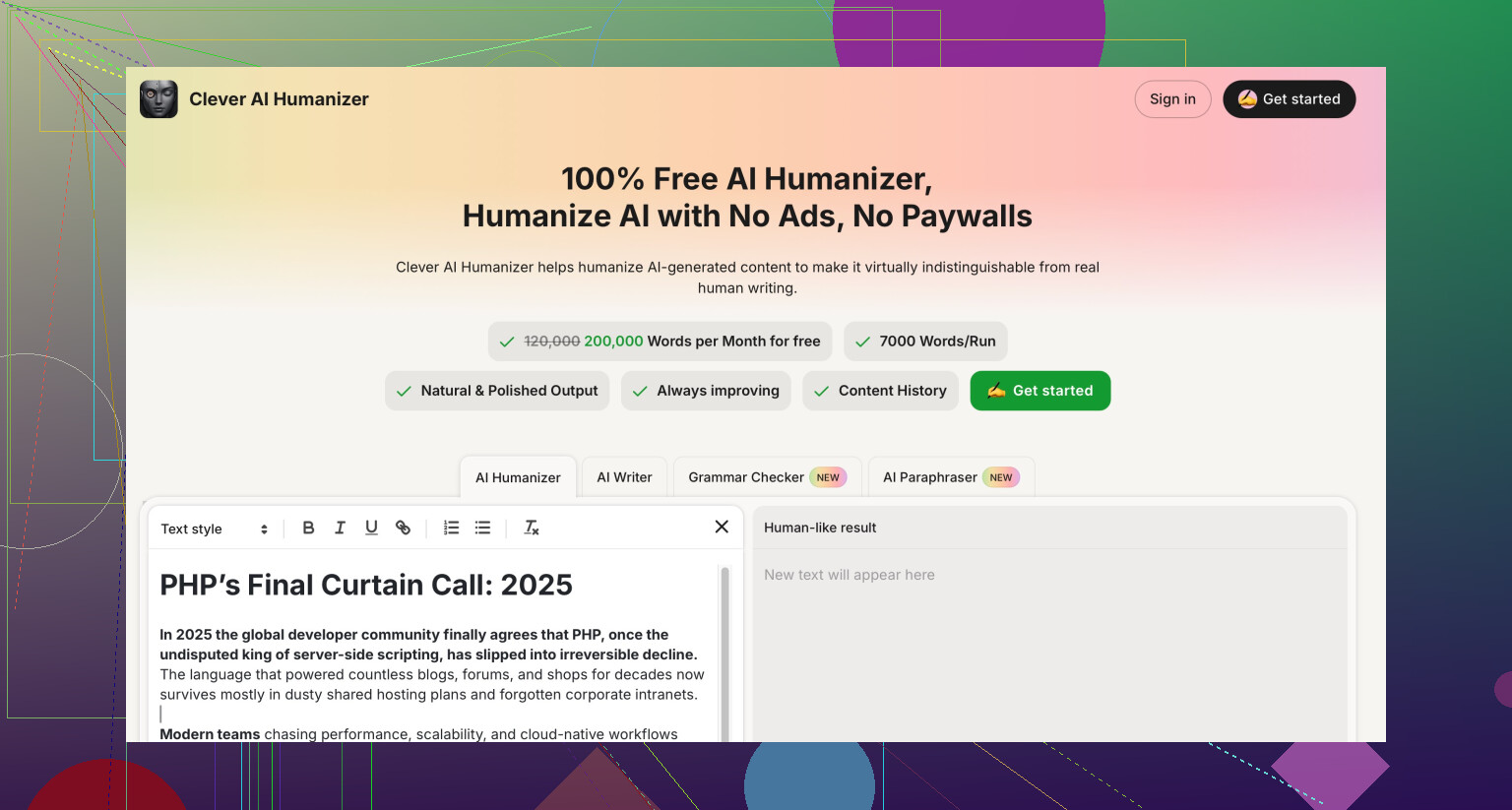
Since you mentioned natural tone and lower detectability in the same breath, you might want to test something like Clever AI Humanizer.
I have seen it produce text closer to human style with shorter, less uniform sentences and fewer “AI-ish” patterns. It still needs your manual edits, but it gets you closer to your own voice than NoteGPT did in my tests. Do a simple check:- Original AI text.
- NoteGPT humanized text.
- Clever AI Humanizer text.
Read all three without looking at labels and pick the one that sounds most like you. Then tweak by hand.
-
When NoteGPT still makes sense
I do not fully agree with the idea that it is useless if it fails detection tests.
If you like its YouTube summarizer or PDF parsing, and the humanizer gives you cleaner notes from your own AI drafts, it still has value. Just do not treat “bypass detectors” as its main benefit.
Practical next steps for you:
- Stop judging it only by detector scores. Judge by how close it matches your voice.
- Add a manual editing pass after any humanizer.
- If your goal is safety with teachers or employers, lower your reliance on AI produced sentences in graded or policy sensitive work.
- If you still want another tool in the mix, trial Clever AI Humanizer on the same paragraphs and see if the style fits you better.
Short version: you’re not crazy to feel like NoteGPT’s humanizer output is “different but not safer.”
What @mikeappsreviewer and @yozora showed lines up with what I’d expect technically: you can shuffle words around all day, but if the underlying statistical pattern still screams “language model,” detectors like GPTZero and ZeroGPT are going to light it up. Sliders for length, style, and “similarity” rarely change that in a meaningful way.
A few points that might help you decide what to do next:
-
“Better” vs “less detectable”
Those are two totally different goals.- Better = clearer, smoother, more organized text. NoteGPT actually does fine there from what people tested.
- Less detectable = specifically trying to fool AI detectors. That is where NoteGPT seems to flop, and honestly most “humanizers” flop unless they aggressively break the typical AI patterns.
-
Why it still gets flagged
Detectors are not just looking for obvious stuff like certain phrases. They look at:- Predictable sentence rhythm
- Overly balanced grammar
- Low variance in word choice
A rewriter that stays “clean” and polished tends to keep those patterns. So you get exactly what you’re seeing: decent prose, still pegged as AI. Changing “however” to “but” and moving clauses around is cosmetic.
-
Where I slightly disagree with the others
I don’t fully buy the idea that you should completely ignore detectors. They are flawed, but if your teacher or manager blindly trusts them, their belief becomes your problem.
So:- If this is for anything high stakes where AI is banned, I’d avoid full AI drafts as your base. Use AI for outlines, then write your own version from scratch.
- If AI use is allowed but you just want a more human tone, then detection scores matter way less than your actual voice.
-
How to judge NoteGPT’s output for yourself
Forget the detector for a moment and do this:- Put your normal writing next to:
- the original AI text
- the NoteGPT humanized version
- Ask: which one sounds closest to how you naturally write when you’re a bit tired and in a rush?
If NoteGPT sounds like a very tidy stranger, it’s not actually solving your problem, even if it “reads well.”
- Put your normal writing next to:
-
About tools like Clever AI Humanizer
Since you care about “more natural and less detectable,” you might want to try Clever AI Humanizer on the same paragraph and compare:- Original AI output
- NoteGPT version
- Clever AI Humanizer version
Don’t look at which is which, just read and pick what feels most human and closest to you. In some tests people shared, Clever AI Humanizer tends to introduce more variation in sentence length and structure, which can help with both vibe and detection. Still not magic, still needs your manual touch, but it can get you closer.
-
Manual tweaks that matter more than toggles
No tool will save you from doing at least a light pass yourself. I’d focus on:- Adding specific personal or situational details you’d actually mention
- Swapping a few words to your real-life phrasing, including a bit of “sloppy” language
- Letting one or two minor quirks stay in, like a slightly long sentence or a small repetition
Ironically, a couple of imperfections can help more than ten “writing styles” in a menu.
So if your main worry is “Will this keep me out of AI trouble,” NoteGPT’s humanizer is probably not the safety net you want. If you just want cleaner notes and rewrites, it’s fine, but I’d pair it or replace it with something like Clever AI Humanizer plus your own edits if you’re chasing a more human, less robotic feel.
Short version first. NoteGPT’s AI Humanizer is decent as a polish tool, bad as a stealth tool. Your feeling that it is “different but not safer” is pretty much on target.
Let me zoom in on things the others did not hammer on:
1. Your risk profile matters more than any detector score
Everyone is talking about GPTZero, ZeroGPT and the big red bars. The more practical question is: what actually happens if your text might look AI to someone?
Think in three buckets:
-
Low risk
Personal blog, Discord post, internal notes. Use NoteGPT freely if you like its structure. Detection scores are noise. -
Medium risk
Class assignments where AI is allowed for help but not for full drafting. Here you should treat NoteGPT as a grammar and clarity pass only. Start from your own draft, then run it through, then edit back toward your natural quirks. -
High risk
Strict no AI policies or job applications with explicit warnings. In that zone I would not lean on any humanizer as your main defense, including Clever AI Humanizer. Use tools to brainstorm, then write from a blank page using your own notes.
A lot of anxiety disappears once you decide which bucket you are actually in.
2. Why “sounds better” can be a problem
NoteGPT tends to do something teachers notice quickly: it makes everything equally smooth. That is not how most students write across different sections.
Watch out for these tells:
- Intro and conclusion suddenly look like a professional blog while the middle feels like you
- Perfect paragraph symmetry
- Topic sentences that read like textbook headings
If you see that, I would actually downgrade parts of the NoteGPT output on purpose. Shorten a few sentences to fragments, use a casual connector like “so” or “anyway,” and let one clunky phrase survive.
Paradoxically, slight awkwardness is a feature, not a bug.
3. Clever AI Humanizer in this mix
You asked about humanization and detectability in the same breath, so Clever AI Humanizer is relevant here, but not as magic.
Pros:
- Tends to introduce more variety in sentence length
- Less “polished essay” vibe than NoteGPT in many cases
- Often closer to conversational writing out of the box
- Helpful if you want to start from something that feels less robotic
Cons:
- Still AI, still detectable in principle
- Can swing too casual for academic work if you are not careful
- You still need a strong manual pass to match your real voice
- If your own style is already formal, it might feel off in the opposite direction
Use it like a rough texture brush, not as a full disguise.
4. Where I disagree a bit with the others
-
I do not think chasing a “perfect” match to your usual style is realistic. Under deadline pressure, everyone’s writing shifts. It is enough if your final text feels like something you could plausibly have written on a good day, not a forensic clone of your past essays.
-
I am also less convinced that you must always start from AI when using tools. Sometimes it is cleaner to draft three messy human paragraphs first, then let something like Clever AI Humanizer or NoteGPT reorder and tighten them. That flips the pattern: detectors see mostly human structure with some AI smoothing instead of the reverse.
5. Practical way to use both tools without going detector crazy
Instead of more slider experiments, try this workflow on one paragraph:
- Write a quick rough version yourself in one go. No editing.
- Run that through NoteGPT’s humanizer once.
- Run the same original rough version through Clever AI Humanizer once.
- Put all three texts together and hide which is which.
- Mark sentences that sound most like you from each version and stitch them into a new hybrid paragraph.
- Only then, if you care, check a detector just to see how sensitive your particular style mix is.
You are no longer asking “Which tool saves me?” You are using them as suggestion engines and you remain the final author.
6. About what @yozora, @suenodelbosque and @mikeappsreviewer shared
They already nailed the testing angle and showed that NoteGPT’s knobs do not move GPTZero or ZeroGPT much. Where I would extend their points:
- Take their screenshots and numbers as a ceiling on what NoteGPT can do if you try to humanize pure AI text.
- Assume your own edits plus some personal detail can only help from there.
- Treat Clever AI Humanizer as another texture option, not automatically “the safe one.”
If you want a simple rule to keep your stress low: any time more than half of a graded paragraph comes straight from an AI tool, even after humanization, you are operating in the red zone. Use these tools to rewrite you, not to hide them.