I accidentally deleted important files from my WD My Passport external hard drive and need advice on the best data recovery software to try. The drive is recognized by my computer, and I stopped using it right away to avoid overwriting anything. I’m hoping to recover photos and work documents, so I’d really appreciate recommendations for reliable WD Passport data recovery tools.
I’ve had this happen with a WD My Passport more than once, and yeah, the worst part is the first minute. You plug it in, Windows stalls, or the folder you needed is missing. If this is where you’re at, stop touching the drive.
Do not write anything to it. Don’t move files onto it. Don’t run cleanup tools. Don’t try random “repair” stuff. When a file gets deleted, the data usually stays on the disk for a while. What disappears first is the file system entry, the part pointing your OS to the data. New writes are what ruin recovery, because they reuse those sectors. On older My Passport hard drives, recovery odds are often decent if you quit early. On the newer SSD-based models, time matters more because TRIM starts clearing deleted blocks in the background.
Before installing anything, check what Windows thinks the drive is doing.
- Right-click Start.
- Open Disk Management.
- Find the WD drive in the lower list.
This part tells you a lot. If the My Passport shows the right capacity, like 1TB, 2TB, and so on, even if the partition says RAW or Unallocated, I’d still try software recovery first. In plain terms, the device is still being detected, but the file system map looks damaged or missing. If the drive does not appear there at all, even after swapping the cable and trying another USB port, I’d start thinking hardware trouble. At that point, a lab is usually the safer path.
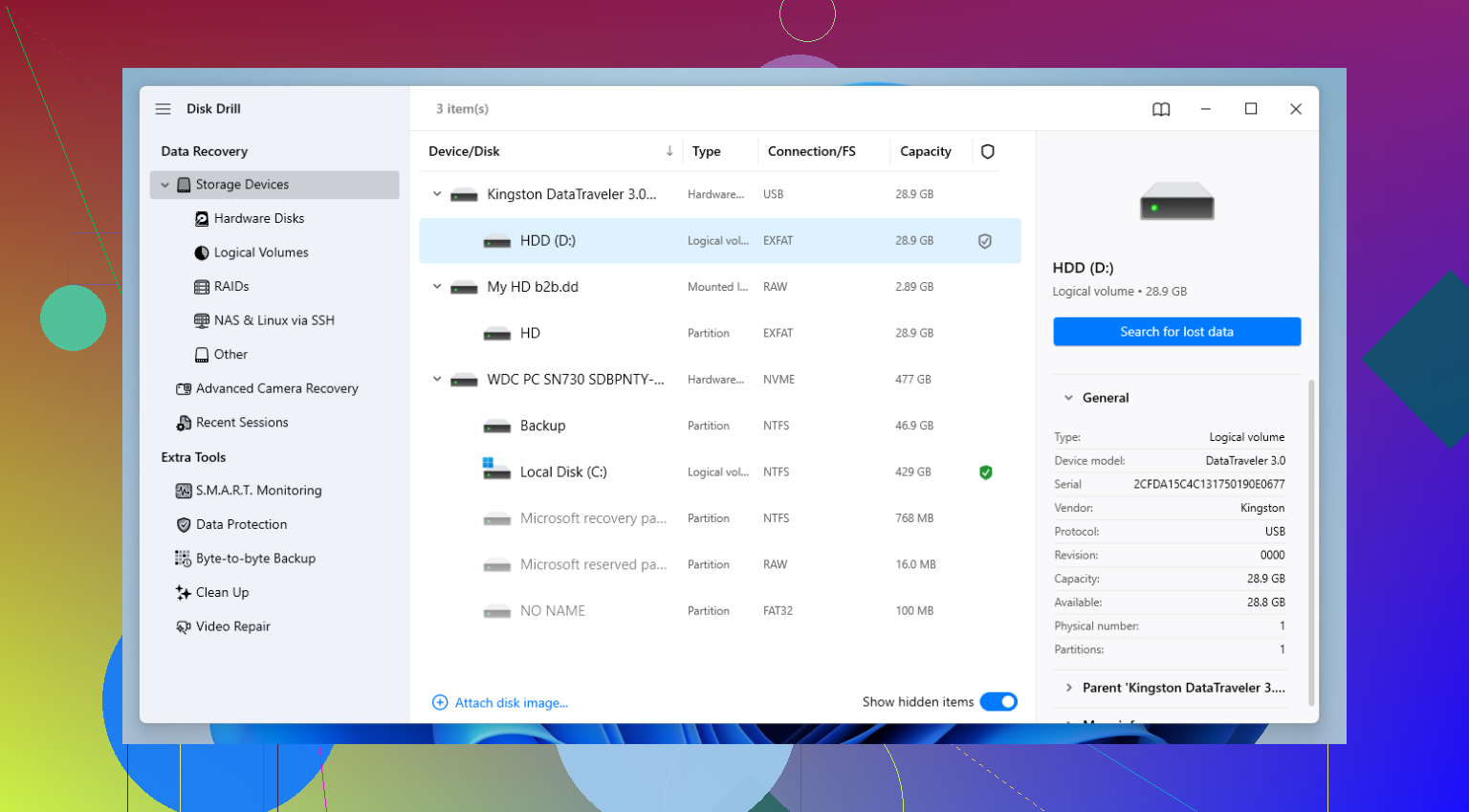
If Disk Management sees it, I’d go with recovery software next. I’ve run through a pile of these over the years, and for this type of WD drive, Disk Drill has been the one I kept going back to. It does fine with deleted files, but the bigger thing is how it handles messed up partitions, accidental formatting, and common My Passport file systems like NTFS and exFAT. I used it on a Passport which suddenly showed up as RAW, and it pulled most of the folder tree back. Not perfect, but enough.
What I’d do, step by step:
- Install the recovery app on your internal drive or some other disk. Do not install it onto the WD drive you’re trying to save.
- Connect the My Passport after the software is ready.
- If the drive is slow, clicks, freezes Explorer, or disconnects, use the app’s Byte-to-byte Backup feature first. This matters more than people think. You make a full image of the disk, then scan the image instead of hammering the physical drive over and over.
- Select the drive, or the backup image, and start a scan with Search for lost data.
- Pick Universal Scan if you want the broadest pass.
- While the scan runs, start checking the found files. I usually look in Deleted or lost and Reconstructed first.
- Use preview before restoring anything. If a photo opens, or a document preview looks normal, your odds are good for a clean recovery.
- Recover the files to a different destination. Your PC, another external drive, network storage, whatever works. Do not write the recovered files back onto the same WD disk.
A small thing people skip, and then regret later. If the drive keeps dropping offline, don’t keep rescanning it five times in a row. I did this once on an old Passport, and by the fourth pass the drive was in worse shape than when I started. Clone first if the behavior looks unstable.
After you get your files off, set up backups for real. WD points people toward Acronis for scheduled backups, which is fine. The brand is not the issue. Any drive dies if you wait long enough. I keep stuff in two places now because I got tired of learning the same lesson twice.
If your My Passport is visible in Disk Management and reports the proper size, your odds are still decent. If it’s invisible there, makes ugly noises, or disconnects nonstop, I’d stop and think hard before pushing it further.
If the WD Passport still mounts and shows the right size, I’d test two tools first, Recuva for a fast pass, then Disk Drill for the deeper scan. I know @mikeappsreviewer leans hard toward Disk Drill, and I mostly agree, but I would not skip a quick read-only pass with Recuva if the deletion was recent and the file system is still NTFS. It’s faster, and sometimes it finds the original filenames with less noise.
My order would be:
1. Check SMART with CrystalDiskInfo. If health looks bad, stop doing full scans.
2. Make an image of the drive first if it hangs or reads slow.
3. Run Recuva or PhotoRec if you want free options.
4. Run Disk Drill if the free tools miss stuff or the folder structure matters.
PhotoRec finds a lot, but filenames and folders are often toast. Disk Drill tends to do better there, which matters for docs and family photos. Recover to a different drive, not the WD. If this is an SSD-based Passport, move fast, trim is not your freind.
Also, if you want a quick walkthrough, this Disk Drill data recovery video guide for deleted files is easier to follow than most text guides.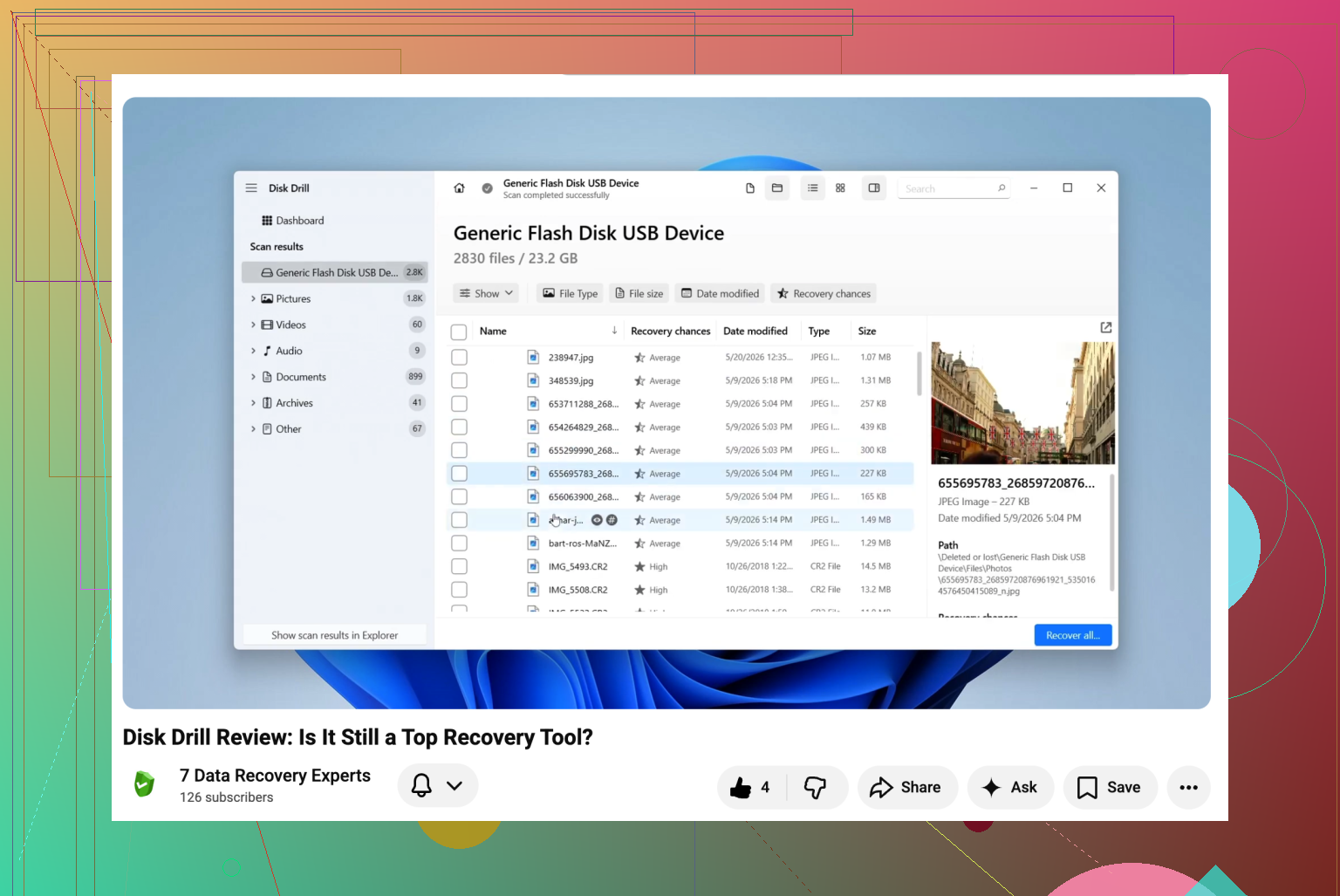
Since the drive is still recognized, I’d add one thing that @mikeappsreviewer and @viajantedoceu only touched lightly: check whether the files were deleted normally, or if the partition table got nudged too. Those are two very diffrent recovery jobs.
If it was just accidental delete and the Passport mounts normally, I honestly would not start with PhotoRec unless you’re desperate. It’s powerful, but it turns recovery into a junk drawer. Great for raw file carving, terrible if you care about names/folders. For a WD My Passport with documents/photos, Disk Drill is usually the better first serious scan because it preserves structure more often and handles NTFS/exFAT pretty well.
My take:
- Recuva = quick triage
- Disk Drill = best balance of deep scan + usable results
- PhotoRec = last resort when everything else gets messy
One more thing, if this is an older spinning Passport and it was ever dropped, be extra careful. Logical deletion is one thing, physical damage is another. There’s a decent thread here on WD external drive dropped recovery options that’s worth reading before hammering the disk with scans.
Also, do not run chkdsk yet. People love suggesting it, and sometimes it “fixes” the filesystem by making recovery worse. That advice gets tossed around way too much tbh.
If you want the short answer: use Disk Drill, save recovered files to a different drive, and if the WD starts clicking or disconnecting, stop imediately and clone/image it first.