I keep seeing Mountain Duck recommended for mounting remote servers in Finder. For those who use it every day for work, does it stay connected, or is it prone to crashing and random disconnections?
I’ve used Mountain Duck for a while, mostly as a way to simplify how I deal with cloud storage and remote servers. The main idea is pretty straightforward: it mounts remote storage as a local drive in Finder (on macOS) or File Explorer (on Windows).
So instead of opening a browser or a separate client, your cloud storage just shows up like another folder on your computer. In my experience, that changes how you work with files in a subtle but useful way. You stop thinking in terms of “upload/download” and just move files around like normal.
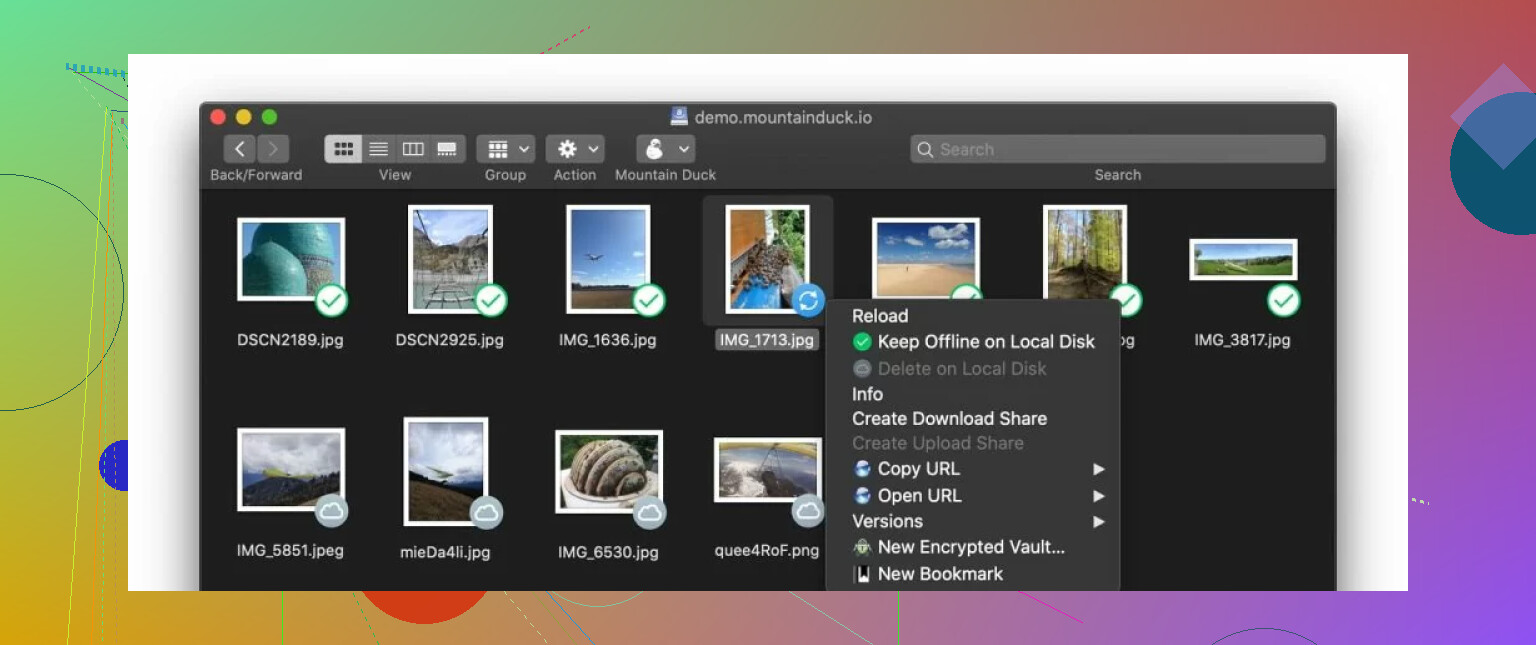
 Features I noticed while using it
One of the first things I appreciated is how many services and protocols it supports. I’ve personally connected SFTP servers and Google Drive, but it also works with FTP, WebDAV, SMB, Amazon S3, Dropbox, OneDrive, and Azure. That flexibility comes up a lot in forum discussions , especially for people managing different storage types.
Another thing is the smart sync approach. Files don’t sit on your computer unless you actually open them. For example, I had a large video archive on a remote server, and I could browse the folder instantly, but the file would only download when I opened it. That saves space, which is nice if your local disk is limited.
It also integrates directly into Finder, which matters more than it sounds. You can drag and drop files, rename them, preview them with Quick Look, basically everything you’d expect. It doesn’t feel like a separate tool most of the time.
There’s also integration with Cryptomator for encryption. I didn’t use it heavily, but I tested it enough to see how it works. You can encrypt files before they go to the cloud, which is useful if you’re storing sensitive data.
 How it fits into real workflows
In day-to-day use, I treated Mountain Duck more like infrastructure than an app. For example, I edited files directly on an SFTP server without downloading them manually first. Or I’d quickly grab documents from Google Drive without opening a browser.
That said, it works best when your internet connection is stable. Since files are fetched on demand, opening large files can take a moment. It’s not a dealbreaker, just something you notice over time.
 Downsides I ran into
The biggest issue, both in my experience and from what I’ve seen others report, is performance.
When dealing with small or medium-sized folders, everything feels fine. But once you start working with large file collections , like thousands of files in nested folders , things can slow down. I’ve had Finder take longer to load directories, and sometimes navigating between folders felt a bit laggy.
This lines up with what users often mention: slow performance with large file collections. It’s not that it breaks, but it becomes less smooth, especially if you have multiple mounts active at the same time.
I also noticed higher CPU and RAM usage occasionally, particularly on an older MacBook I tested. The system fans would spin up just from browsing certain directories. Again, not constant, but noticeable.
Another small thing is that connections sometimes need to be re-established after sleep or network changes. It doesn’t happen all the time, but enough that I got used to reconnecting drives now and then.
 What works well overall
Even with those issues, there are a few things I think Mountain Duck gets right.
The Finder integration is probably the biggest one. Once everything is mounted, it just fits into your normal workflow. You don’t have to think about switching apps or managing sync manually.
The wide protocol support is also useful. If you’re dealing with a mix of cloud services and servers, having everything in one place makes things simpler.
And the smart sync approach does what it’s supposed to do , saving local storage while still giving you access to everything.
 Alternative I tried: CloudMounter
After running into some of the slowdown issues, I gave CloudMounter a try since people often bring it up as a similar tool.
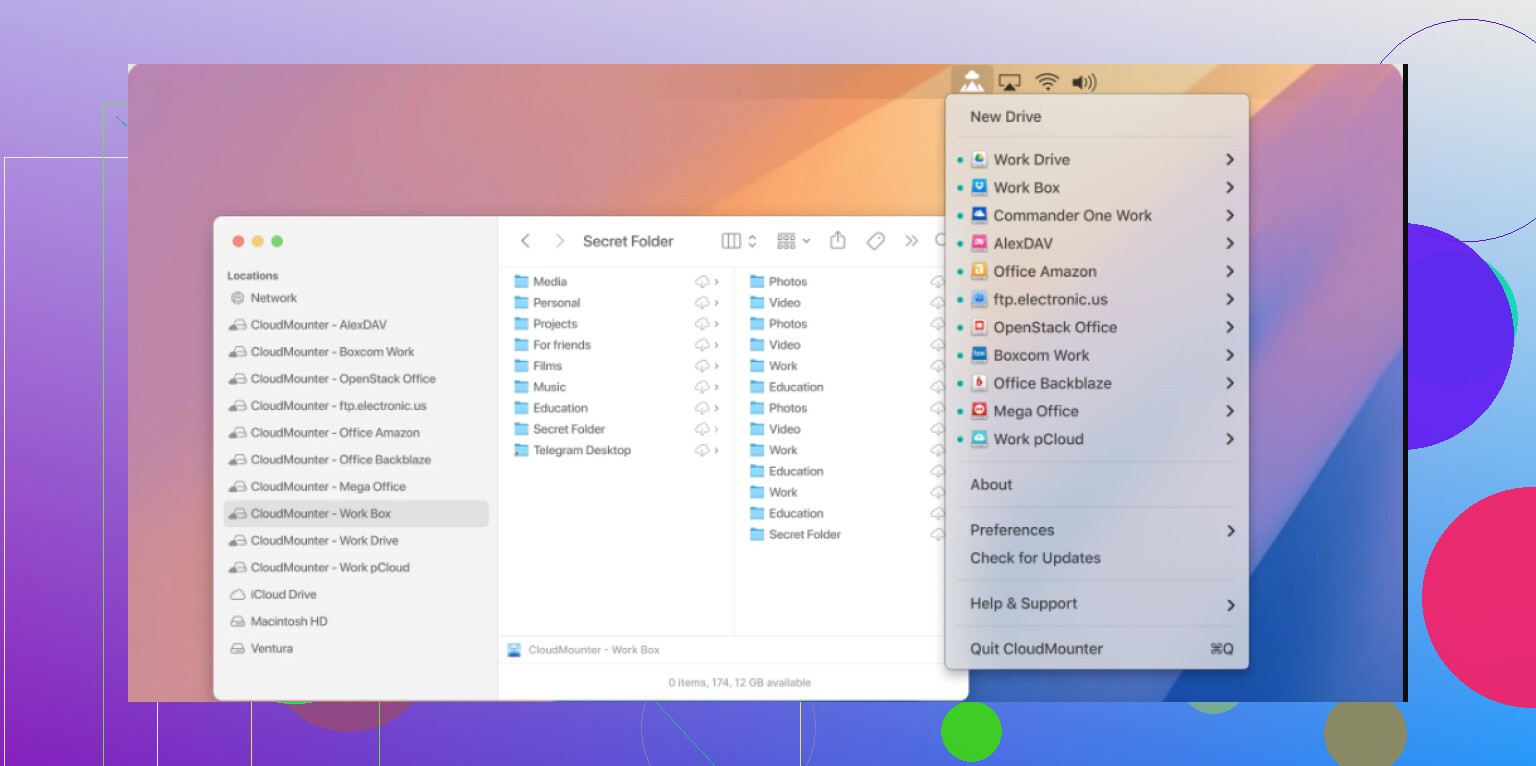
It’s probably the closest alternative if you want the same idea , mounting cloud storage directly in Finder , but with a slightly different feel.
What stood out to me and what others often highlight:
- Supports modern services like Amazon S3, Dropbox, Microsoft OneDrive, Google Drive, and MEGA
- Setup is simple , you log in with your credentials and your files show up in Finder pretty quickly
- Built-in encryption lets you secure files before uploading, and they decrypt automatically when downloaded
- Works on both macOS and Windows with a similar experience
- Has an offline mode, so you can work without internet and sync changes later
- In my experience, it handled large file collections more smoothly than Mountain Duck
A practical example: I tested both apps with a folder containing a few thousand small files. Mountain Duck took longer to load and navigate, while CloudMounter felt more responsive. That difference isn’t huge for small setups, but it becomes noticeable as your storage grows.
 Final thoughts
My overall experience with Mountain Duck is pretty balanced. It does what it promises , mounting remote storage as local drives , and it integrates nicely into the system, which makes everyday tasks easier.
At the same time, the performance issues with large file collections are real, and they seem to come up consistently in user feedback. If your setup involves lots of files or older hardware, it’s something to keep in mind.
I still think it makes sense to try if you need broad protocol support and like the idea of Finder-based access. But it’s also worth looking at alternatives like CloudMounter, especially if smoother performance and simpler handling of large folders matter for your workflow.
That’s been my experience, a useful tool, but not without a few trade-offs depending on how you use it.
17 Likes
I used Mountain Duck for client SFTP, WebDAV, and one Backblaze B2 mount for about 8 months on macOS. My take, stable enough for light to medium daily work. Not stable enough if your income depends on zero hiccups.
What bit me most was file locking and reconnect behavior. Sleep the laptop, switch Wi-Fi, come back, and one mount would look present but not respond. Finder showed the folder, then hung for 10 to 20 seconds. A remount fixed it, but doing this a few times a week gets old fast. @mikeappsreviewer mentioned similar reconnect issues, and I agree there.
Where I disagree a bit is sync risk. I would not treat Mountain Duck like a sync tool at all. I treat it like a remote access layer. If you edit small docs, PDFs, web files, fine. If you edit large Adobe files, Final Cut libraries, or anything with aggressive autosave, I would avoid working live on the mount. Cache weirdness and partial uploads are the stuff you want to avoid in paid work.
My rough score:
Daily browsing, 8/10
Small file edits, 7/10
Large folder trees, 5/10
Network switching, 4/10
Mission critical creative work, 4/10
If your workflow is open, edit, save, close, it does the job. If your workflow is constant background writes, team shares, and giant directories, I would look elsewhere.
CloudMounter felt smoother for me in day to day use, esp with common cloud storage. Less fiddly. Fewer Finder stalls. So if you want a Finder-mounted cloud drive app for professional use, I would test CloudMounter first, then Mountain Duck second.
Short version. Mountain Duck is usable. It is not the thing I would trust blind. Keep local backups, test your exact file types, and dont work off the mount for big live project files.
I’m a little less harsh on Mountain Duck than @nachtdromer, but I also wouldn’t call it “set it and forget it” stable for pro use.
For me, the real dividing line is workflow type. If you mostly need mounted remote storage for browsing, grabbing files, uploading deliverables, light edits, and occasional admin work, it’s fine. Pretty solid, actually. If your day is full of huge folders, flaky network changes, sleep/wake cycles, or apps that constantly autosave, that’s where the cracks show.
I also think some of the bad reports come from people expecting sync-app behavior from a mount tool. It’s not really that. Treat it like direct remote access with caching, not Dropbox-style magic. That mindset helps a lot.
Where I agree with @mikeappsreviewer is that reconnect behavior can get annoying. Not catastrophic, just… enough to break flow. And Finder stalls are real sometimes. Not always, but enough that I noticed em too.
My answer: stable enough for daily professional use in controlled workflows, not stable enough for zero-risk mission critical stuff.
If you want the safest setup:
- keep active project files local
- use Mountain Duck for access and transfer
- don’t trust live editing of giant creative files
- test sleep/wake and network switching first
If you want a smoother Finder-mounted cloud drive app, CloudMounter is worth testing side by side. In my case it felt less fussy day to day. Not magic either, just less annoying.
I’m closer to @viaggiatoresolare than @nachtdromer on one point: Mountain Duck is not “unstable,” but it is very sensitive to workflow abuse.
My real-world take: it’s fine if you use it like a mounted doorway, not like a working disk. The failures are usually soft failures. Finder lag, stale mount state, app beachballing on a remote folder, delayed writes after wake. Annoying, sometimes risky, rarely catastrophic if you keep your habits disciplined.
Where I disagree a bit with @mikeappsreviewer is on tolerance level. For solo admin work, web assets, document retrieval, server housekeeping, and occasional edits, I’d call it professionally usable. For collaborative production folders or apps that constantly rewrite package files, no.
What matters most is not “is Mountain Duck stable?” but “what are you asking it to do?”
Good fit:
- SFTP/WebDAV/server access
- light document edits
- upload/download workflow
- occasional remote browsing
Bad fit:
- giant media libraries
- always-on team shares
- Adobe project files
- anything where sleep/wake interruptions are common
CloudMounter is worth comparing if your priority is smoother day-to-day mounts. Pros:
- usually quicker feeling in big cloud directories
- simpler setup for mainstream cloud services
- less Finder weirdness in some setups
Cons:
- protocol flexibility can feel narrower depending on your stack
- less ideal if you rely on obscure server workflows
- still not a substitute for proper local-first backup habits
So yes, Mountain Duck can be stable enough for daily professional use, but only in a controlled lane. If you need “forget it’s remote” reliability, I’d test CloudMounter first and keep active files local either way.