I’ve been creating AI-generated photos, but they still look fake with odd skin texture, lighting, and facial details. I need help figuring out what settings, prompts, or editing steps can make AI images look more realistic and natural for better quality results.
If you want AI photos to pass as real, the input matters more than people admit. I got better results once I stopped feeding the app random camera roll junk and used a tighter set of selfies instead.
Start with clean, recent photos of your face. Natural window light helped me the most. I used a few front-facing shots, a couple slight side angles, and kept my expression plain. No beauty filters, no dark glasses, no old compressed pics from 2019. If your source photos have blur, weird smoothing, or harsh shadows, the model tends to copy the mess.
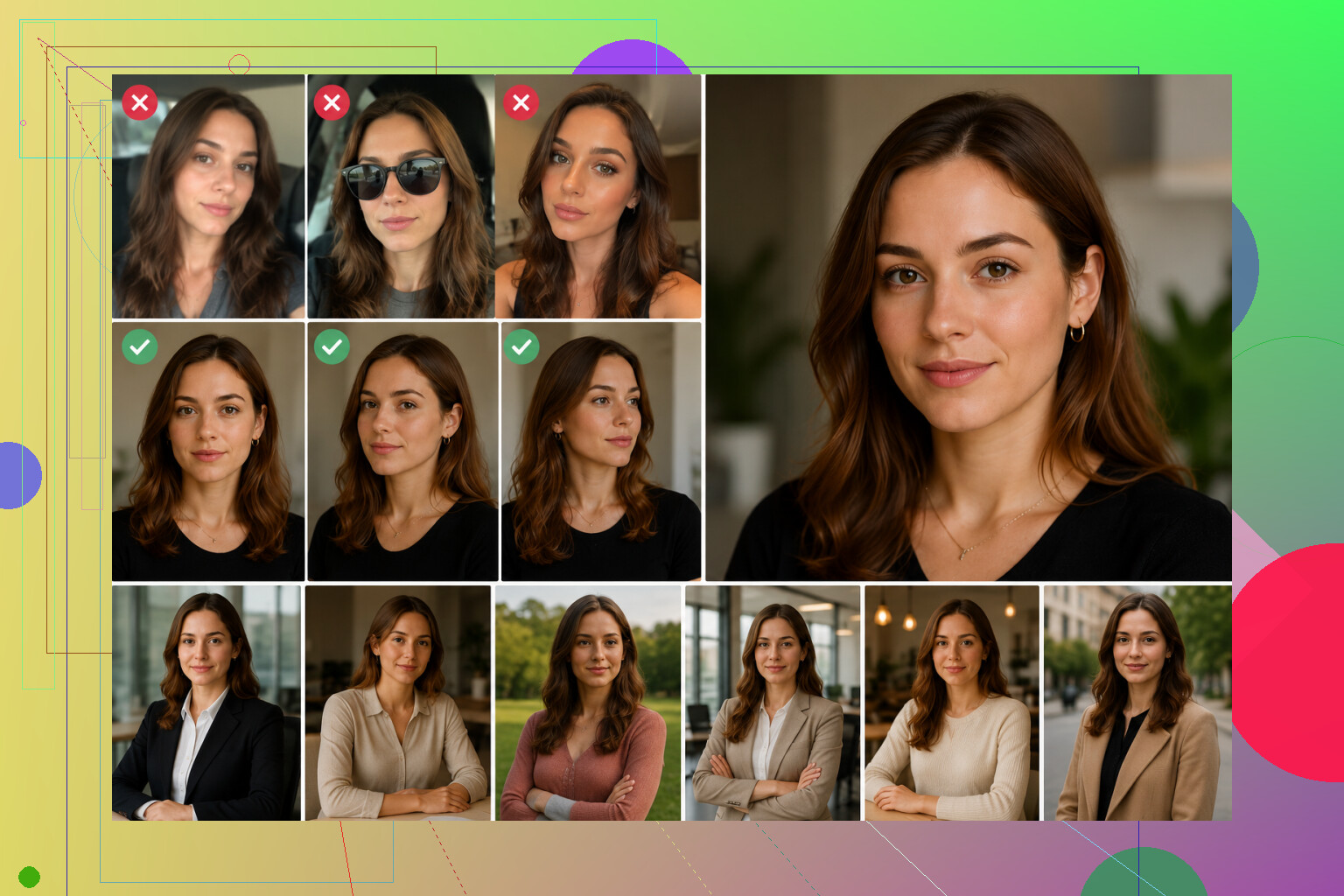
The template choice changes a lot too. I saw the most believable outputs from plain business headshots, normal outdoor portraits, and simple everyday shots. The flashy stuff looked fake fast. I usually run a batch, then throw out most of them and keep an eye on three things first: eyes, skin texture, and face shape. If any of those look off, the image is done.
The app matters more than I expected. Some tools keep faces stable across images, some drift all over the place. You notice it fast once you’ve tried a few.
One option I tried was Eltima AI Headshot Generator app. It leans into portrait output, so the results felt steadier from image to image. I didn’t have to mess around with prompts or tweak settings for half an hour, which I appreciated.
The flow is pretty straight: upload your selfies, wait while it builds your face model, then pick a style pack. The packs I found most useful were LinkedIn Headshots for clean profile pics, Corporate/Business Portraits for office-style photos, Casual Lifestyle for normal everyday shots, and the Social Media/Instagram style sets when I wanted something less stiff.
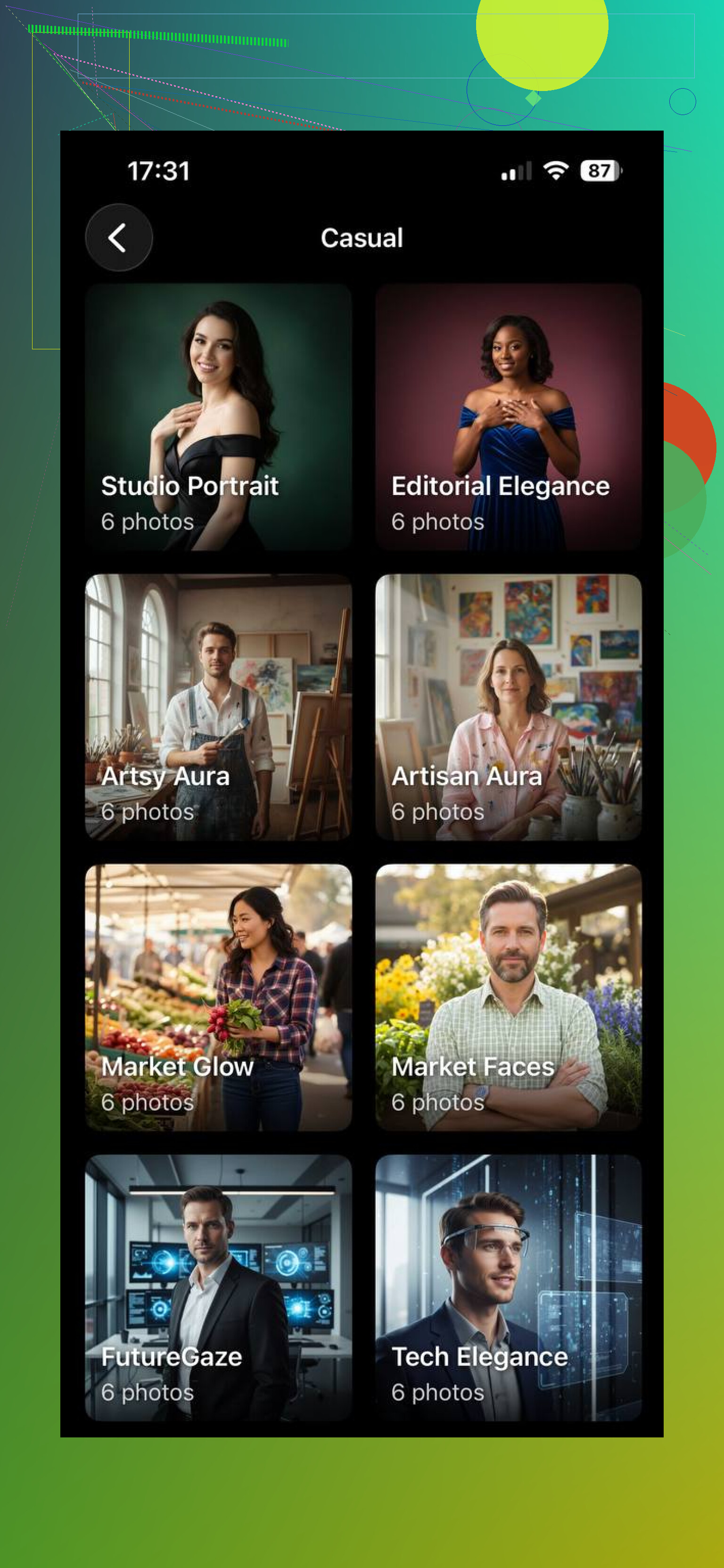
Using the Eltima AI app is easy enough. I uploaded a mixed set of selfies, let it build the profile, picked a pack, and generated a batch. Then I kept the few images where my face still looked like me. For me, sticking to one pack gave flatter results. Mixing a couple styles worked better and gave me more usable shots.
2 Likes
I’d add one thing @mikeappsreviewer didn’t hit much. Stop chasing “perfect” faces. Real photos have flaws. Tiny pores, slight under-eye darkness, uneven lip edges, stray hairs. When your prompt asks for flawless skin, sharp jawline, bright eyes, cinematic light, 8k detail, the result starts looking plastic fast.
What helped me:
Use camera language in the prompt. 50mm or 85mm lens, f/2.8, natural daylight, soft shadow, DSLR photo, RAW look, mild grain. Skip words like hyper-detailed, ultra sharp, beauty, flawless.
Lower the style strength. Same with face enhancement. Those sliders wreck skin texture.
Add negatives. “No waxy skin, no extra teeth, no glassy eyes, no beauty filter, no oversmoothing, no asymmetrical pupils.”
Keep skin retouching light after gen. In Lightroom or Snapseed, reduce texture a bit, don’t blur. Match white balance first. AI skin often looks fake because color is off, not detail.
I also disagree a little on mixing styles. For me, one lighting setup per batch worked better. Mixed packs often gave me identity drift and weird face geometry. Small test batches help a ton, tbh.
I mostly agree with @mikeappsreviewer and @jeff, but I think people overfocus on prompts when the bigger problem is image logic. A photo looks fake when the scene itself doesn’t make physical sense.
A few things that helped me:
- Match the light direction across the whole face, hair, neck, and background. If the left cheek is lit but the shadow falls wrong under the nose, it screams AI.
- Stop using perfectly clean backgrounds. Real photos usually have tiny depth cues, slight clutter, or uneven blur.
- Add imperfection on purpose. Slight flyaway hairs, a soft shirt wrinkle, minor lens noise, tiny asymmetry.
- Watch accessories. Earrings, glasses, collars, and teeth are where AI falls apart first.
- Do less upscaling. Seriously. A lot of “detail enhancers” just create crispy fake skin.
One thing I kinda disagree on: lens prompts like “85mm f/2.8” help, sure, but they won’t save a badly composed image. Pick ordinary scenes first. Boring = believable, tbh.
Also try editing globally, not just skin. Fix white balance, lower contrast a touch, and reduce sharpenig. That alone can make a fake-looking render feel way more photo-ish.