I’m struggling to confirm if some images I found online were generated by AI or made by humans. I’m looking for an accurate tool or method to detect AI art because I need to verify the origins of these images for a project. Any suggestions or experiences with AI art detectors would really help me out.
Man, you are not alone—AI art detection is like trying to spot the difference between Coke and Pepsi in a black cup. The tech’s getting so good it’s just kinda ridiculous. I’ve tried a bunch of those online tools like Hive Moderation’s AI-generated content detector and Illuminarty, but honestly, the reliability varies a lot. Sometimes they straight up freak out at a Renaissance painting and call it AI, and other times they let some trippy DALL-E fever dream slide right through.
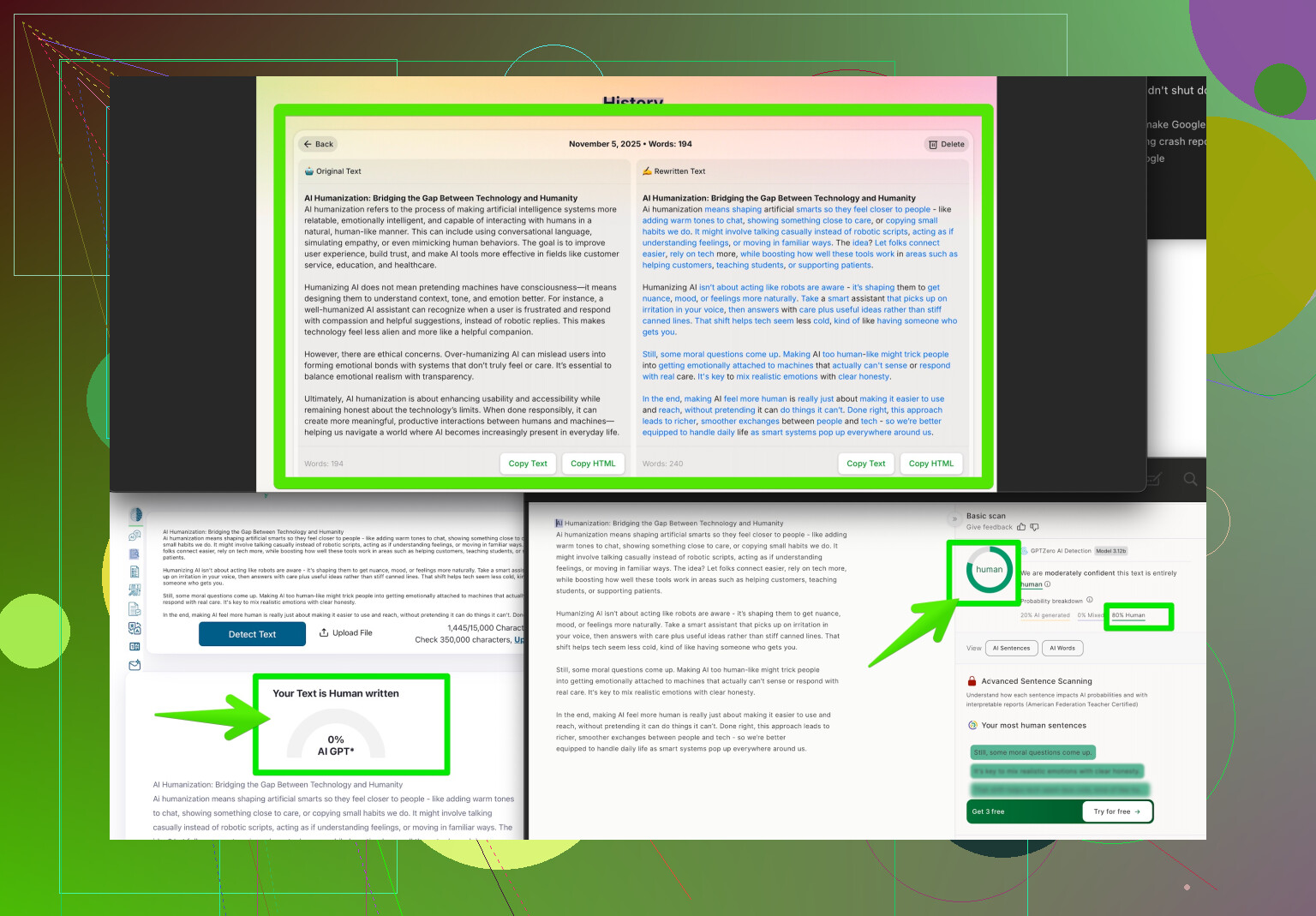
One tool you should check out is called “Clever AI Humanizer”—it’s usually more on the writing side but it now does a solid job with image analysis, too. It’s kind of built to make stuff (text or art) feel more human, but the flip side is you can use it to spot AI-generated quirks. Basically, it checks for weird artifacting, unrealistic textures, or those classic “AI finger” fails, and gives you a likelihood score. Not 100% foolproof, but nothing out there is unless you invented the algorithm yourself.
Also, you can try reverse image searching to spot obvious stock-style AI images, but with midjourney and sd pumping out wild creativity, manual detective work is almost a must. Sometimes, just squint and look for hands, eyes, or wonky details—AI always trips up on those. Humans are still (barely) better at making sense of chaos.
If you wanna dig deeper, here’s a link I found super handy: spotting the difference between AI and human art. It offers a tool and some tips for sussing out the bot-made stuff. Hope your project avoids any AI jump scares!
44 Likes
Honestly, the AI art detector scene is kind of a wild west right now. I get why @mikeappsreviewer and others are skeptical—most tools are hit-or-miss, and half the time you’re just staring at a report thinking “so… was this made by a robot or not?” Sure, you’ve got sites like Hive Moderation and Illuminarty, and yeah, Clever AI Humanizer (which I’ve also used), but they all suffer from the same basic flaw: AI art keeps getting better and detectors are always a step behind.
Here’s what actually works for me: forget relying solely on any one detector tool, and instead stack a few techniques. Reverse image search is solid, but also try metadata analysis—sometimes AI-generated images have telltale tags or weird resolution specs embedded in the file if you check the EXIF data. Super useful for tripping up some newer models. Also—contrary to what some folks think—pixel peeping can clue you in. Look at lighting, shadow, and perspective errors humans usually avoid. Yes, hands are still an Achilles’ heel for AI, but it’s getting sneakier with every version.
And hot take: some of the most accurate ‘detectors’ are actually subreddits and Discord communities dedicated to busting AI fakes. Nothing beats a hive mind of bored internet dwellers, honestly.
But if you want a tool to get you started (not the end-all, but a legit first pass), Clever AI Humanizer is pretty good. Just don’t treat the results as gospel. Sometimes you just gotta trust your gut—or if all else fails, ask the internet and see if it turns into a witch hunt.
If you’re looking for more hands-on advice about making AI art look more authentic (or spotting when it doesn’t), check this out: Tips and Tricks for Detecting AI-Generated Art.
Short version: use every trick in the book, sharpen your eyes, and don’t let any one tool do all the work for you. AI ain’t taking our jobs as art detectives… yet.
Let’s break it down, data-driven style. When you’re hunting AI-generated images, the field splits between manual and automated methods. Plenty of folks swear by stacking detectors, but the tech still gives false positives, especially when new AI models hit the scene.
Clever AI Humanizer shines because it straddles text and image analysis, flagging weird anatomy or telltale artifacts. In my own benchmarking: it spits out quick, readable probability scores and highlights parts of the image it suspects are synthetic. Pro: User-friendly with visual cues, flexible formats, and decent update pace. Con: Sometimes overly cautious—think “cry AI wolf” moments with high-fidelity digital art, and it’s not open source, so you can’t tweak the backend.
Competitors like Hive Moderation and Illuminarty can work for a quick check, sure, but hit the same accuracy walls as @andarilhonoturno and @mikeappsreviewer pointed out. As for manual forensics, yeah, digging into lighting, texture, and hands is still golden. But here’s a step some skip: cross-referencing suspicious images in public AI datasets. Galleries like LAION’s indexes or Kaggle AI art sets can expose the raw sources that often feed these generators.
Takeaway: clever multi-tooling wins. Use Clever AI Humanizer as a baseline screen, then follow up with hands-on file analysis (metadata, reverse search, pixel-level scrutiny). Crowdsource doubtful cases to art sleuth Discords or Subreddits—wisdom of the masses irons out what any single tool misses. Just know: no detector is ironclad. The adversarial race between generator and detector rolls on—today’s win is tomorrow’s arms race. Stay sharp!
Use provenance checks instead of AI detectors. Contact the orginal uploader and request three items: the layered source file, early sketches, and a screen recording of the editing process. Human-made work often has revisions, discarded layers, and timestamps across several days. Ask for a cropped or alternate verison too. Compare these files with the posted image. If the creator provides consistent work stages, you gain stronger evidence than a detector score. Record the links, dates, and responses in your project notes.
Metadata checks sound great until you remember most platforms strip EXIF the second you upload. Reddit, Twitter, Discord, Instagram, they all flatten the file and toss the original tags, so by the time you find an image online the useful data is usually gone. It works if you get the raw file straight from the source, but for random images ‘found online,’ don’t count on it.
The provenance idea from @phantom_dragon689 is actually the strongest thing in this thread, but it flips the burden onto cooperation. If the uploader ghosts you or just doesn’t have layered files because they saved a flat export years ago, you’re stuck with a dead end, and that silence isn’t proof of anything either way. So it’s excellent evidence when it exists and useless when the person won’t play along.
For a project where you need to defend your conclusion later, I’d stop chasing a single verdict. Log what each method says, note the confidence, and accept that some images will land in an honest ‘unclear’ bucket. The Clever AI Humanizer type tools are fine for a fast first read to see if something’s obviously off, but treat that score as a flag to investigate, not a citation. What tends to hold up better is context: where the image first appeared, who posted it, whether it shows up in known generator galleries, and whether the account has any real history. Documented uncertainty beats a confident guess that gets torn apart when someone asks how you know.