I accidentally deleted my GoPro vacation footage from my SD card before backing it up, and I’m really hoping there’s a way to recover the videos. These clips are important memories from my trip, and I haven’t recorded anything new on the card yet. What’s the best way to recover deleted GoPro videos safely?
Yeah, that stings. I’ve had an SD card do this to me once after a ride, and the first mistake I almost made was keeping the camera in use.
Stop using the card now. No new clips, no format, no repair pass, no “scan and fix” prompt from your computer. When GoPro footage gets deleted, the data often stays on the card for a while. The problem is simple, new writes chew up the old blocks and your odds drop fast.
Quick checks before recovery software
- If you pay for a GoPro subscription, sign in and check the cloud Media Library plus the Trash folder.
- Put the card back in the camera once and see whether the GoPro offers its own file repair.
- Browse the card for LRV files. Those are the low-res preview copies. They’re not ideal, though I’ve seen them save a clip people thought was gone for good.
If the files are gone from the card view, I’d move to Disk Drill. I used it on camera media before, and it did better than some of the usual recovery apps I tried. The part worth paying attention to for GoPro stuff is its Advanced Camera Recovery mode:
https://www.youtube.com/watch?v=scXxMU5rJt0Why this matters. GoPro footage is often stored in fragments, sometimes a lot of them. One clip might be scattered all over the card. Plenty of recovery tools find chunks of data, then fail when it’s time to reassemble the video. You end up with a file name, a thumbnail, and a clip that won’t open, or plays half of the first minute and dies. I’ve seen that exact mess.
Disk Drill’s camera mode is aimed at this specific problem. It tries to rebuild fragmented footage from action cams, dash cams, drones, and similar devices. It also supports GoPro formats, including MP4 and LRV.
Small things that matter
- Use a card reader. Don’t hook up the GoPro itself if you can avoid it.
- Save recovered files somewhere else, never back onto the same SD card.
- If the card throws errors, disconnects, or feels flaky, make a byte-for-byte image first and scan the image, not the original card.
If you haven’t recorded much since the footage vanished, your chances are still decent. Not perfect, but decent. I wouldn’t wait long, tho. 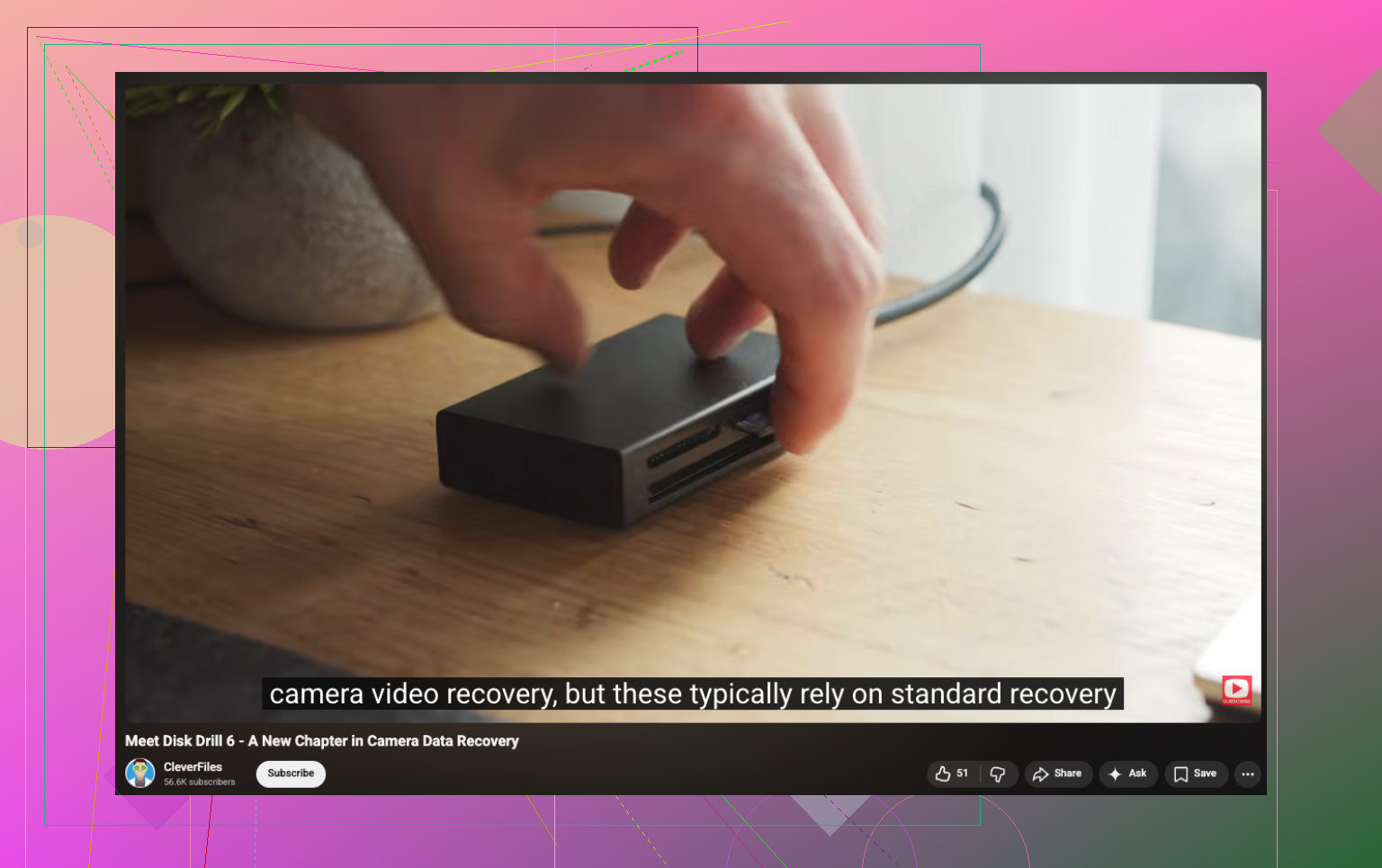
Stop using the SD card. That part @mikeappsreviewer got right. If you shot new clips after deletion, recovery gets worse fast.
One thing I’d add, do not trust file names or previews if recovery software finds them. GoPro videos often come back with broken indexes. A clip might look fine in the scan, then fail at 2:13 or lose audio. So when you recover, test every file.
My order would be:
1. Lock the card with an adapter if yours has a switch.
2. Make an image of the SD card first if your computer reads it cleanly.
3. Scan the image, not the card.
4. Recover to your computer or an external drive.
I slightly disagree on putting the card back in the GoPro for repair. If the footage is important, I’d avoid letting the camera write anything at all. Cameras do weird stuff with database files.
Disk Drill is still a solid pick here because it handles deleted video from SD cards well, and GoPro MP4 recovery is one of the more common use cases. If the card is exFAT, deleted entries often stay recoverable until overwritten. If it was formatted, odds depend on whether it was a quick format or you kept filming after.
Also check for split files. GoPro often records long footage as chapters, so one “missing video” may be 3 to 10 separate MP4s.
For a step by step guide, this helped me sort out camera card recovery without wasting time:
watch this easy guide to recover deleted videos from a camera SD card
If the card keeps disconnecting, stops mounting, or throws read errors, stop messing with it and clone it first. That part matters more than people think. I learned taht one the hard way.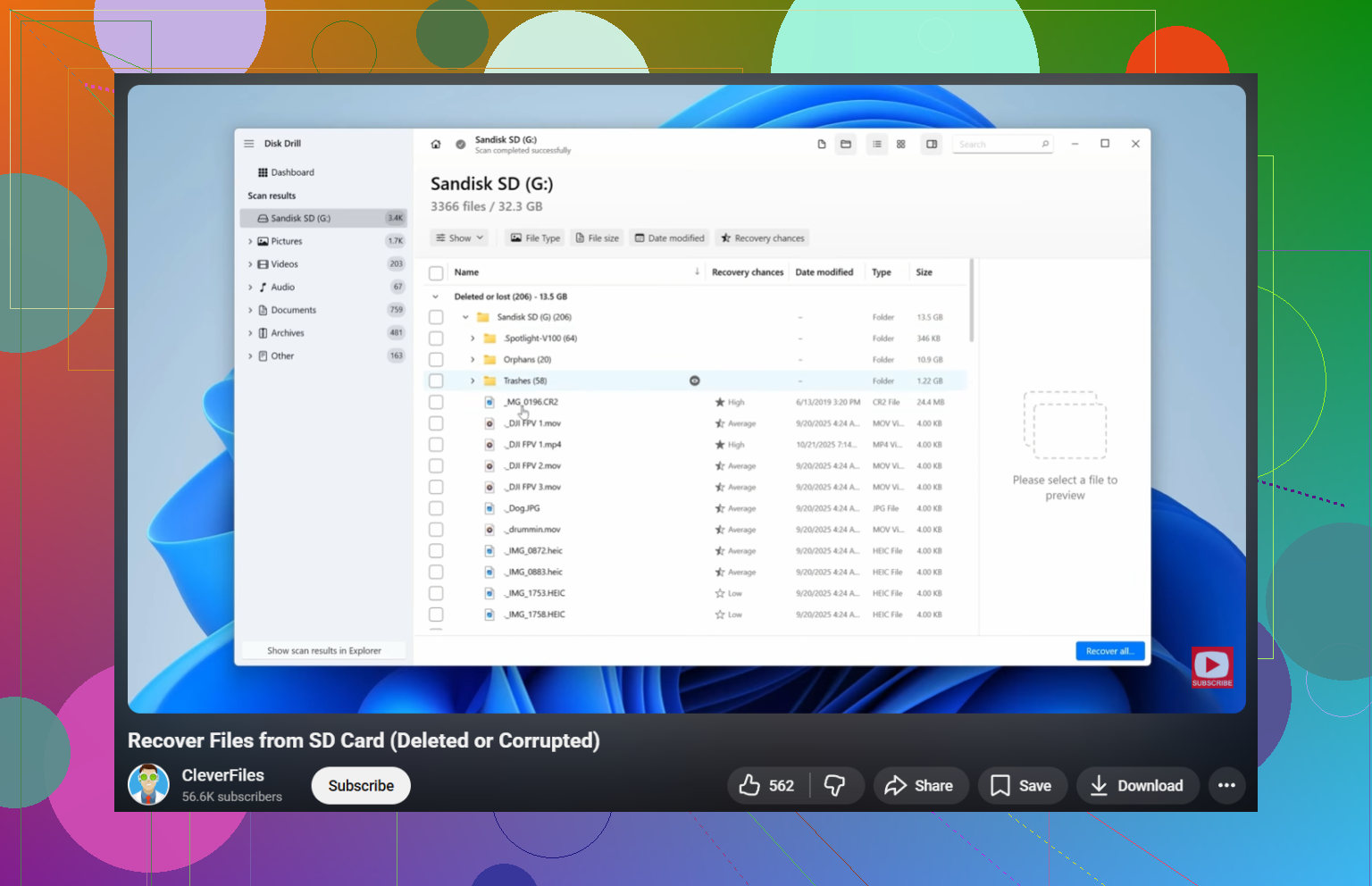
I’d be a little more cautious than @mikeappsreviewer on the “put it back in the GoPro and let it try repair” idea. If these are once-in-a-lifetime vacation clips, I would treat the card like evidence and keep the camera away from it. Cameras love writing tiny housekeeping files when you least want them to.
What I’d do that hasn’t really been stressed enough yet is check whether your missing footage was ever exported anywhere automatically. On Windows, look in Videos, Pictures, Downloads, and your editing app’s import cache. On Mac, check Photos, Image Capture imports, Final Cut libraries, iMovie libraries, and the Movies folder. A lot of people think the SD copy was the only copy, then find half the trip sitting in a temp import folder. Sounds dumb, but it happens allll the time.
Also, if your GoPro made chaptered recordings, don’t just search for one filename. Look for related segments with close timestamps. Sometimes recovery finds clip 2 and clip 3, but not clip 1, so people assume the whole thing is toast.
If the card reads normally, make a full image first, then work off that. If you want the straightforward route, Disk Drill is still one of the better options for deleted GoPro video recovery from SD cards, especially when the MP4s are fragmented. But after recovery, run the files through VLC first. VLC will often play damaged GoPro MP4s that other players refuse to open, and that can tell you whether the video is actually there before you panic.
One more thing I’d add to what @sternenwanderer said: if recovered clips have no duration or show 0 bytes in some players, try remuxing them, not just “repairing” them. A busted container is sometimes the whole problem.
Also found a useful thread here if you want another angle on GoPro Hero 8 video recovery:
GoPro Hero 8 lost video recovery discussion and fixes
So yeah, deleted does not always mean gone. Overwritten usually does. Big diference.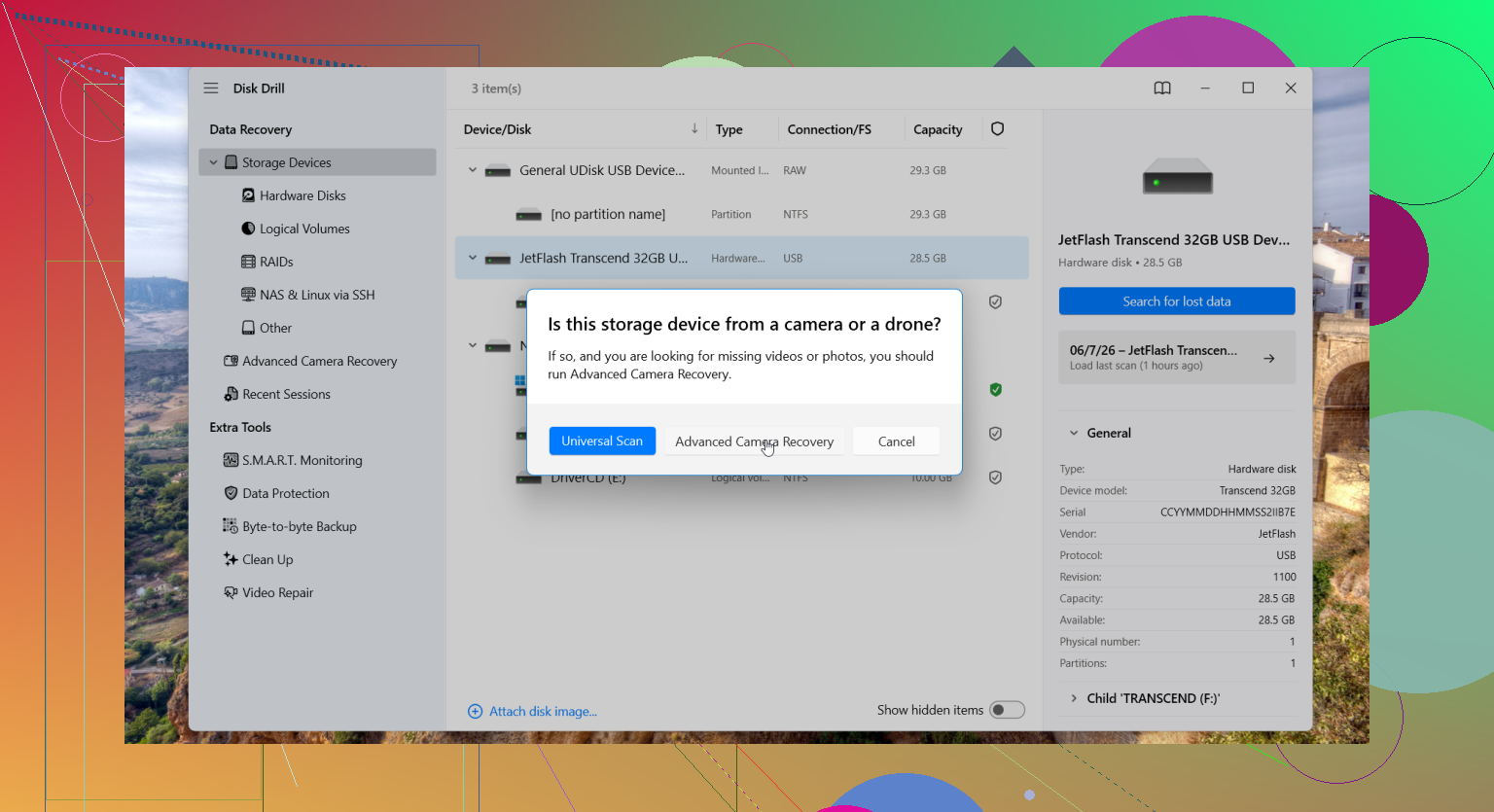
I mostly agree with @sternenwanderer, @voyageurdubois, and @mikeappsreviewer on the big rule: no more writes to that card. Where I differ a bit is on expectations. Even if recovery works, GoPro clips can come back technically “recovered” but still have timeline glitches, missing chapters, or broken metadata, so judge success by actual playback from start to finish, not by file count.
A couple things not stressed enough yet:
- Check the hidden folders on the card. GoPro sometimes leaves behind sidecar files, thumbnails, or partial chapter remnants that help you identify what existed.
- If you use macOS, avoid dragging the card around in Finder too much. Spotlight and thumbnailing are usually harmless, but I still prefer mounting read-only when possible.
- If the missing files were deleted very recently, recovery quality is often better from the original filesystem structure than from a deep carve alone. So if a tool offers both, run both.
Disk Drill is a reasonable choice here.
Pros:
- Good with SD card scans
- Can find deleted MP4s and fragmented camera footage
- Interface is easy when you are stressed and don’t want to overthink it
Cons:
- Preview can be misleading on damaged GoPro files
- Deep scans can return lots of messy results with generic names
- Paid recovery if you actually want to restore the files
One small disagreement with the usual advice: I would not spend too long trying lots of different apps one after another on the original card. Too much handling, too many chances for mistakes. Pick one serious tool such as Disk Drill, scan an image if possible, recover to another drive, then verify each clip in VLC or another tolerant player. If a file opens but will not seek properly, remux it before assuming it is dead.
If you recorded over the deleted footage, chances drop hard. If you did not, you still have a real shot.