My iPhone storage is full, and I’m trying to make more space without buying iCloud or upgrading my phone. I’ve already deleted some apps and photos, but it still says my storage is almost full. I need help with the best free ways to clear iPhone storage and figure out what’s taking up so much space.
I ran into the same mess. My iPhone kept yelling about storage even though I had extra cloud space, and for a while I thought Apple was counting both as the same thing. It isn’t. iCloud storage does not add room inside the phone. It stores copies and synced files elsewhere.
You do not get to buy more built-in iPhone storage later. The storage chips are fixed to the board, so the number you bought on day one is the number you live with. Annoying, yep. Still, you do have a few ways to free space or shift stuff off the phone without signing up for another monthly bill.
One thing I noticed on mine, once free space got low, the whole phone turned sluggish. Camera took longer to open. App switching felt sticky. Even typing had a delay once in a while. I didn’t know this at first, but iPhones need spare storage to work smoothly. When you run too close to zero, performance drops.
If you want the fastest reality check, open Settings > General > iPhone Storage. That screen shows what is taking over your phone. For most people it ends up being photos, videos, old message attachments, apps they forgot about, and System Data, which is mostly cache and leftover junk.
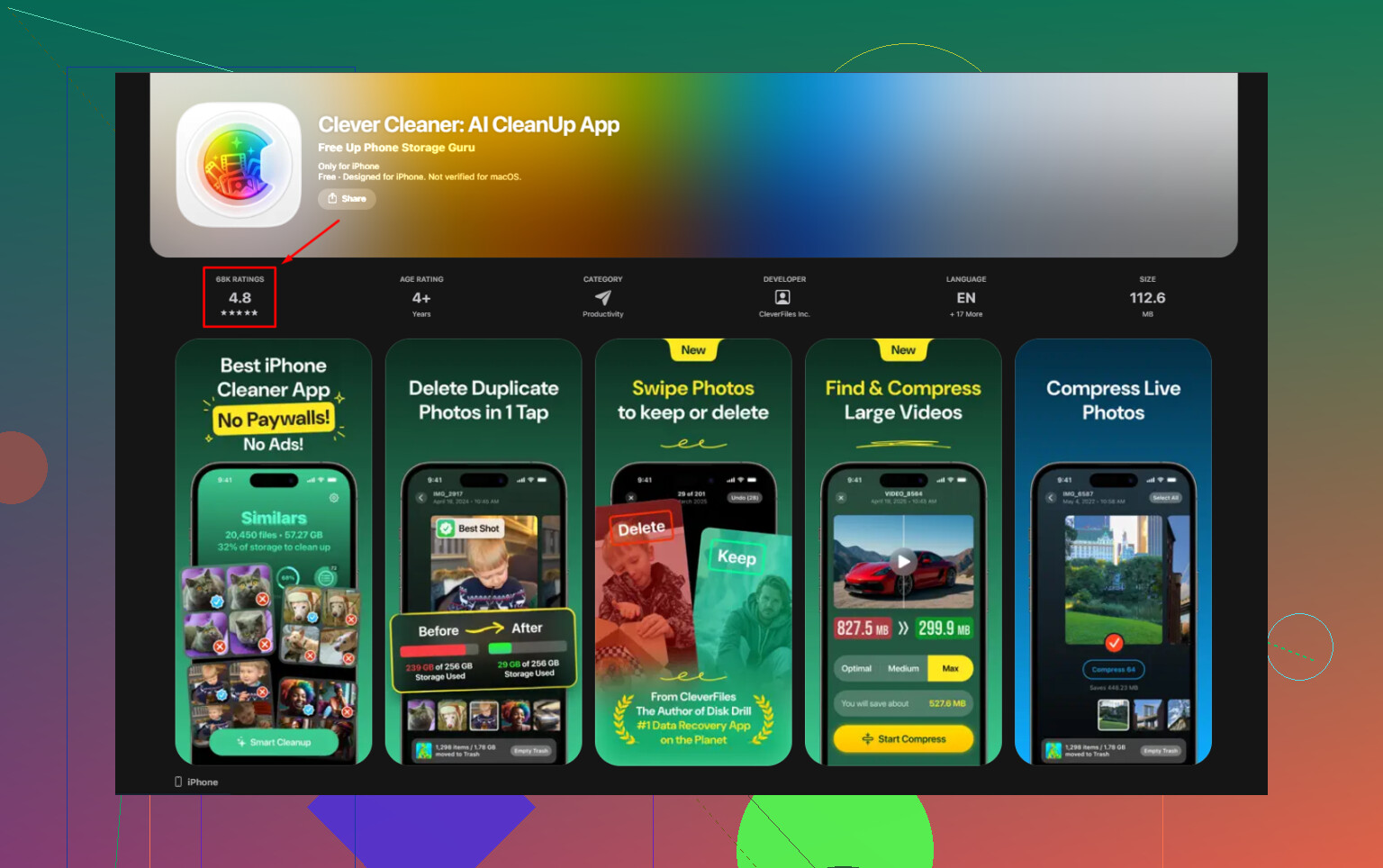
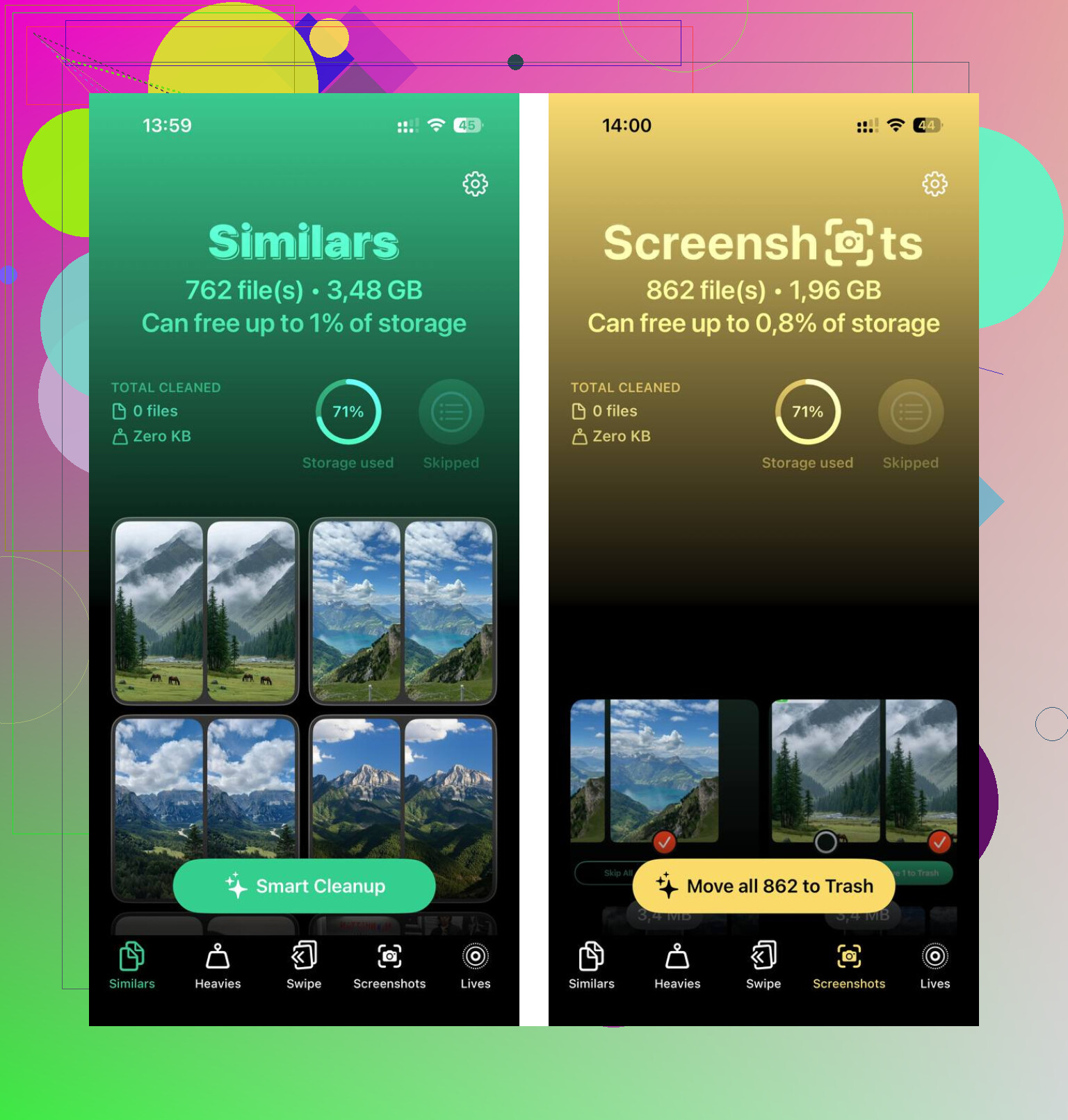
I wasted time deleting things one by one. Screenshots, duplicate photos, giant screen recordings, all of it. Then I tried a cleanup app, even though most of them looked shady and stuffed with trials. The one I kept was Clever Cleaner. It was free when I used it, no ads, no subscription wall popping up every ten seconds. What helped me most was the size sorting. There’s a Heavies section, so you can spot the biggest files first instead of guessing.
The duplicate finder helped too. I had loads of near-identical shots because I always take three or four photos before picking one. It grouped those together and made cleanup less painful. I also liked one privacy detail. It handles the scan on the phone, not by shipping your photo library off to some server. After I cleared around 12GB, mostly duplicate pics and old screen captures, the lag on my phone was gone. Night and day, no joke.
If your goal is extra space without a subscription, external storage is the cleanest route. You can buy a Lightning flash drive or a USB-C one, depending on your iPhone. SanDisk iXpand drives are the common example. Plug it in, move your videos and photos over, then delete those files from the phone. One purchase, done. If you already have camera SD cards lying around, a Lightning-to-SD or USB-C-to-SD reader works too.
If you don’t want to spend anything, here’s what I’d check first.
- Offload unused apps
Go to iPhone Storage and turn on Offload Unused Apps, or do it app by app. This removes the app itself but keeps its documents and data. If you reinstall later, your stuff comes back.
- Clear Safari data
Go to Settings > Apps > Safari, then clear History and Website Data. Safari piles up more junk than people think. Mine had a chunk of space tied up there.
- Check message attachments
Group chats are storage hogs. GIFs, memes, videos, voice notes, all saved locally. In iPhone Storage, look for Review Large Attachments. You can wipe a lot from there fast.
- Use free cloud space from other services
Google Photos gives 15GB free. Dropbox gives 2GB. Not huge, still useful if you want to move older files off your device and keep them accessible.
- Move videos to a computer
This is the old method, still one of the best. Plug the phone into a Mac or PC, copy over the giant videos, then remove them from the iPhone. It takes a few minutes, but it works and there’s no recurring fee attached.
So yeah, you can’t expand the phone’s internal storage itself. Apple doesn’t leave room for that. What you can do is reclaim wasted space, move large files elsewhere, and stop paying for storage if you don’t need the convenience. I did this the manual way first, then with a cleaner app, and the phone felt normal agian after I cleared enough room.
8 Likes
No. You do not get more internal iPhone storage for free. The chip size is fixed.
What you do get is more usable space. Different thing.
I mostly agree with @mikeappsreviewer, but I think people spend too much time hunting random files and not enough time fixing the hidden stuff Apple keeps around. If you already deleted apps and photos, do these next.
-
Restart the phone after cleanup.
iOS sometimes keeps storage numbers stale for a bit. A reboot forces a recount more often than people expect. -
Update iOS if you are behind.
Some iOS versions bloat System Data or fail to clear temp files. I had one update free up around 3GB after install. Weird, but it happnes. -
Delete downloaded media inside apps, not the apps themselves.
Netflix, Spotify, YouTube, Podcasts, Audible, Prime Video. These stash offline files deep in app storage. One podcast app on my phone had 8GB sitting there. Same with Maps offline downloads. -
Check Mail.
The Mail app caches attachments and large threads. Removing and re-adding a bloated mail account sometimes cuts local storage. Clunky fix, but it works. -
Turn off Keep Originals for Camera if it is enabled with ProRAW or 4K video habits.
A single minute of 4K 60fps video is often 400MB or more. ProRAW photos are huge. If you shoot in those modes, storage fills fast. -
Empty Recently Deleted everywhere.
Photos, Files, Notes, Voice Memos. Deleting is only step one. Apple keeps the trash for 30 days unless you clear it manualy. -
Look in Files app.
Downloads from Safari, ZIP files, PDFs, random documents. People forget this folder exists.
If you want a faster pass, Clever Cleaner is worth a look for finding duplicate photos and large files. The App Store page is here, free iPhone storage cleanup with Clever Cleaner.
Best place to check first is Settings, General, iPhone Storage, then let it sit for a minute so the category sizes finish loading. That screen tells the truth faster than guessing does.
Nope, not in the literal sense. You can’t magically add more built-in iPhone storage for free. @mikeappsreviewer and @ombrasilente are right on that part. Where I kinda disagree is the idea that “System Data” is always some huge mystery you can fix. Sometimes it is, sometimes it just shrinks after iOS stops panicking.
What I’d do next:
- Open Photos and check if videos are the real killer, not photos
- In Messages, change message history to 1 year instead of forever
- Delete old voicemail if you have a ton saved
- Remove downloaded stickers, GarageBand sound packs, iMovie projects
- In Files, sort by size. Random junk hides there allll the time
- If you use WhatsApp or Telegram, clear media from inside those apps
Also, if your storage graph looks wrong, plug the phone into a computer and sync once. Weirdly, that can force iOS to recalculate space. Old trick, still works sometiems.
If photo cleanup is the bottleneck, Clever Cleaner is probly the easiest shortcut for duplicates and big files. This review explains why it stands out as a truly free iPhone storage cleanup app: see how Clever Cleaner frees up iPhone storage without hidden fees.
Short version: you can’t increase capacity, but you can absolutely claw back a surprising amount of space.
You can’t get more internal storage for free. On that, @ombrasilente, @andarilhonoturno, and @mikeappsreviewer are basically right. But I’d push back on one thing: people obsess over deleting visible stuff and ignore settings that silently refill storage later.
A few extra moves that weren’t really covered:
-
Set Messages to keep media less forever
Settings > Apps > Messages > Keep Messages. Switch from Forever to 1 Year or 30 Days if you can live with it. Old threads keep tons of attachments. -
Turn off auto-downloads in messaging apps
WhatsApp, Telegram, Signal can keep saving every meme/video to your phone. Stop the inflow, not just the backlog. -
Optimize Apple Music storage
If you use Music, set a storage limit or remove automatic downloads. Same for podcasts set to auto-download new episodes. -
Check Books, GarageBand, iMovie, Clips
These apps hide large files: downloaded books, sound libraries, raw project files, exported videos. -
Reduce camera defaults going forward
HEIF/HEVC on, lower video resolution if you don’t truly need 4K/60 for everyday clips. Prevention matters more than cleanup. -
Use Notes wisely
Scanned PDFs in Notes can get huge. People forget Notes is basically a document locker.
About Clever Cleaner:
Pros: easy duplicate review, surfaces big files fast, simpler than digging through categories manually.
Cons: no app can expand physical storage, you still need to review deletions carefully, and cleanup apps are less useful if your problem is mostly system files or message data.
So yeah, not more capacity. Just better recovery and better habits so the phone stops filling itself right back up.