I need to move about 30GB of 4K footage from my phone to my MacBook Pro. Has anyone tried doing bulk transfers like that with OpenMTP? And share your opinion about using it!
Yeah, I’ve used OpenMTP for a while. The mixed reputation you’re seeing is kind of accurate. For some setups it works fine, for others it’s a headache.
It exists because macOS doesn’t natively let you browse and transfer files from Android devices the way Windows does. OpenMTP fills that gap, and it’s free and open-source. That’s the basic idea.
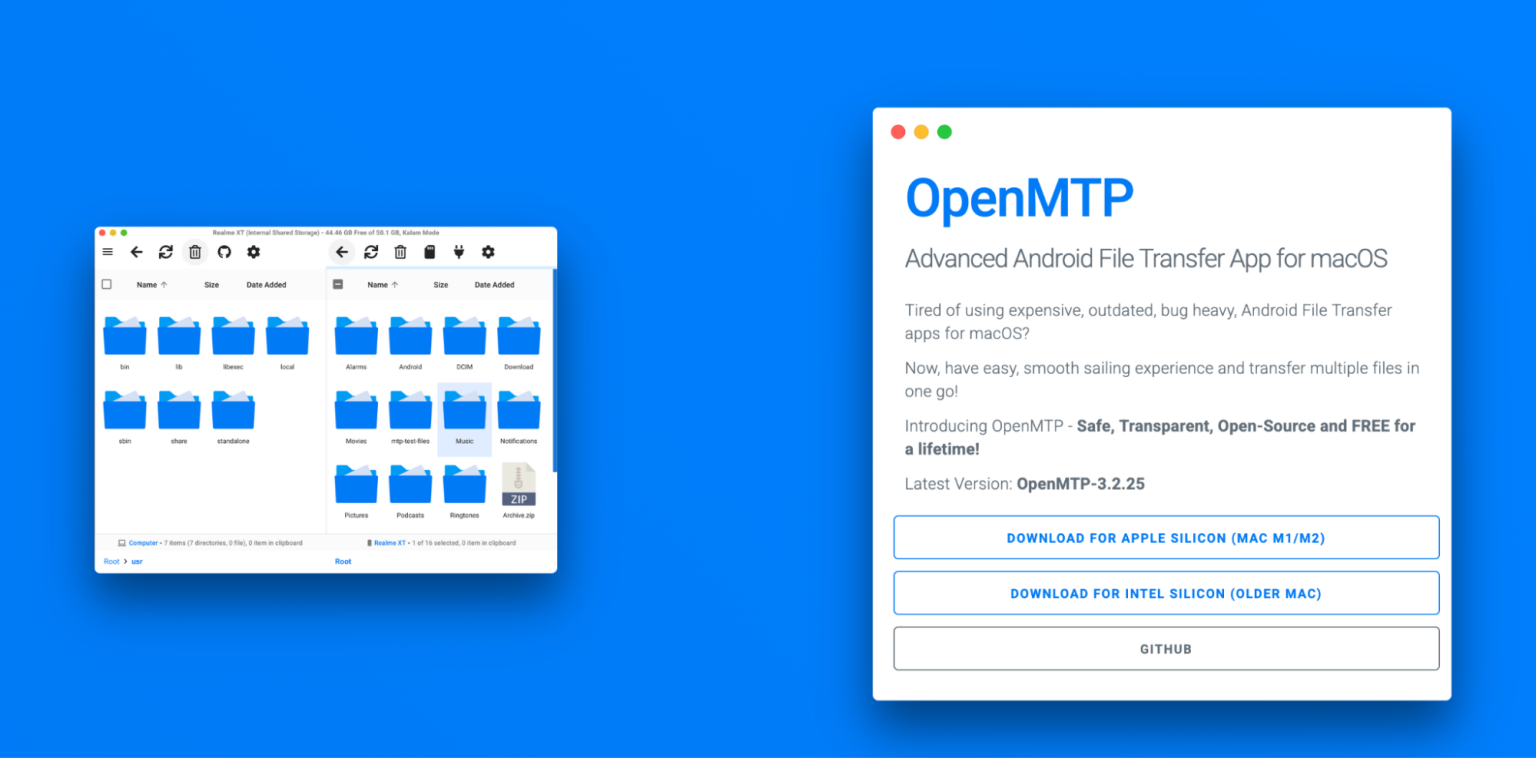
 The Good
When it works, it’s pretty straightforward. You get a split window with your Mac’s files on one side and your Android storage on the other. You can drag and drop files or entire folders back and forth. It feels like a normal file manager, which makes it easy to get used to.
I’ve moved large video files and batches of photos without the app crashing, and I didn’t have to install anything on the phone itself. Just plug it in, set the phone to file transfer mode, and go.
The fact that it’s free and open-source is a real plus. A lot of people in the community appreciate that there’s no paywall for basic functionality. It runs on macOS Catalina and newer, and more recent updates improved compatibility with Samsung devices – which used to be a common complaint. In my case, it’s been fine on newer macOS versions.
 The Not-So-Great Part
The main catch is that it doesn’t behave the same way with every device. Some Android phones or MTP-based players just don’t cooperate. The app might not recognize the device at all, or it connects but doesn’t function properly. And there isn’t always a clear fix for it.
That’s the tricky part when deciding whether it’s “worth it.” If it works with your hardware, you’re probably fine. If your specific device is one of the problem cases, it can be frustrating because there’s not much you can tweak inside the app to force it to behave.
 Two Things That Actually Help
A couple of things that have helped people, including me:
- Turning on USB Debugging can sometimes fix connection issues. You unlock Developer Options by going to Settings → About Device and tapping the Build Number seven times, then enable USB Debugging from there.
- Also, keep file names simple. Special characters – especially forward slashes – can cause transfers to hang. Cleaning up file names before moving them can save you some confusion.
 Worth Knowing About
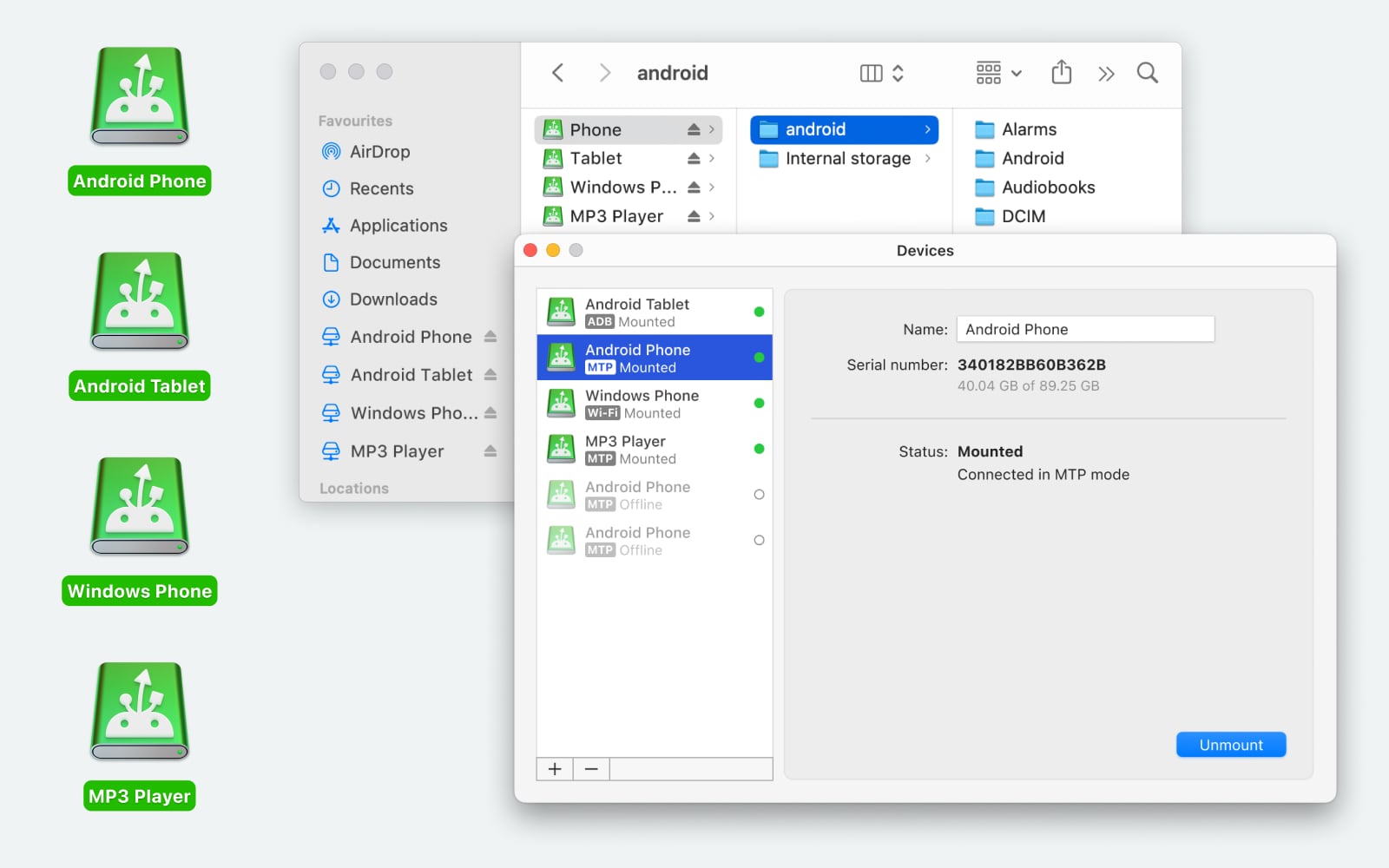
If OpenMTP doesn’t play nicely with your device, MacDroid is one alternative that works differently. Instead of using a separate dual-pane window, it mounts your Android device directly in Finder. So you browse it like an external drive. It supports USB and Wi-Fi connections, works in both directions, and handles regular files and folders, including SD card content. You can also rename, delete, or edit files directly on the device without copying them to your Mac first. There’s a free version and a paid one, so you can see if it works with your setup before committing.
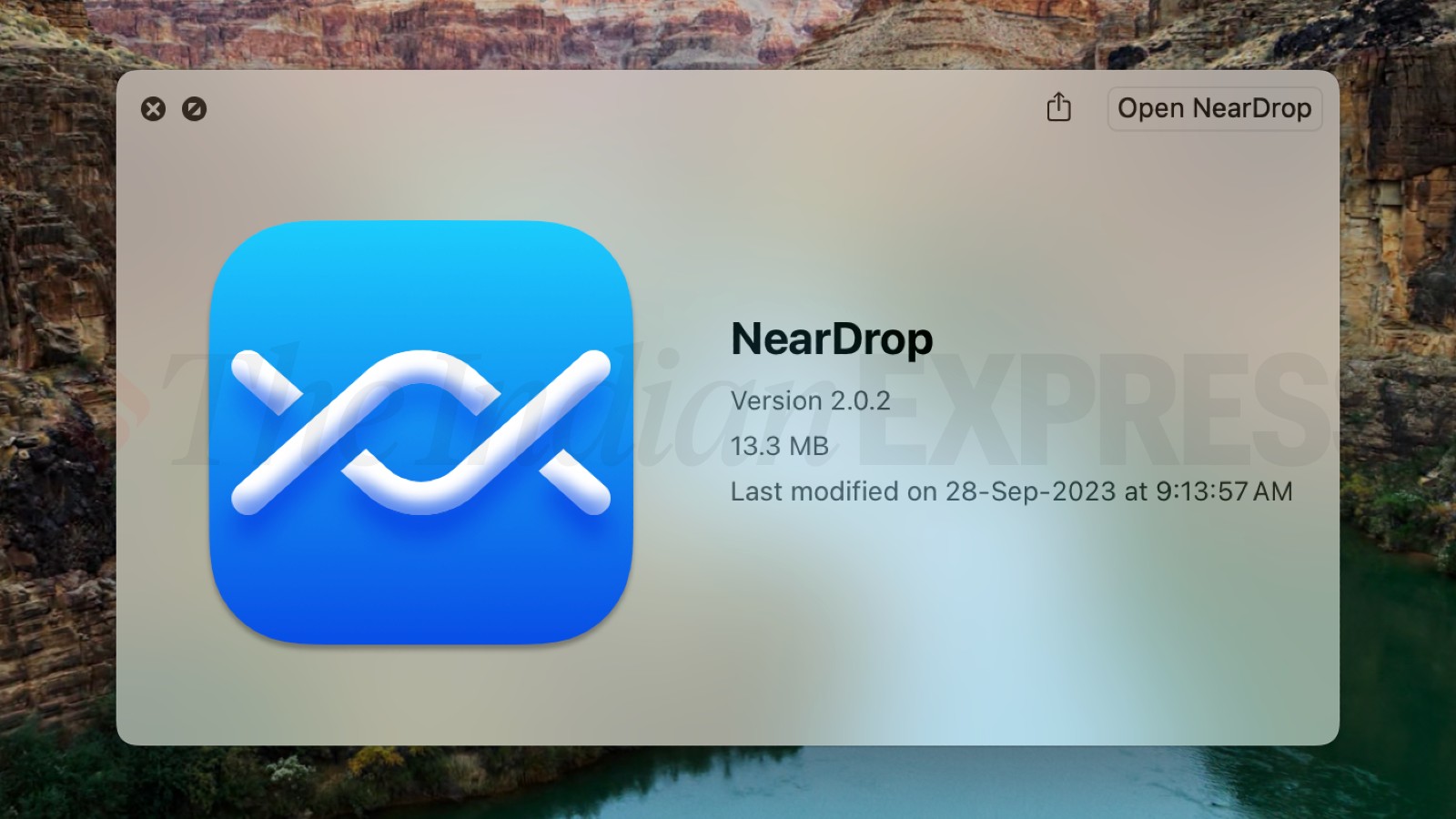
Another option is NearDrop. That’s a wireless route – it uses Android’s Nearby Share to send files from your phone to your Mac. No cable, no cloud upload. The downside is it only goes one way (phone to Mac). For quick transfers it’s handy, but it’s not meant for managing your whole file system.
 Bottom Line
Is it worth trying? Since it’s free, I’d say yes – especially if you just need basic file transfers and don’t want to pay upfront. Just go in knowing that compatibility can vary depending on your device. If it works with your phone, it’s a straightforward solution. If not, you’ll probably know pretty quickly and can move on to one of the alternatives.
12 Likes
You are not misconfiguring much. OpenMTP is flaky by design limits, not by your setup.
My take after using it with a Pixel 7 and a Galaxy A52 on an M1 Mac:
- About the disconnects
Most random disconnects come from the USB chain, not only the app. Things that reduced drops for me:
- Use the shortest USB C cable you have. Avoid hubs and adapters.
- Plug straight into the Mac, not through a monitor.
- Turn off “USB controlled by” on some phones that try to flip between phone and host automatically. Set it to “This device” if that option exists.
This did more than any OpenMTP tweak.
- About slow speeds
Raw MTP over macOS is slow compared to Windows. On large batches I was seeing:
- 8 to 15 MB/s to internal storage
- 5 to 10 MB/s to SD card
If you are getting under 5 MB/s over a direct cable, try: - Turn off Battery saver on the phone. Some vendors throttle USB when the phone is “saving power”.
- Disable any “USB file transfer protection” or “USB security” app that scans files on the fly. Those scans add lag.
This is where I slightly disagree with @mikeappsreviewer. USB debugging helped me only on one older device. On newer phones it did nothing for speed, it only added the annoying debug prompt.
- About file copy failures
MTP chokes on:
- Nested folder structures 10 or more levels deep
- Single transfers with tens of thousands of small files
- Copying from or to apps’ private folders
To avoid random fail at 80 percent type issues, I batch stuff like this: - Move media per year or per month, not the whole DCIM in one shot.
- Zip large groups on the phone first if possible, then move the archive. One big file is more reliable than 5k tiny ones.
- Avoid touching “Android” or “data” folders unless you know what the app expects.
- Quick checklist for your exact issue
Try this sequence once:
- Direct cable, no hub.
- Unlock phone, set USB mode to File transfer before you open OpenMTP.
- Start with a 1 GB file from phone to Mac.
- Then 10 GB split over a few files.
If the small test already drops, I would stop fighting it. If small works but huge fails, split large moves into chunks and avoid background use of the phone during transfer.
- When I stop using OpenMTP
For regular big transfers I moved to MacDroid. Mounts the phone in Finder, behaves more like a drive, and for me was more stable at 15 to 20 MB/s over USB. Not perfect, but it failed less than OpenMTP under heavy loads.
I keep OpenMTP around only as a backup option when Finder style access breaks.
So, honest verdict.
If OpenMTP behaves on your combo after these tweaks, fine, keep it.
If you are still chasing random drops and crawling speeds, do not waste more hours. Install MacDroid, test on the same cable, and see if your 10 GB test finishes clean. If it does, use that for big jobs and keep lighter tools or NearDrop style stuff for quick one offs.
You’re not misconfiguring much. OpenMTP is just finicky by nature, especially with big transfers.
@mikeappsreviewer and @himmelsjager already covered the usual suspects (USB debugging, cables, batching files, etc.), so I’ll skip rehashing those. A few extra angles that actually changed things for me:
-
Check if the phone vendor is the real villain
Some Android skins are way worse with MTP on macOS than others. On my old Xiaomi and a friend’s Oppo, OpenMTP was basically “connect → tease you with a directory listing → die mid‑transfer.” Same cable, same Mac, swapped in a Pixel and suddenly OpenMTP behaved.
If you have a Samsung / Xiaomi / Huawei type device, half of what you’re seeing is their USB stack, not OpenMTP. In my case, no tuning fixed that fully. -
Avoid touching the phone while copying
This sounds dumb, but interactively using the phone (camera, switching apps, even some notifications) caused transfer hiccups for me in a way I never see on Windows. For large batches, I literally:- Plug in
- Start transfer
- Put the phone face down and walk away
If I doomscrolled during copy, I got more random disconnects. That was repeatable.
-
Don’t trust MTP for “mission critical” archives
You mentioned large files and failures. My rule now: if it’s a one‑time archival move (vacation photos, 4K footage, backups), I do one run with OpenMTP as a test and then verify counts and sizes:- Compare number of files on phone vs Mac
- Spot‑check some big videos actually open on the Mac
If I see even a single random failure, I stop using MTP for that type of job. MTP is a protocol designed like it hates reliability when pushed.
-
Alternative I’d seriously consider in your case
With your combo of disconnects + slowness + failures, you’re basically in “stop trying to tame it” territory. That’s where a tool like MacDroid shines: it mounts the Android device directly in Finder so it behaves more like a drive instead of this weird remote file browser.
In practice for me:- OpenMTP: better when it works, but fragile under heavy loads
- MacDroid: slightly boring UI, but more stable and usually faster for big 10–50 GB moves
Given your symptoms, MacDroid is the one I’d test next with exactly the same cable and files. If your 10+ GB batch finishes cleanly in Finder using MacDroid and fails under OpenMTP, that’s your answer right there.
-
Minor disagreement with the others
I actually don’t bother with USB debugging anymore on newer devices. On my Pixel and recent Samsung, it added prompts and sometimes made the phone behave like it was connected to ADB tools instead of just doing file transfers. For me, debugging only helped on older hardware. I’d treat it as a last resort, not a default step.
If I were in your shoes: keep OpenMTP only as a quick, free test tool. For regular heavy transfers and archiving big media libraries, switch to something like MacDroid for Android file transfer on Mac and stop trying to bend MTP into being something it isn’t.