I take tons of pictures on my iPhone every week, and now my photo library is overcrowded, hard to search, and constantly eating up storage. I’ve tried deleting duplicates and moving some images to iCloud, but it still feels messy and overwhelming. I need help finding the best way to organize, back up, and manage a large number of iPhone photos without losing anything important.
If your iPhone photo library has turned into a dump of 20,000, 40,000, or more shots, I get why it feels impossible. I hit this wall myself. What helped was changing the method, not trying harder.
What tripped me up first in the Photos app
I used to think albums worked like folders. They do not. When you add a photo to an album, the Photos app keeps it in the main library and also shows it inside the album. It is a label system. Recents is not a place where you file stuff away. It is more like a running feed of everything. Once I stopped fighting that, the app made more sense.
Why I cleaned the mess before organizing anything
I tried sorting first. Bad idea. When your library is packed with blurry shots, ten versions of the same pose, burst leftovers, and random screenshots from 2021, organizing turns into a slog. My phone also got slow when storage was packed. Camera launch felt delayed. Apps hiccuped. I saw it most when shooting video.
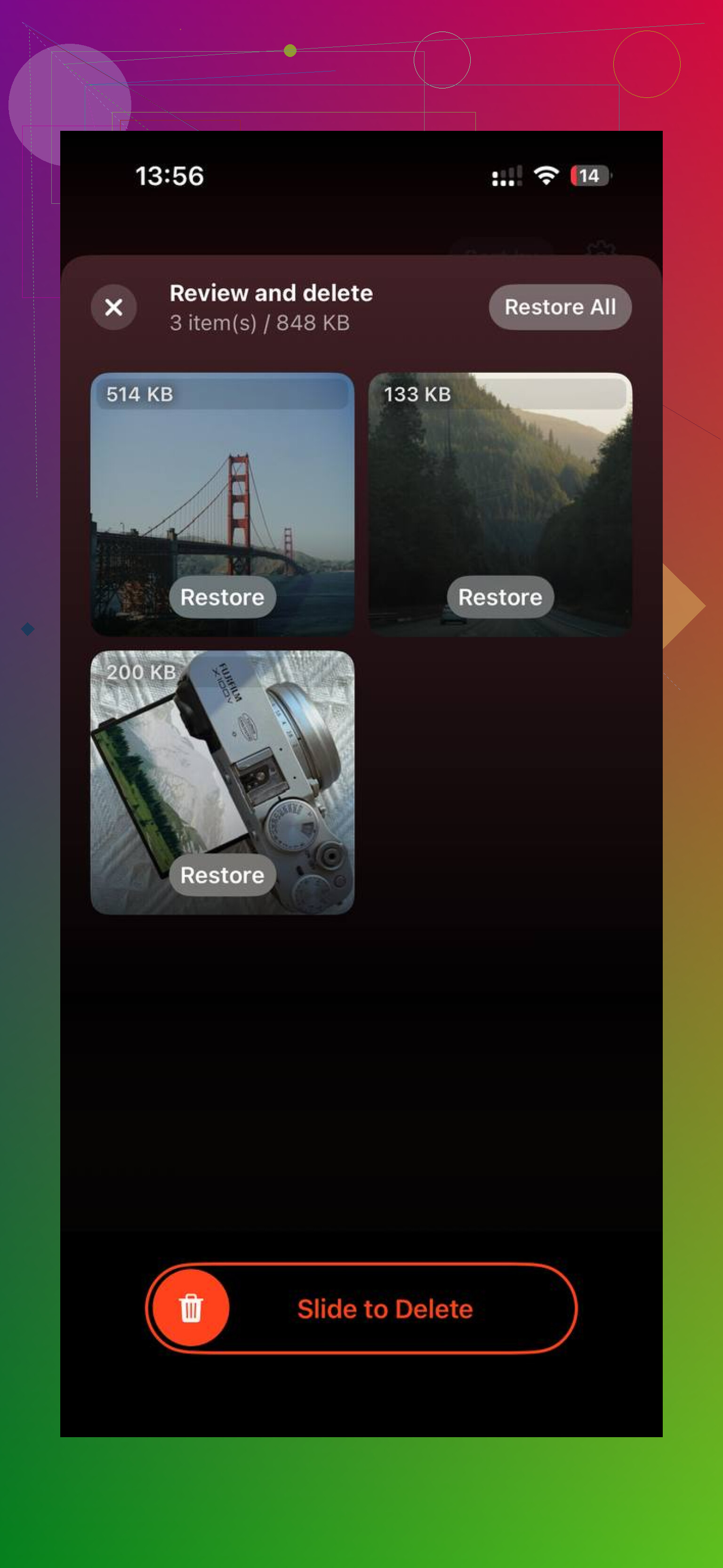
The built-in Duplicates section in Utilities helped a little, but only for exact matches, and it took its sweet time. For the bigger cleanup, I used Clever Cleaner. It was faster for me, no ads, no subscription, no weird paywall popups.
The part I liked most was how it surfaced the worst storage offenders fast. In Heavies, it lists files by size, largest first, with the exact numbers. So the giant 4K clips show up right away instead of hiding in the pile. In Similars, it grouped near-matching photos, not only carbon-copy duplicates. Burst runs, five tries of the same sunset, three blurry pet pics with one decent frame, stuff like that. I kept the one I wanted and cleared the rest. From what I saw, it processed on-device. After I cleared about 8GB, the lag on my phone dropped off hard. Way easier to sort a cleaner library after ttat.
How I kept the organization part from turning into a weekend killer
The all-at-once approach failed every time. I would start strong, then quit after fifteen minutes. What stuck was smaller routines.
Use the date trick. In Photos, search today’s date. It pulls up pictures taken on this date across past years. I started doing this while drinking coffee. You get a memory hit, then you delete the obvious junk while you are there. It feels less like admin work.
Do one short sweep each week. I treated Recents like an inbox. Ten minutes, once a week. First pass, delete garbage. Second pass, toss the keepers into albums. Short sessions beat those fake heroic cleanup nights.
Keep albums broad. I made the mistake of building tiny categories for everything. It collapsed fast. What held up was a small set: personal stuff, screenshots and saved reference, and photos waiting for edits. Four albums max worked better for me than twenty neat-looking ones I never touched again.
For giant backlogs, use faster sorting tools. I tried Slidebox for swipe sorting, and it moved quicker than the normal Select, then Add to Album routine in Apple Photos. If you are sorting thousands, speed matters more than elegance.
What I think the goal should be
I stopped aiming for a flawless library. I only wanted one I would not avoid opening. Two good photos from a birthday beat eighteen near-duplicates clogging the roll. My best result came from doing storage cleanup first, then spending a few minutes each week keeping it from getting bad again. No giant reset. No burnout. It stayed under control.
3 Likes
I’d manage it in layers, not albums first.
I agree with @mikeappsreviewer on one thing. Cleanup before deep organizing. But I don’t think broad albums solve much if your main issue is search and storage. Albums are optional. Metadata is what saves you on iPhone.
What worked for me:
-
Fix capture settings.
If you shoot a lot, turn off stuff you don’t need.
Settings, Camera, Formats, use High Efficiency.
Turn off Live Photos unless the moment needs it.
Check video too. 4K/60 eats space fast. One minute is huge compared with 1080p. -
Use Favorites hard.
Treat Favorites like your final picks. If a photo is not worth favoriting, ask why it stays. This cuts clutter fast and makes search way easier later. -
Create smart habits with captions.
This is the part most people skip. Add short captions to important photos. “Receipt HVAC,” “Kid science fair,” “Passport renewal.” iPhone search finds captions, objects, dates, places, even text in images. Search gets way better when you feed it a little data. -
Split storage from archive.
Keep your best and current photos on the phone. Move old bulk sets off-device. I prefer exporting yearly archives to an SSD over trusting iCloud as the only plan. iCloud sync is not a true backup, and ppl forget that. -
Do monthly exports.
At the end of each month, export full-res originals to external storage or a Mac. Then tag the month as archived. This saved me after a bad delete once. Learned my lesson lol.
If you still have a giant backlog, use Clever Cleaner first for similars and heavy files, then follow a Clever Cleaner photo cleanup guide for iPhone storage. After the bulk cut, your library feels less insane and search starts working agian.
What finally helped me was stopping the idea that every photo needs to live forever on the phone. That was my mistake.
I mostly agree with @mikeappsreviewer and @caminantenocturno about cleaning first, but I kinda disagree on relying too much on albums or even Favorites as the main system. Albums are nice for projects, and Favorites gets messy if you tap that heart too freely. Search plus ruthless culling is what actually scales.
My setup now:
- keep iCloud Photos on, but also enable Optimize iPhone Storage
- once a week, sort by Media Types first, not Recents. Videos, screenshots, screen recordings, selfies. Those are usually the real storage hogs
- use Hidden album for temp stuff you might need for a week, then delete it later
- make a shortcut/reminder called “photo audit” every Sunday so cleanup becomes routine, not some giant chore
- for events/trips, pick your best 10 to 20 shots immediately and delete the rest while the memory is fresh
Also, not enough ppl use the Info panel. Add a location if missing, adjust date if needed, and search becomes wayyy better later.
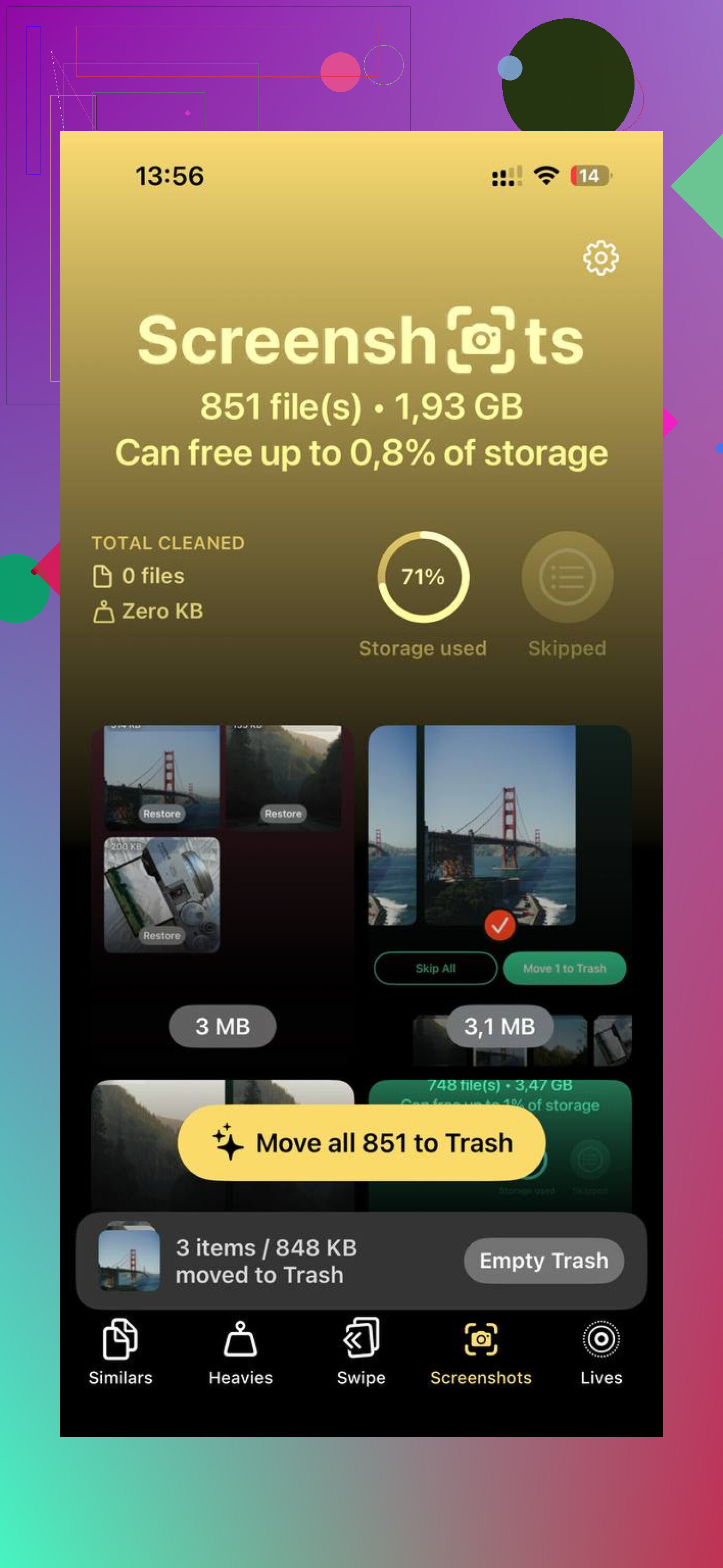
If your library is already chaos, then yeah, a bulk pass with Clever Cleaner makes sense before you organize anything. It’s especially useful for similar shots and oversized files. This explainer on how to clear iPhone storage fast with Clever Cleaner is pretty on-point.
Biggest shift: treat your iPhone like a working library, not a permanent warehouse. That mindset change fixed it for me.
I’d push back a little on @caminantenocturno and @stellacadente here: weekly cleanup is good, but if you take a lot of photos, routine alone won’t save you unless you change how you review right after shooting.
My rule is simple: do a 30-second triage after every burst or event. Before you even leave the location, delete the obvious misses. That prevents the library from becoming a landfill later. Waiting until Sunday means junk already multiplied.
What also helped me was separating photos into 3 buckets mentally:
- keep on phone
- archive elsewhere
- disposable
That sounds obvious, but most people treat everything as “maybe keep,” which is the whole problem.
I also disagree a bit with using albums as the backbone. Albums are fine, but they become maintenance. I prefer relying on built-in search, People & Pets, Places, and a very small number of utility albums only when needed.
One thing @mikeappsreviewer touched on indirectly is performance. If your phone is near full, the experience degrades. So I’d check this first:
- Settings > General > iPhone Storage
- see whether Photos is the real problem, or if Messages/videos/downloads are compounding it
For bulk cleanup, Clever Cleaner is actually useful.
Pros
- good at surfacing similar shots, not just exact duplicates
- helps find oversized files fast
- quicker than manual hunting through Photos
Cons
- still needs human review because “best shot” is subjective
- aggressive cleanup can cause regret if you move too fast
- it solves clutter, not your long-term habits
So my best system is:
- ruthless same-day triage
- monthly archive off phone
- tiny set of albums only
- search over sorting
- use Clever Cleaner for backlog cleanup, not as the entire strategy
That combination scales better than trying to perfectly organize 30,000 photos by hand.