I found a lot of duplicate photos on my iPhone after syncing and restoring my library, and now my storage is filling up fast. I tried using the Photos app to merge duplicates, but some pictures are not showing the option or are grouped wrong. I need help figuring out the best way to merge duplicate photos on iPhone without losing anything important.
If you mean exact copies, your iPhone already has a built-in way to deal with them.
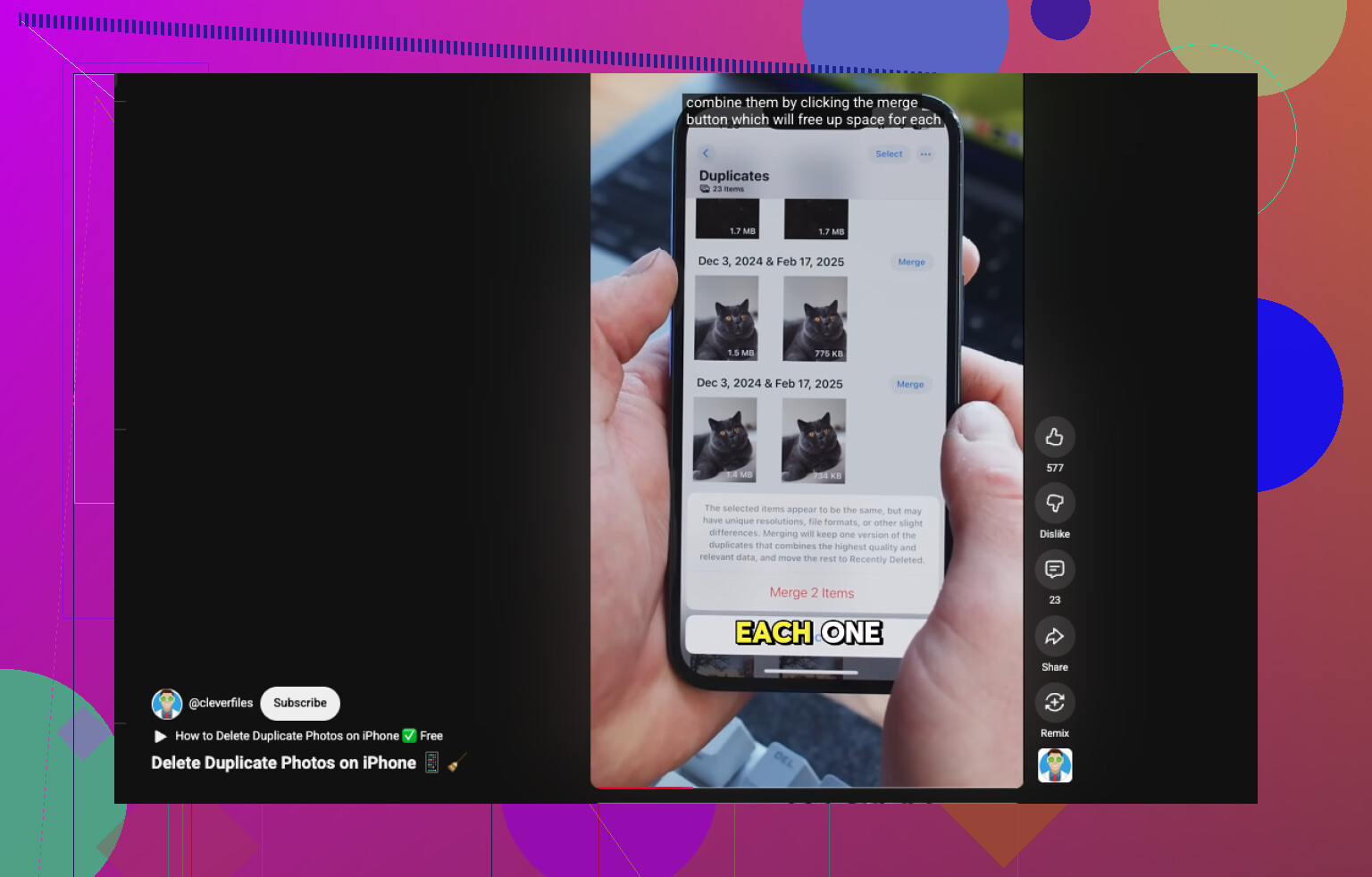
Open Photos.
Scroll to Utilities.
Tap Duplicates.
Hit Select, then Select All, or pick groups one by one.
Tap Merge, then confirm.
One small thing I ran into, the Duplicates album did not show up right away. After I imported a batch of photos and restored part of my library, iOS took a while to index everything. The duplicate groups appeared later.
Where Apple falls short, at least for me, is with near-matches. My library is around 5,000 photos, and most of the junk was not exact file copies. It was stuff like four shots of the same receipt, six sunset pics taken two seconds apart, or a burst of selfies where one eyebrow moved and thta’s it. Photos does not catch much of that.
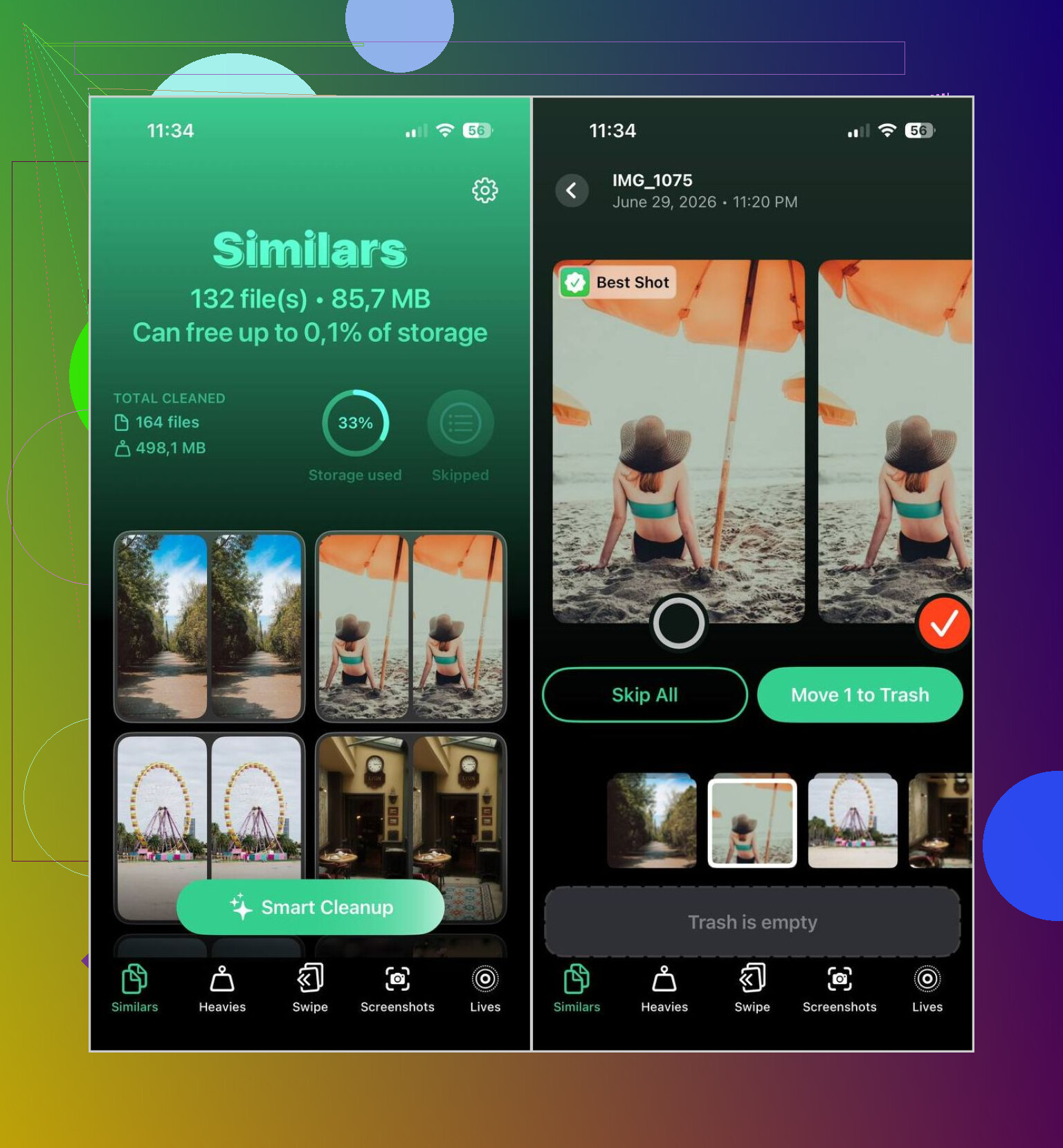
I used the built-in option first, then moved over to Clever Cleaner because it sorts both duplicates and similar photos.
What I do with it is simple.
Install Clever Cleaner from the App Store.
Let it scan your library.
Open Similars.
Use Smart Cleanup if you want it to pick the best image, or go group by group yourself.
Check what it marked for removal, put back anything you want to keep, then finish the cleanup.
Afterward, clear Recently Deleted if you want the storage freed up right away.
In my use, the photo suggestions were decent. I still review them, because I do not trust any app blindy, but most of the time it picked the frame I would have kept.
I kept using it for the other cleanup sections too.
Heavies shows your biggest videos first, which made it easy for me to spot what was eating storage.
Video Compression shrinks large videos instead of removing them. I got back a few GB this way.
Screenshots lets you wipe old screenshots fast.
Lives turns Live Photos into regular stills, which cuts storage use.
Swipe is a quicker way to go through older photos month by month.
So, if your goal is merging exact duplicates, Photos is enough. If your issue is the mess most people acutally have, near-identical shots, repeated takes, clutter from years of casual snapping, I had better results with Clever Cleaner than with Apple’s built-in duplicate tool.
5 Likes
What trips people up is this. iPhone only offers Merge for photos it sees as true duplicates. Same image data, same or close metadata. After a sync, restore, or iCloud rescan, a lot of items look identical to you but not to iOS. Edits, different file formats, saved-from-chat copies, and screenshots of the same pic often won’t qualify.
I slightly disagree with @mikeappsreviewer on one part. Waiting longer does help, but if the option still never appears, it’s often not an indexing delay. It’s Apple being strict.
A few things worth checking.
Keep iCloud Photos on, then leave the phone charging and on Wi-Fi overnight.
Update iOS, duplicate detection got better in newer builds.
Look for edited versions. An edited photo and the original usually won’t merge.
Check storage settings. Sometimes “Photos” growth is from videos, not the dupes you think are the issue.
If your goal is broader cleanup, Clever Cleaner makes more sense because it finds similar shots too, not only exact copies. For storage, those near-duplicates are often the real problem.
If you want a quick visual guide, this short guide for cleaning duplicate photos on iPhone helps:
watch this fast iPhone duplicate photo cleanup guide
Also, empty Recently Deleted after cleanup or your storage won’t drop right away. That part gets missed a lot. Applie makes this way more confusing than it shold be.
Not every “duplicate” on iPhone is a real duplicate, and that’s the annoying part. @mikeappsreviewer is right that iOS can take time to re-process the library after a sync or restore, but I kinda side with @cacadordeestrelas on this one: if Merge never appears, it usually means Apple decided those files are different enough to not qualify.
Stuff that often breaks merge detection:
- one copy was edited
- one came from Messages, WhatsApp, or another app
- HEIC vs JPG versions of the same pic
- different resolution or metadata
- synced copy vs manually saved copy
So if Photos isn’t offering Merge, I wouldn’t keep waiting forever tbh. I’d check the file details first and see if they’re actually exact matches. If your main goal is saving storage, the bigger win is usually clearing similar photos and oversized videos, not obsessing over the Merge button.
That’s where Clever Cleaner makes more sense imo. Not because Apple’s tool is “bad,” just super narrow. Clever Cleaner is better when your library is full of almost-the-same pics after restores, imports, or years of random camera-roll chaos. I still wouldn’t let any app delete blindly though, bc that’s how people nuke a photo they wanted.
Also, one sneaky thing: if you use Shared Albums or sync from a computer, some items can look duplicated in your library but don’t behave like normal duplicates at all. Apple’s photo system is weirdly messy under the hood.
If you want a cleaner breakdown of iPhone duplicate and similar photo removal, this thread is actually pretty useful:
best ways to delete duplicate and similar photos on iPhone
And yeah, don’t forget Recently Deleted. That folder is basicly Apple’s way of pretending you freed storage when you didn’t.